Asset record
One piece of equipment: details, service history and preventive maintenance.
How it helps
One record per rooftop unit, boiler or bus: details from the data plate, every work order and PM against it, its label and map position, the parts and tools it takes, its manuals, its inspection checklist, and a line every time it moved or changed hands. When a unit's repairs approach its replacement cost, this is where the case for replacing it is made.
Who uses it
SupervisorsTechniciansAdministrators
How to use it
- Vehicle & fuel (for vehicles): make, plate, fuel, rate per mile and the odometer, plus every fill-up with miles since the last one and miles per gallon.
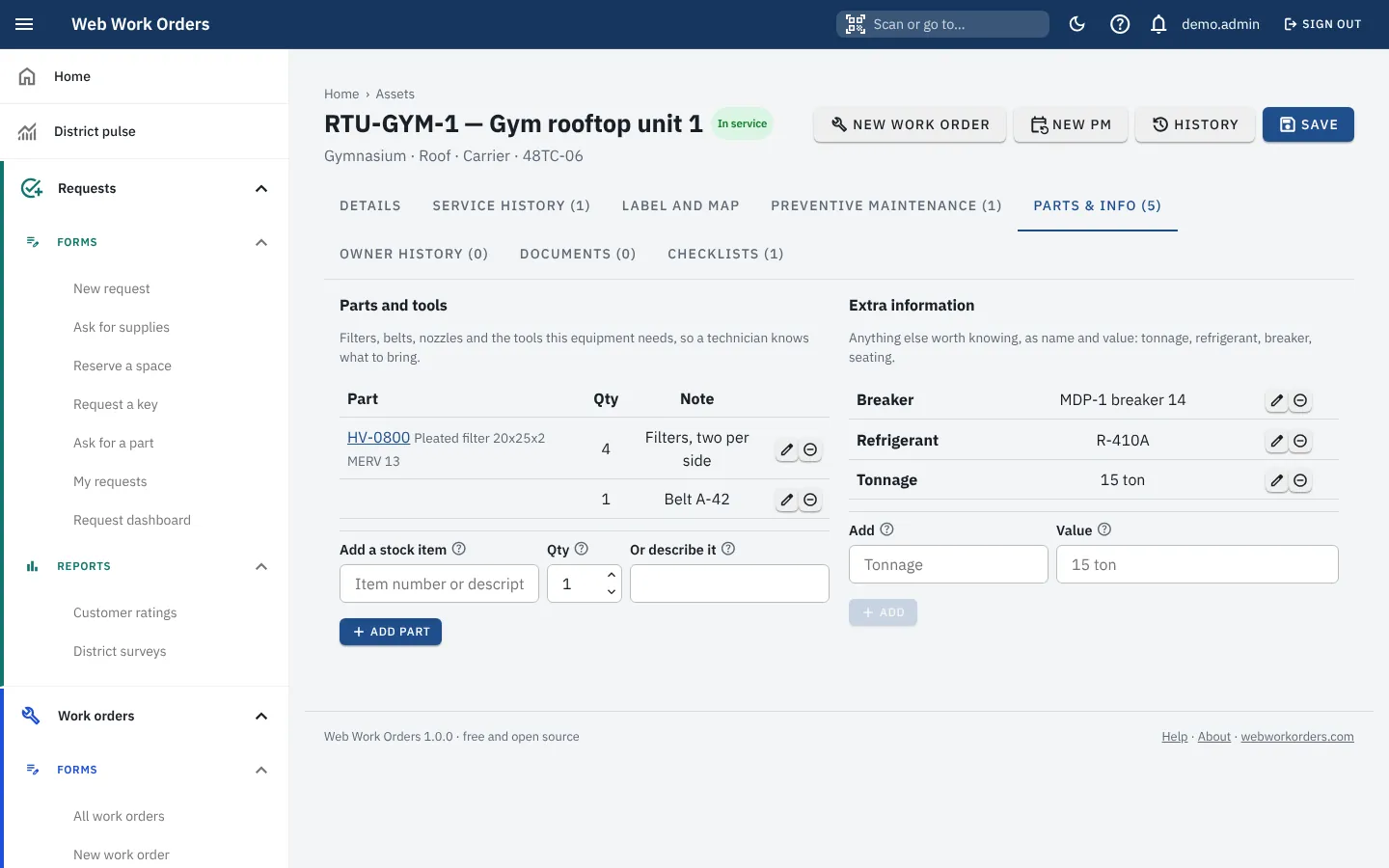
- Parts & info: the filters, belts and tools this equipment takes (stock items can be issued straight to a work order), and extra name-and-value information such as tonnage or breaker.
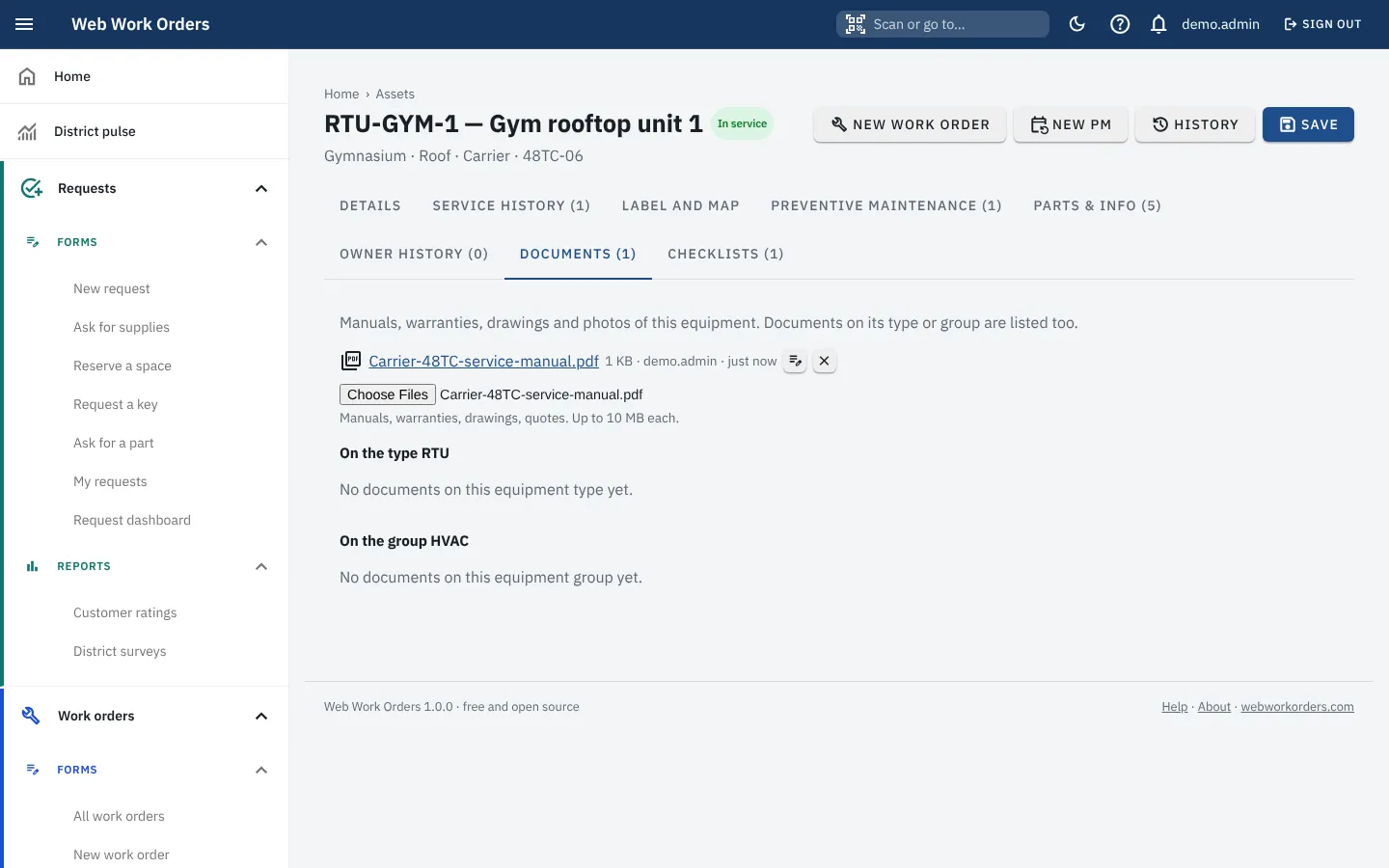
- Owner history: a line each time the location, person, department, status or value changed. Documents: manuals, warranties and drawings on the asset, its type and its group.
- Service history lists every work order that names this asset.
- New work order and New PM start with this asset and its location filled in.
- Check the warranty date before paying for a repair.
Fields on this screen
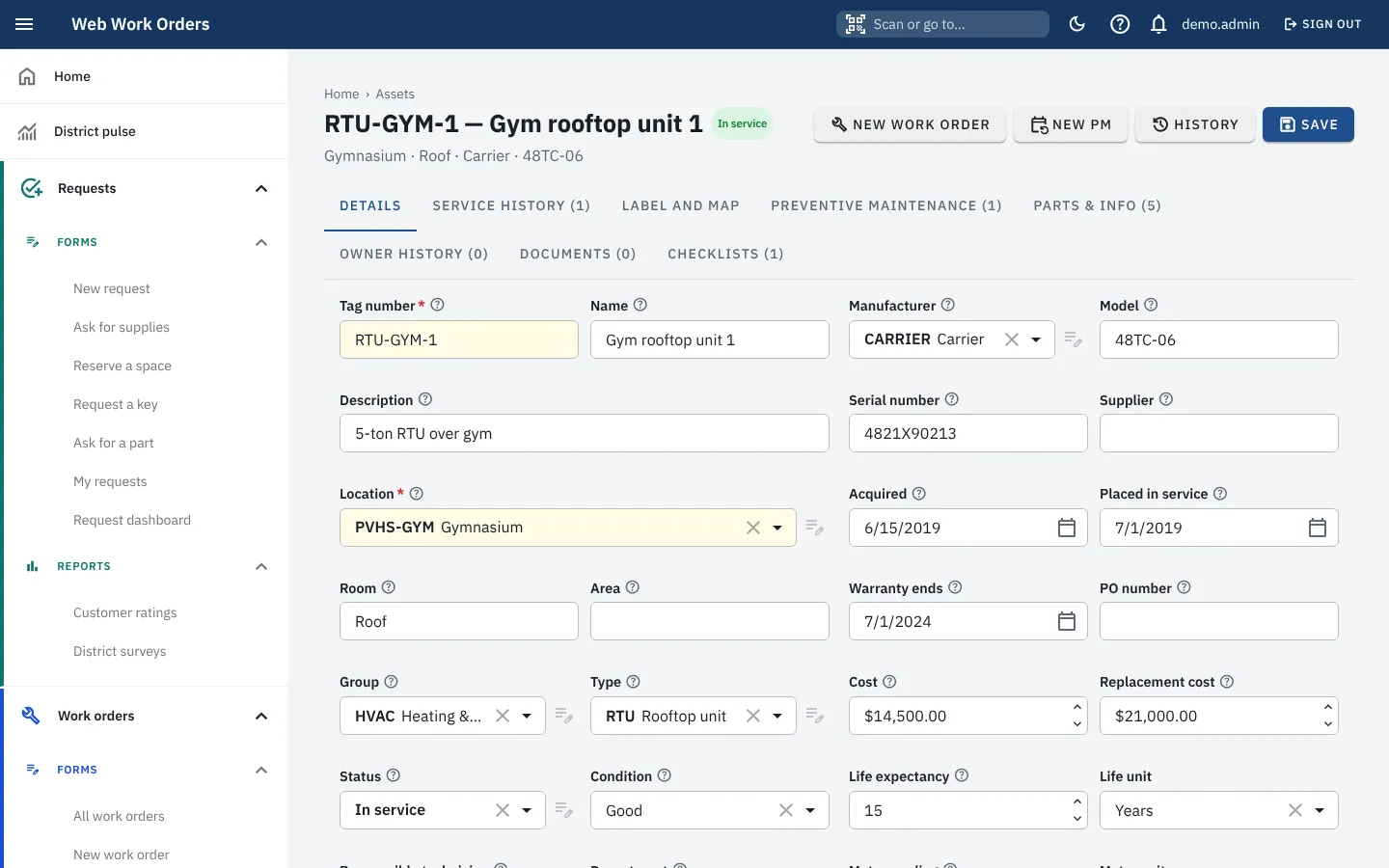
- Tag number
- The label on the equipment, such as RTU-GYM-1 or BUS-12. It is how technicians and the PM schedule refer to it.
- Name
- A short everyday name: Gym rooftop unit 1.
- Description
- What it is in a few words: 5-ton rooftop unit over the gym.
- Location
- The building the asset is in or belongs to. Work orders on the asset inherit it.
- Room
- Room, roof, mechanical room, lot: where to find it inside the building.
- Area
- A finer location than room when it helps: north wing, behind the stage.
- Group
- The broad family: HVAC, vehicles, kitchen, life safety. Groups organize reports and PM types.
- Type
- The specific kind within a group: rooftop unit, boiler, bus, walk-in cooler. PM types are matched to asset types.
- Status
- In service, out of service or retired. Retired assets leave the main list but keep their history.
- Condition
- Your current rating of the unit's condition. Reports can list poor-condition assets for the capital plan.
- Responsible technician
- Who usually looks after this asset. Used as the default assignee on its PMs.
- Vehicle
- Turn on for buses, trucks and other vehicles, so they can be listed separately and tracked by mileage.
- Manufacturer
- Who made it. Useful when ordering parts or calling support.
- Model
- The model number from the data plate.
- Serial number
- From the data plate. Needed for warranty claims.
- Supplier
- The vendor who sold or installed it, for parts, service calls and warranty questions.
- Acquired
- The purchase date. Depreciation and age reports count from here.
- Placed in service
- When it started operating. Life expectancy counts from here.
- Warranty ends
- Check this before paying for a repair. The asset list can show warranties ending in the next 90 days.
- PO number
- The purchase order it was bought on, for the finance office.
- Cost
- What was paid for it, including installation if you track that here.
- Replacement cost
- What it would cost to replace today. Helps the repair-or-replace decision and the capital plan.
- Life expectancy
- Expected service life, with its unit. Compare with the in-service date to plan replacements.
- Meter reading
- The last mileage or hour reading, for vehicles and engines on meter-based PMs.
- Notes
- Anything a technician should know: filter sizes, breaker location, lockout steps.
Where to find it
In the app at /assets/…. Every screen has a ? in the header with help for that page.
Terms on this page
Work orderStatusRoomAssetReplacement costPreventive maintenancePM typeMeter-based PMPurchase orderEquipment checklistVendorMiles per gallonOwner historyExpected lifeCapital planWarranty claim
Related
Screenshots come from the Pine Valley Schools demo, a made-up district. Something unclear or out of date? Tell us and we'll fix it.