Vehicles and fuel
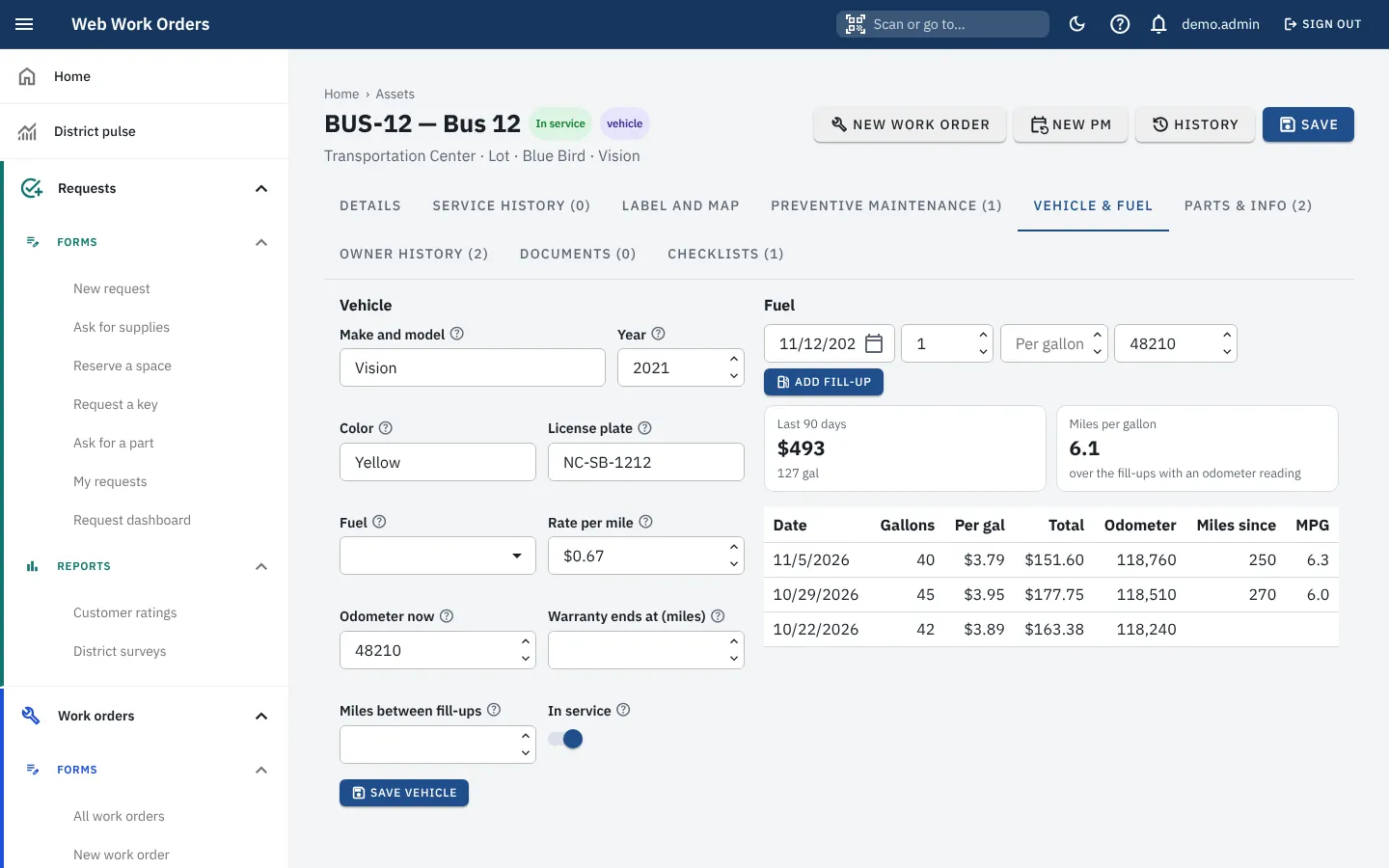
For a bus, truck or mower: make, plate, fuel, rate per mile and the odometer, plus every fill-up with the miles since the last one and miles per gallon.
How it helps
A bus whose miles per gallon is dropping needs a look before it needs a tow. Fuel spending per vehicle and per period comes straight from the fill-ups, without a separate fuel spreadsheet.
Who uses it
SupervisorsFinanceAdministrators
How to use it
- Add fill-up records the date, gallons, price and odometer; miles since the last fill-up and MPG are worked out for you.
- Rate per mile is what a work order is charged for travel in this vehicle.
- Warranty ends at, in miles, is checked against the odometer before a repair is paid for.
Fields on this screen
- Make and model
- The vehicle's make and model, such as Blue Bird Vision or Ford F-250.
- Year
- The model year of the vehicle.
- Color
- The vehicle's color, to tell it apart in the lot.
- License plate
- The plate number, for fuel and inspection records.
- Fuel
- What the vehicle runs on, from the fuel type list.
- Rate per mile
- What a work order is charged for each mile this vehicle travels (vehicle travel lines).
- Odometer now
- The latest reading. Fill-ups with a reading move it forward, and mileage-based PMs count from it.
- Warranty ends at
- The mileage the warranty runs out at.
- Miles between fill-ups
- How far the vehicle usually goes on a tank, to spot a fuel problem early.
- In service
- Off when the vehicle is parked for good or out for a long repair.
Terms on this page
Work orderPreventive maintenanceMiles per gallon
Related
Next in Assets: Parts and extra information →
Screenshots come from the Pine Valley Schools demo, a made-up district. Something unclear or out of date? Tell us and we'll fix it.