Stock item
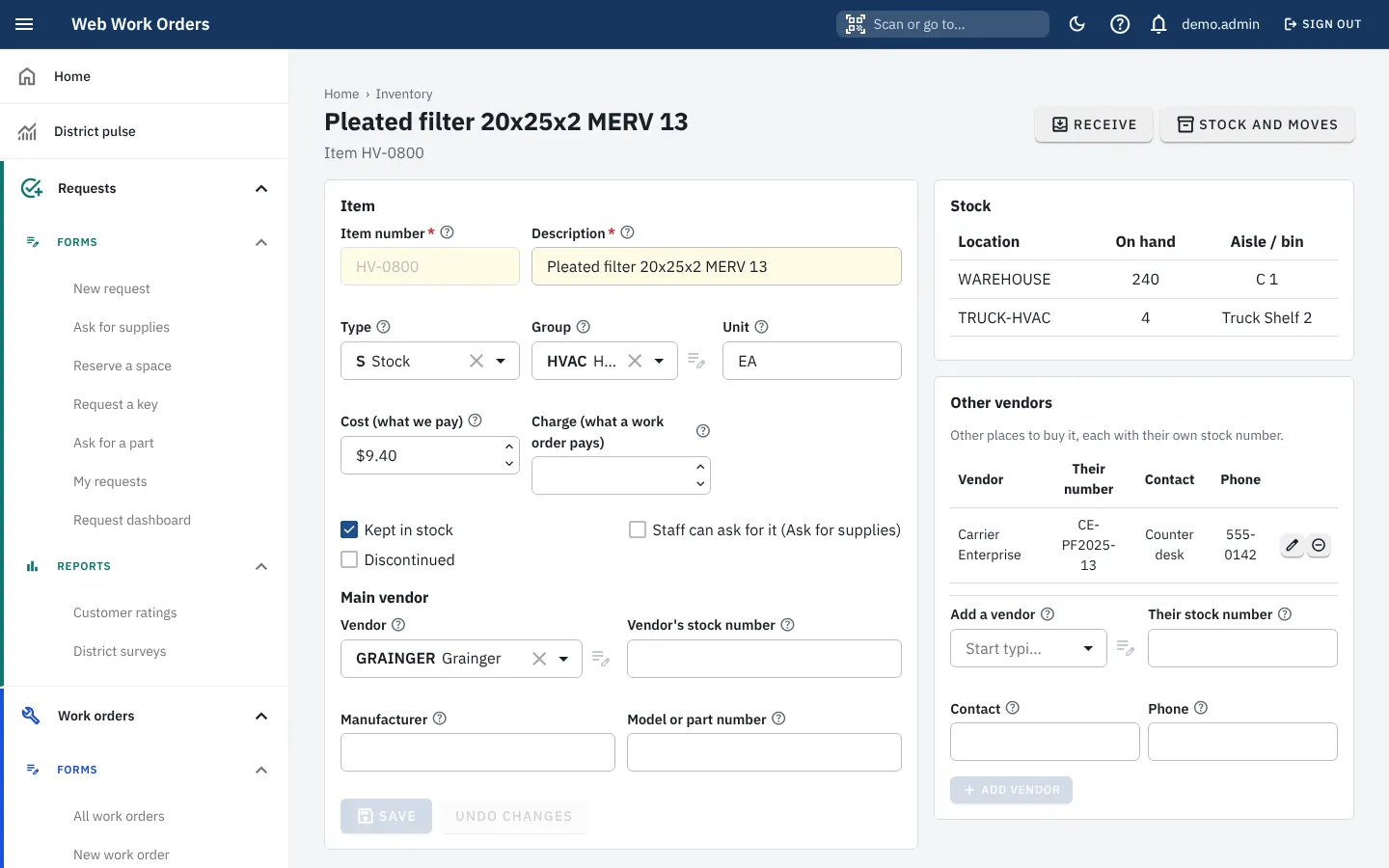
One item's record: description, unit, costs, main vendor and the other vendors you can buy it from.
How it helps
One record per item with its unit, cost, main vendor and every other vendor you can buy it from, each with their own stock number. When the usual supplier is out, the next one is already on the page.
Who uses it
Stockroom (inventory clerks)Supervisors
How to use it
- Kept in stock, Staff can ask for it and Discontinued work as they did in the earlier version. A discontinued item still shows on a count while some is on the shelf.
- Other vendors keeps each vendor's own stock number, contact and phone. Taking one off the list keeps its earlier row.
- Receive opens a delivery with this item on the first line.
Fields on this screen
- Item number
- The stock number everyone uses for this item, printed on its label. It cannot be changed after the item is added.
- Description
- What the item is, in the words people search for it by.
- Type
- Stock or non-stock, as the earlier version sorted items.
- Group
- The inventory group (commodity) the item belongs to, used to filter lists and counts.
- Unit
- How the item is counted and issued: each, box, gallon, foot.
- Cost
- What the district pays for one unit. Issues to work orders are costed at this price.
- Charge
- What a work order is charged for one unit, when it differs from the cost.
- Usual order quantity
- How many you normally order at a time from the vendor.
- Contract number
- The state contract or bid the item is bought on.
- Vendor
- Where the item is usually bought, for reorders and receiving.
- Vendor's stock number
- The vendor's own number for the item, for ordering.
- Manufacturer
- Who makes the item, for finding the same part again.
- Model or part number
- The manufacturer's model or part number, for ordering the same part.
- Other vendor
- Another vendor the item can be bought from when the main one is out.
- Their stock number
- That vendor's own number for the item, for ordering from them.
- Contact
- Who to ask for at that vendor when ordering this item.
- Phone
- That vendor's phone number for ordering this item.
Where to find it
In the app at /inventory/items/…. Every screen has a ? in the header with help for that page.
Terms on this page
Related
Next in Inventory: Pick list →
Screenshots come from the Pine Valley Schools demo, a made-up district. Something unclear or out of date? Tell us and we'll fix it.