Receive a delivery
Everything on one packing slip, purchase order or invoice at once, with the vendor, accounts and a grand total.
How it helps
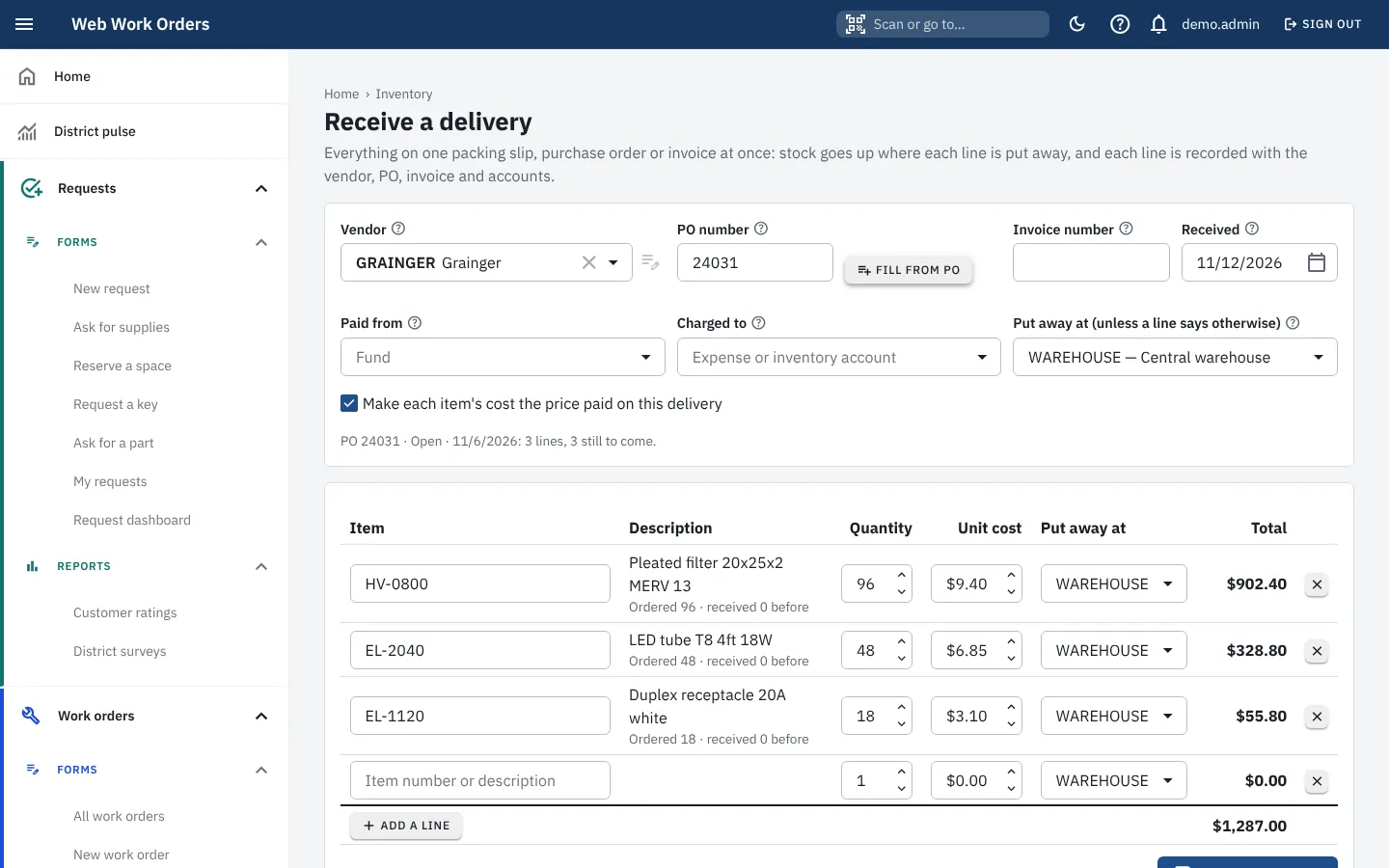
A whole packing slip goes in at once instead of one item at a time. Fill from PO brings in what hasn't arrived yet, stock goes up where each line is put away, and every line carries the vendor, PO, invoice and accounts, so finance can match it to the bill.
Who uses it
Stockroom (inventory clerks)Supervisors
How to use it
- Name the vendor, PO and invoice, and the accounts it is paid from and charged to. Each line is recorded with them, as the earlier receiving page did.
- Fill from PO brings in the purchase order's lines that have not all arrived yet, with what is still to come. Change the quantities to what actually came.
- Pick each item by number or description (a scanner works too). Its cost starts at the PO price or the item's cost, and it goes to where it is already kept.
- Tick 'Make each item's cost the price paid' to keep item costs current. The last price, vendor and PO are remembered either way.
Fields on this screen
- Vendor
- Who the delivery came from. Recorded on every line received.
- PO number
- The purchase order this delivery is against. Recorded on every line.
- Invoice number
- The vendor's invoice or packing slip number. Recorded on every line.
- Received
- The day the delivery arrived. Each line is recorded on this date.
- Put away at
- The stock location each line goes to unless you pick another on the line.
Where to find it
In the app at /inventory/receive. Every screen has a ? in the header with help for that page.
Terms on this page
Stock locationPurchase orderVendor
Related
Next in Inventory: Physical count →
Screenshots come from the Pine Valley Schools demo, a made-up district. Something unclear or out of date? Tell us and we'll fix it.