Ask for supplies
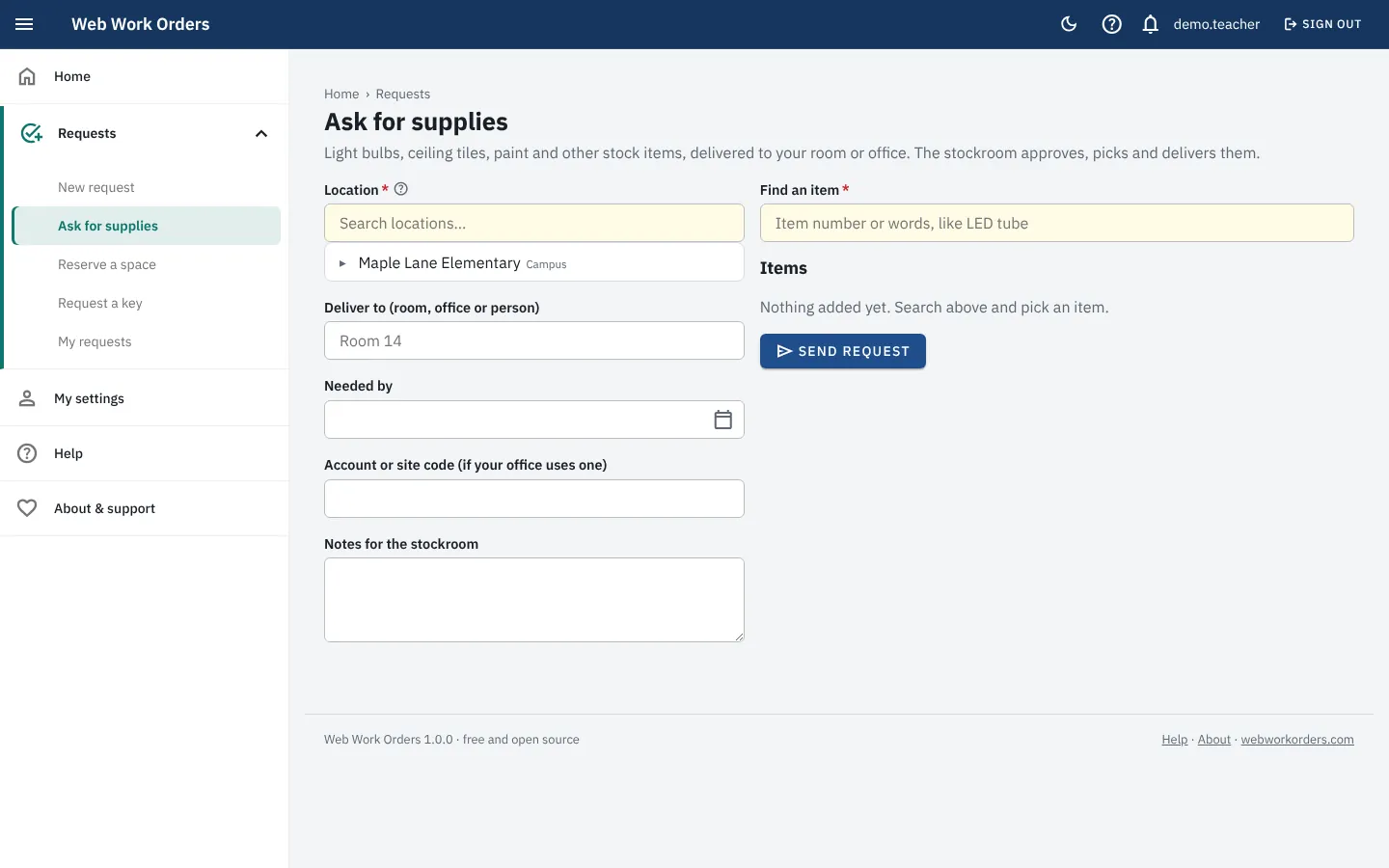
Ask the stockroom for stock items delivered to your room or office.
How it helps
Light tubes, ceiling tiles and paint are requested like any other work, delivered to the room, and charged to the requester's location. The stockroom works from an approved list instead of emails and sticky notes, and the shelf count stays right.
Who uses it
Teachers and staff (requesters)Stockroom (inventory clerks)
How to use it
- Pick the location, search for items by number or words, and set how many you need.
- Add a room or person to deliver to, the date you need them by, and any account code your office uses.
- You hear when the stockroom approves, declines or delivers. Follow it under My requests › Supplies, and cancel it there until someone acts on it.
Where to find it
In the app at /requests/inventory/new. Every screen has a ? in the header with help for that page.
Terms on this page
Related
Next in Requests: Several problems in one request →
Screenshots come from the Pine Valley Schools demo, a made-up district. Something unclear or out of date? Tell us and we'll fix it.