Several problems in one request
Report everything wrong in one place at once. Each problem becomes its own work order with its own number, routed on its own, and each notes the others it was sent with.
How it helps
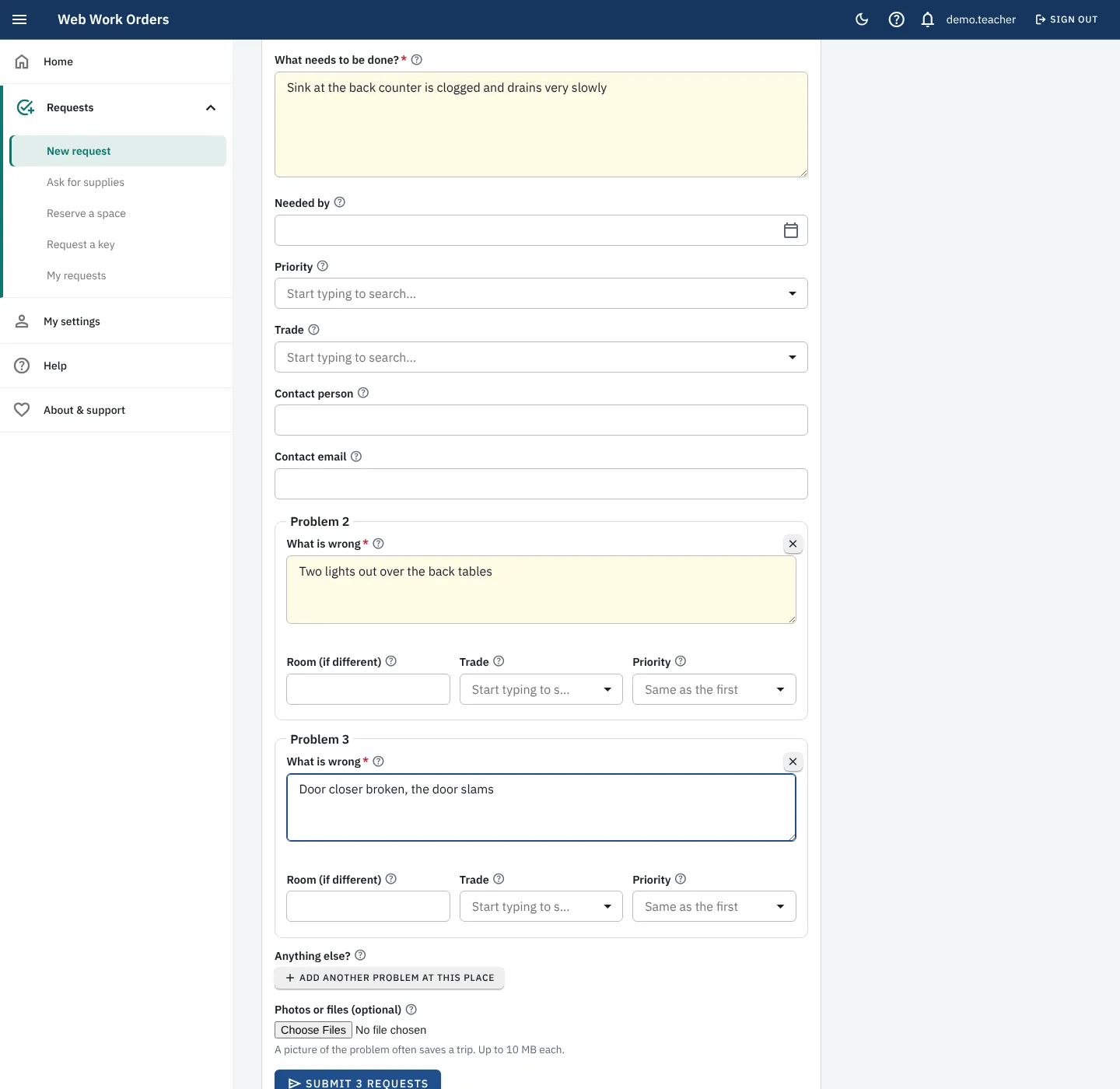
The art room has a clogged sink, two lights out and a door that slams. One request covers all three, and the plumber, the electrician and the carpenter each get their own work order instead of one ticket three people argue over.
Who uses it
Teachers and staff (requesters)
How to use it
- Fill in the first problem, then choose Add another problem at this place for each one after it.
- Each extra problem can have its own room, trade and priority, or leave them the same as the first.
- The district sets how many problems one request may hold (up to nine).
Terms on this page
Related
Next in Requests: How did we do? (customer survey) →
Screenshots come from the Pine Valley Schools demo, a made-up district. Something unclear or out of date? Tell us and we'll fix it.