Staff access
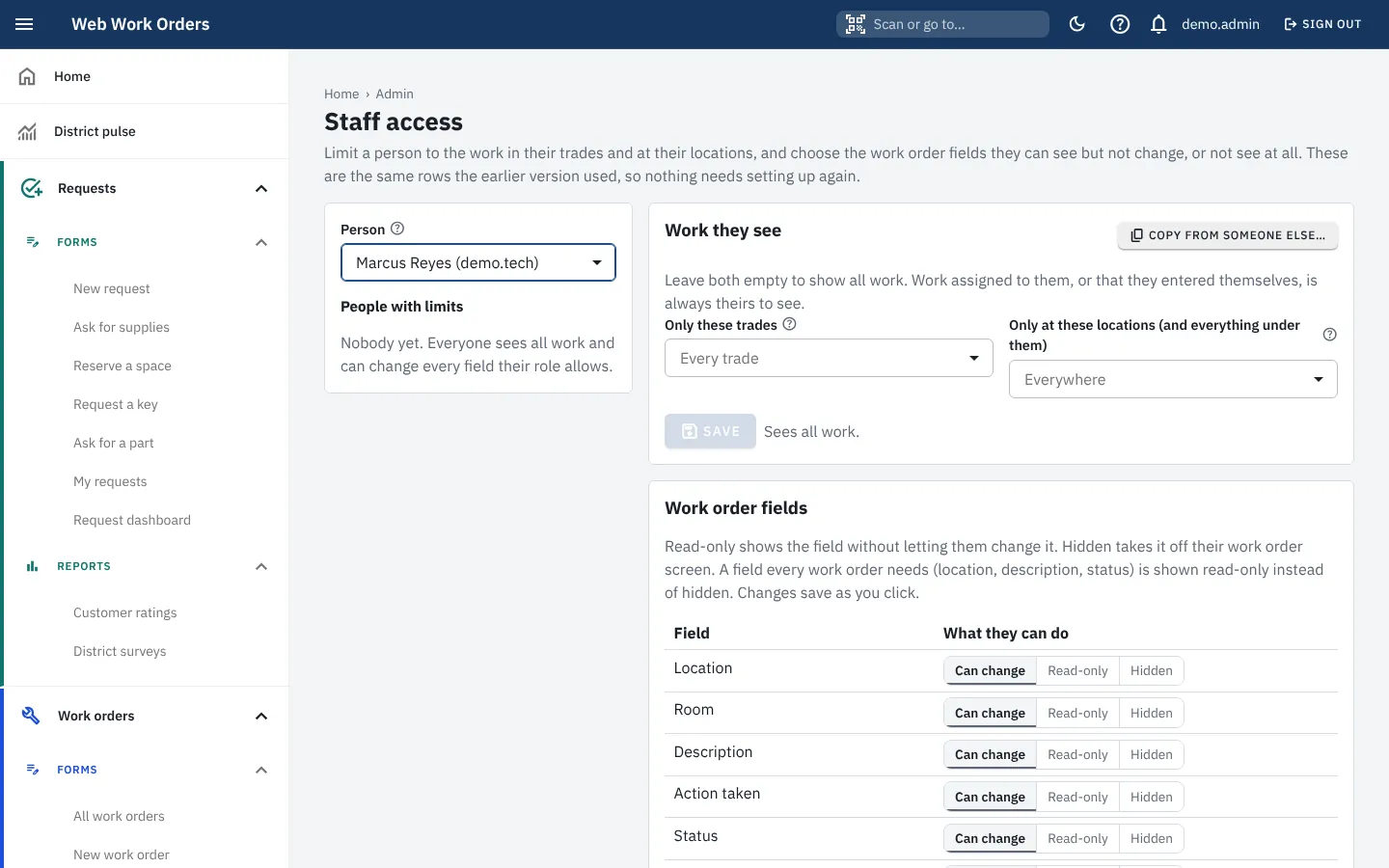
Limit a person to the work in their trades and at their locations, and lock the work order fields they may not change.
How it helps
Plumbers see plumbing and the night custodian sees the high school, without separate systems. Limits apply everywhere (the list, the work order, printouts, the map, exports and the Mobile App), fields can be read-only or hidden per person, and the earlier version's trade, location and field security carry over.
Who uses it
How to use it
- Pick a person. With no trades and no locations they see all work; add a trade or a location to limit them to it. A location includes everything under it.
- Work assigned to the person, or that they entered themselves, is always theirs to see, even outside their trades and locations.
- Each work order field can be changeable, read-only or hidden for that person, and so can each kind of line on the Transactions tab. Changes save as you click.
- These are the earlier version's own rows (trade memberships, staff locations and field security), so a district's existing setup carries over. Taking a trade or location away is recorded without deleting the earlier row.
- Administrators are never limited. Copy from someone else makes one person's limits match another's.
Fields on this screen
- Person
- The person whose staff access you are looking at. People who already have a limit are listed underneath.
- Only these trades
- Limit this person to work orders in these trades. Leave it empty for every trade. Work assigned to them or entered by them is shown anyway.
- Only at these locations
- Limit this person to work orders at these locations and everything under them (a school includes its rooms). Leave it empty for everywhere.
Where to find it
In the app at /admin/access. Every screen has a ? in the header with help for that page.
Terms on this page
Work orderTradeRoomTransactionField-level security
Related
Next in Setup and security: Roles →
Screenshots come from the Pine Valley Schools demo, a made-up district. Something unclear or out of date? Tell us and we'll fix it.