Form setup
Make the work order, labor, material and purchase forms faster for the way your office works.
How it helps
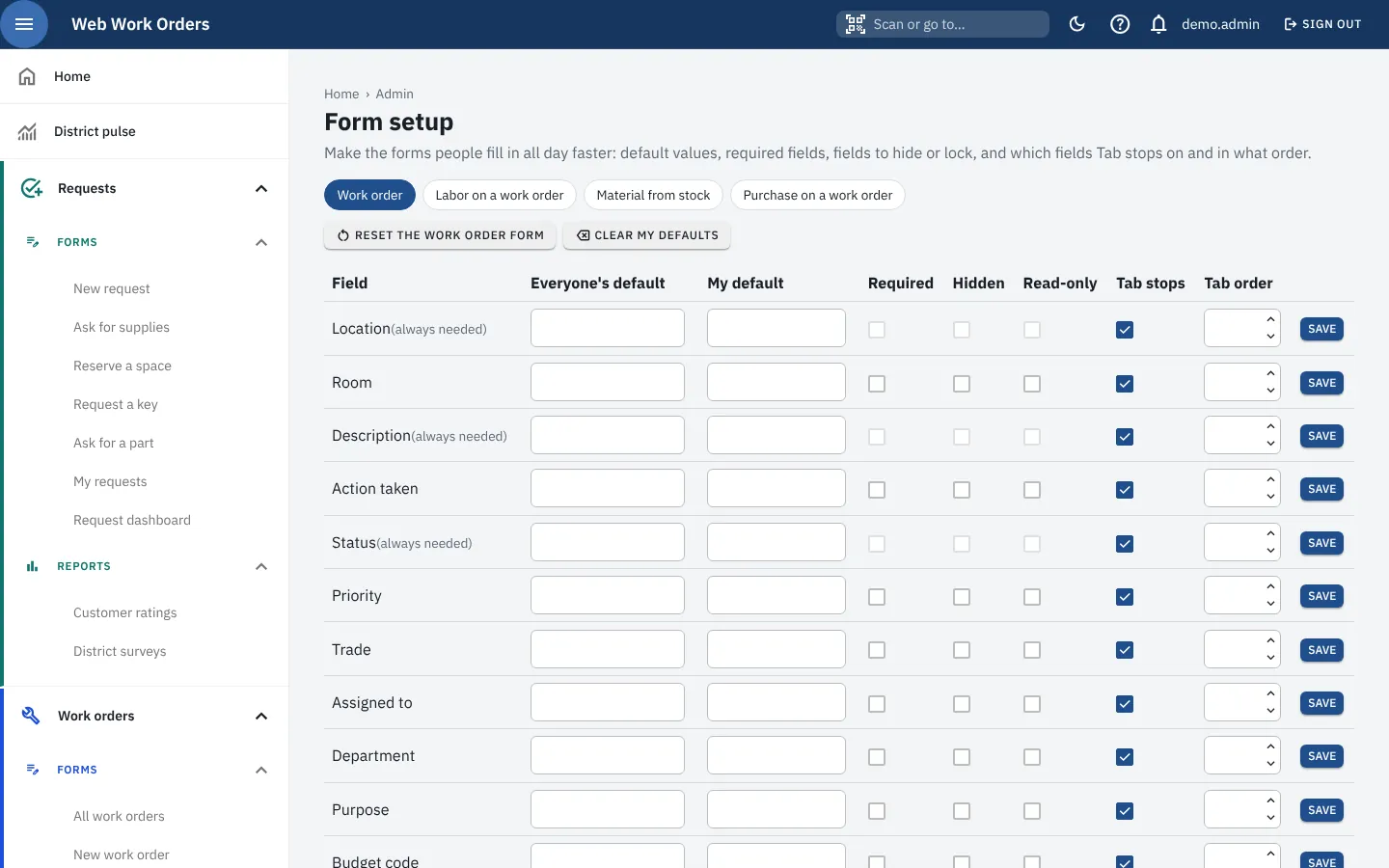
Default values, required, hidden and read-only fields, tab stops and tab order for the work order, labor, material and purchase forms, plus each person's own defaults. A data-entry clerk who enters fifty work orders a day saves keystrokes on every one.
Who uses it
How to use it
- Default value: what a new record starts with. Dates take today or today+7; code fields take the code. Your own default (the My default column) wins over everyone's.
- Required: the field must be filled before saving; it is tinted so it stands out. Fields the app always needs cannot be turned off.
- Hidden: the field is not shown on the form. Read-only: shown but cannot be changed.
- Tab stops: untick to have Tab skip the field. Tab order: 1 is where the cursor starts, then 2, 3… Fields without a number follow in page order.
- Settings saved in the earlier version (its FormConfig table) are used until you change them here; that table is never changed.
- Everyone can set their own default values; admins set the rest for everyone.
Where to find it
In the app at /admin/forms. Every screen has a ? in the header with help for that page.
Terms on this page
Related
Next in Setup and security: Menu →
Screenshots come from the Pine Valley Schools demo, a made-up district. Something unclear or out of date? Tell us and we'll fix it.