Attendance
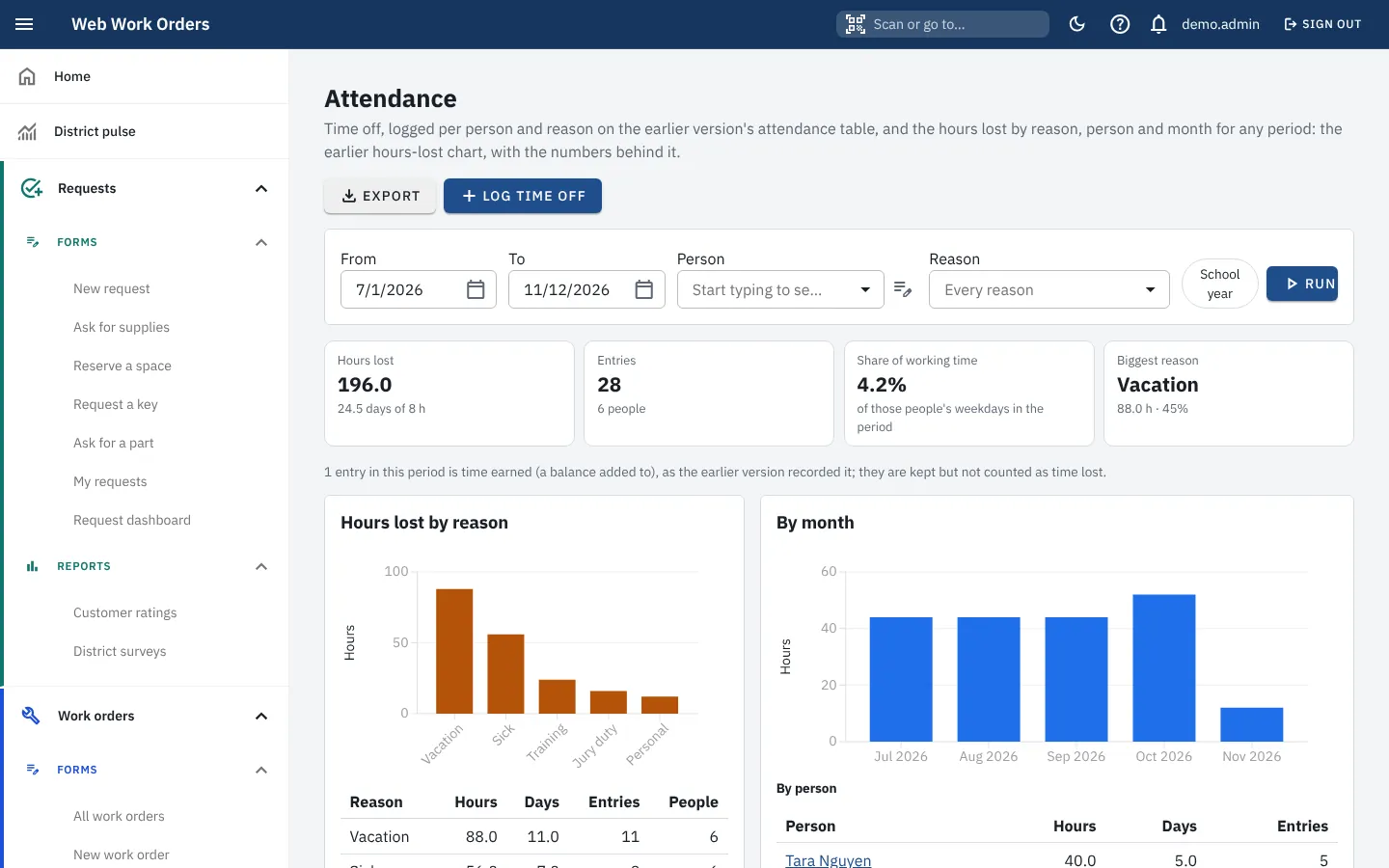
Time off logged per person and reason on the earlier version's attendance table, with the hours lost by reason, person and month for any period: the earlier hours-lost chart with the numbers behind it.
How it helps
Time off shows up in the work order system first: the HVAC technician out for a week is a week of unanswered calls. Log it on the earlier version's tables and see hours lost by reason, month and person, and the share of working time it came to. An entry made in error is taken back, never deleted.
Who uses it
How to use it
- Log time off takes the person, the day, the reason and the hours (a whole day is 8). Click an entry to change it; a mistake is set to 0 hours with a note, never deleted.
- Share of working time is the hours lost against the weekdays in the period for the people who appear, 8 hours each.
- Reasons are the earlier attendance codes. Admins add or rename them at the bottom of the page; none is ever removed.
Fields on this screen
- Person
- Who took the time off. The list is the Employees table, the same people labor is logged to.
- Day
- The day the time was taken. Log one entry per day; a week off is five entries, or one entry of 40 hours on its first day if that is how the district counts.
- Reason
- Sick, vacation, personal, training and the rest: the earlier version's attendance codes, which admins keep at the bottom of the page.
- Hours
- How many hours were lost that day. A whole day is 8; half a day is 4. Set an entry to 0 with a note to take back a mistake.
- Note
- Anything worth remembering: the doctor's note is on file, the class attended, who covered.
Where to find it
In the app at /attendance. Every screen has a ? in the header with help for that page.
Terms on this page
Related
Screenshots come from the Pine Valley Schools demo, a made-up district. Something unclear or out of date? Tell us and we'll fix it.