Reports
Counts, costs and productivity for any date range, with charts and CSV export.
How it helps
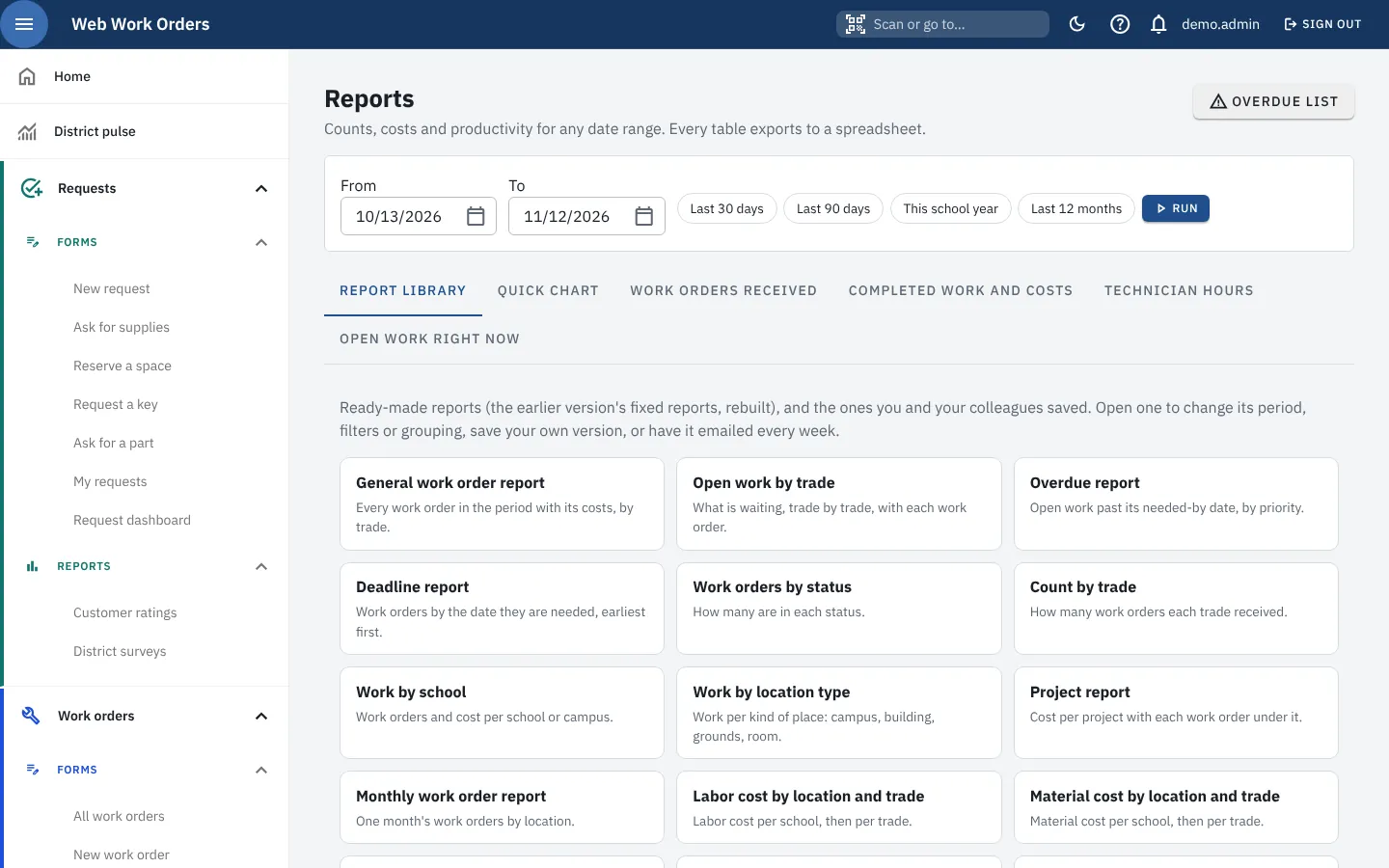
A library of twenty ready-made reports (open work by trade, overdue and deadline reports, work by school, the monthly report, cost by location and trade, technician hours, on-time completion and more) for any date range, with charts and export. The questions a director gets asked every month have an answer on one tab.
Who uses it
SupervisorsFinanceSuperintendents and executivesAdministrators
How to use it
- The report library opens the ready-made reports and the ones saved by you and your colleagues in the report builder.
- Pick a date range at the top; the other tabs use it.
- Export gives you the rows behind each report for Excel.
- Work orders by location roll up to the location you choose in the list, so you can compare schools or drill into one.
- Technician hours: hours logged with travel and administrative time apart, the hours the period offered (weekdays at eight) less time off from the Attendance page, and utilization. Lines on a technician opens every labor line they logged: the daily labor review.
Where to find it
In the app at /reports. Every screen has a ? in the header with help for that page.
Terms on this page
Work orderTradeOverdueUtilization
Related
Next in Reports and the district pulse: Report builder →
Screenshots come from the Pine Valley Schools demo, a made-up district. Something unclear or out of date? Tell us and we'll fix it.