Report builder
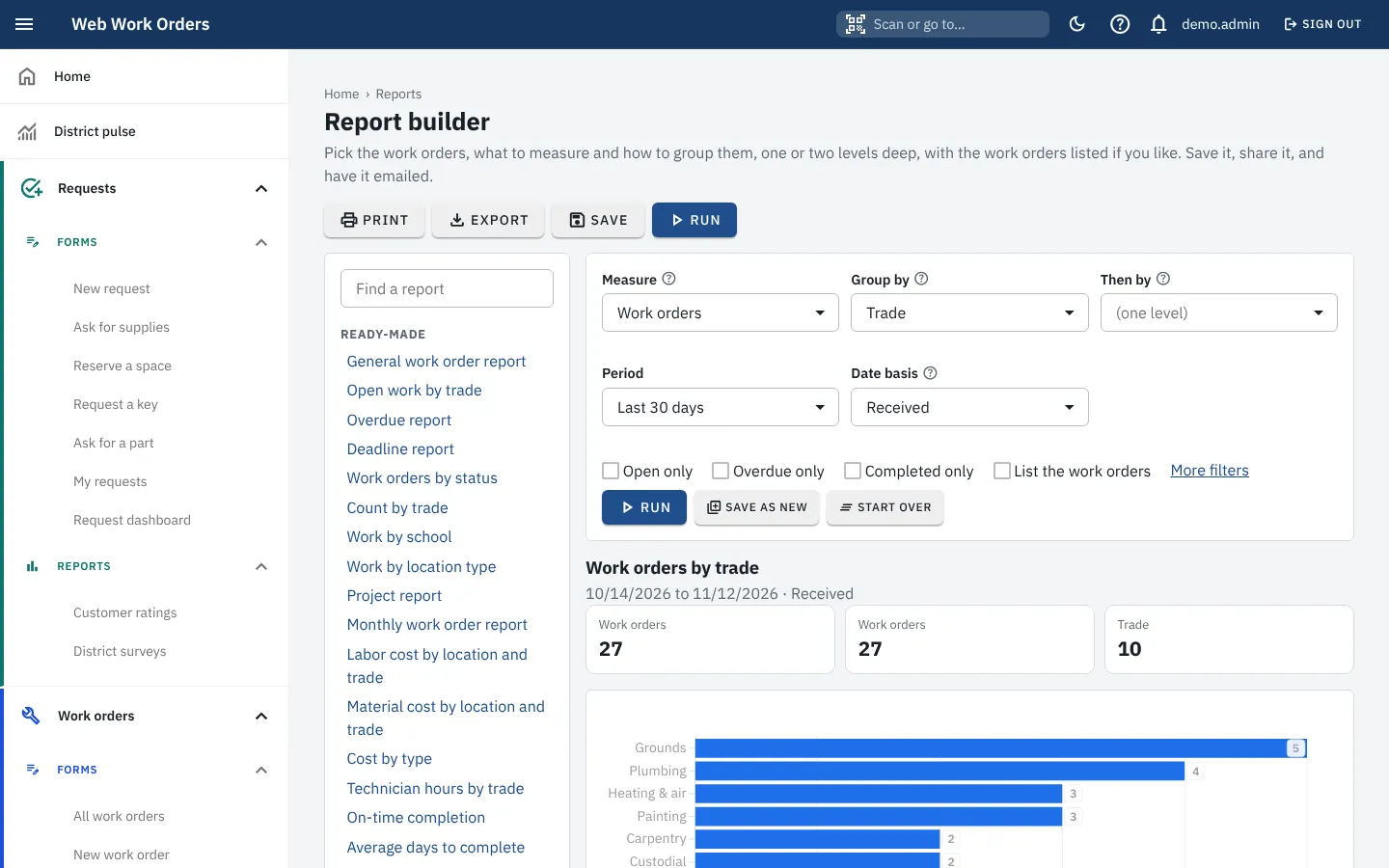
Any report on work orders: what to count or add up, grouped one or two levels deep, with the work orders listed under each group if you like.
How it helps
Count work orders or add up hours and costs, grouped one or two levels deep (by school, then trade), with the work orders listed under each group. Periods like "last month" and "this fiscal year" stay true every time, and any report can be saved, shared with a role, and emailed on a schedule.
Who uses it
SupervisorsFinanceAdministrators
How to use it
- Start from a ready-made report on the left (the earlier version's fixed reports, rebuilt), change the period, filters or grouping, and Run.
- Save keeps your version; tick "Everyone who can see reports" to share it. Make this my default opens it first next time; Reset to saved undoes changes made since.
- Schedule emails a saved report daily, weekly or monthly to people, roles or addresses, worked out on the day it is sent.
- Open beside a group shows those work orders in the work order list. Print and Export give a printable page or a spreadsheet.
- Periods move with the calendar: "last month" is always the month before. The fiscal year and the first day of the week are set under Settings → General.
Fields on this screen
- Measure
- What to count or add up: number of work orders, labor hours, labor cost, material cost, total cost, average days to complete, or how many were finished late.
- Group by
- How to slice the measure: by trade, school, priority, status, technician, purpose, budget code, month, week, or where the work came from.
- Then by
- A second level under each group: per school, then per trade; per technician, then per month. Leave it empty for one level.
- Fiscal year starts in
- The month the district's fiscal year begins (July for most school districts), for "this fiscal year" in reports and the fiscal-year grouping.
- Date basis
- Whether the date range applies to when work orders were received or when they were completed.
Where to find it
In the app at /reports/builder. Every screen has a ? in the header with help for that page.
Terms on this page
Work orderTradePurpose codePriorityStatusBudget codeRoleFiscal year
Related
Screenshots come from the Pine Valley Schools demo, a made-up district. Something unclear or out of date? Tell us and we'll fix it.