Employees
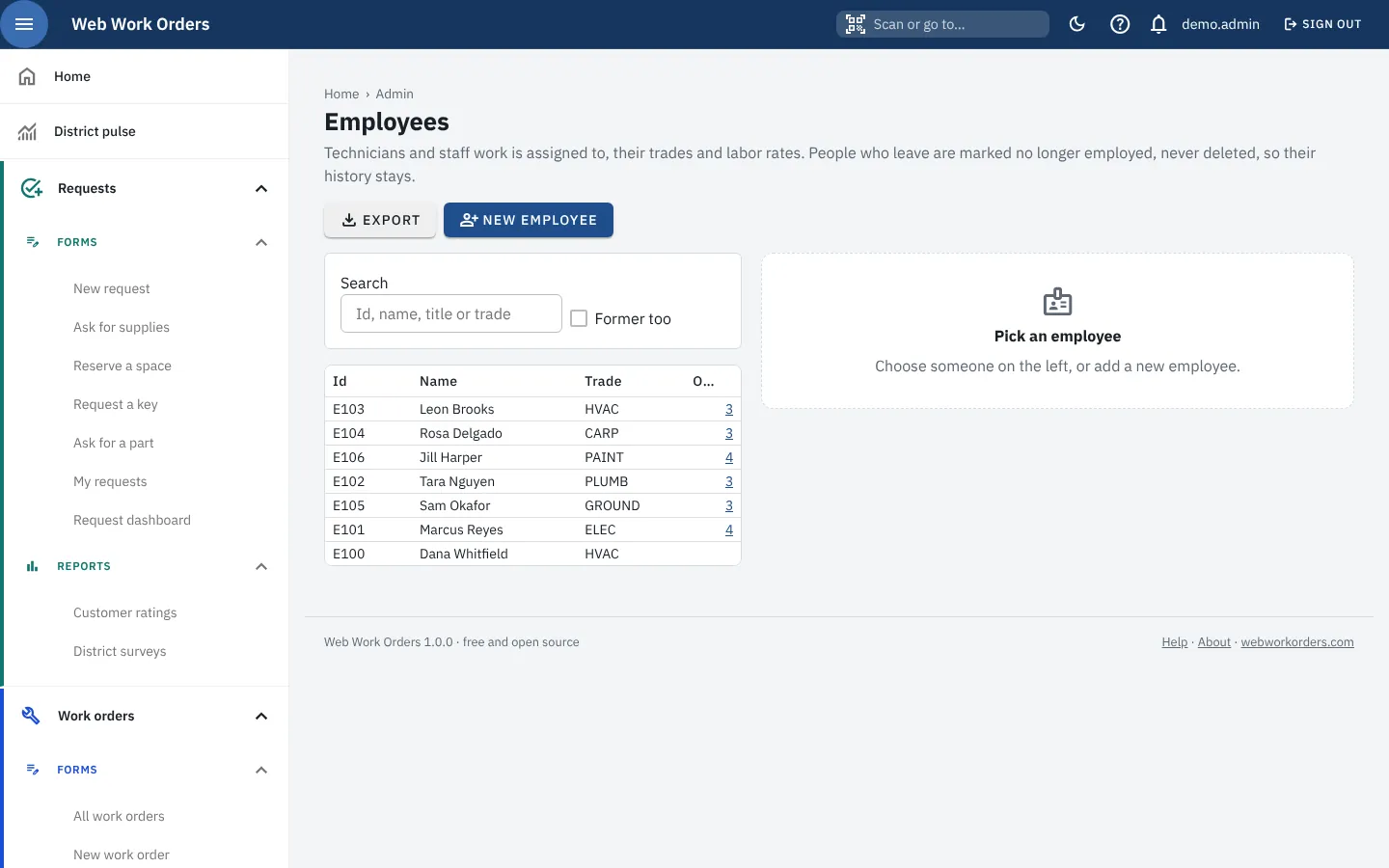
Technicians and staff: who they are, their trades and their labor rates.
How it helps
Technicians and staff with their trades and labor rates. Picking a technician on a work order fills their trade and department, people on leave aren't offered for assignments, and people who leave stay on the history.
Who uses it
How to use it
- Search by id, name, title or trade. Former employees are hidden unless you tick Former too.
- When someone leaves, switch on No longer employed. They stay on every old work order and labor line.
- The primary trade is used by default when labor is logged. Accounts on a trade fill in the paid-from and charged-to accounts.
- Labor rates (pay and charge per labor type) are on Accounts → Labor rates.
Fields on this screen
- Employee id
- The id payroll or HR uses for this person. Work orders, labor lines and rates point at it, so it cannot be changed later.
- First name
- As it should appear on work orders, printouts and pickers.
- Middle name
- Optional; shown only on the employee record.
- Last name
- Lists and pickers sort by last name.
- Title
- Job title, such as HVAC Technician II. Searching a picker by title finds the person too.
- Employee type
- Full time, part time, contractor… from the Employee types list.
- Supervisor
- Who this person reports to, for routing and reports.
- Home location
- The shop or campus the person works out of.
- Date hired
- Start date, for the employee record only.
- Work phone
- Desk or shop phone number, shown on the employee list and work order printouts.
- Mobile
- Cell number for call-outs; shown to supervisors.
- Where assignment notifications go when the person has no sign-in of their own.
- Note
- Anything supervisors should know (certifications, keys held).
- Inactive
- Temporarily unavailable (leave, injury). Inactive people are not offered when assigning work.
- No longer employed
- The person has left. They stay on old work orders and labor lines but are not offered anymore.
- Primary trade
- The trade labor is logged under by default. Making a trade primary makes the others secondary.
Where to find it
In the app at /admin/employees. Every screen has a ? in the header with help for that page.
Terms on this page
Work orderTradeLabor typeCharge rate
Related
Next in Locations and people: Locations →
Screenshots come from the Pine Valley Schools demo, a made-up district. Something unclear or out of date? Tell us and we'll fix it.