Menu
Color-coded menu groups, their order, who sees them, and links to other systems.
How it helps
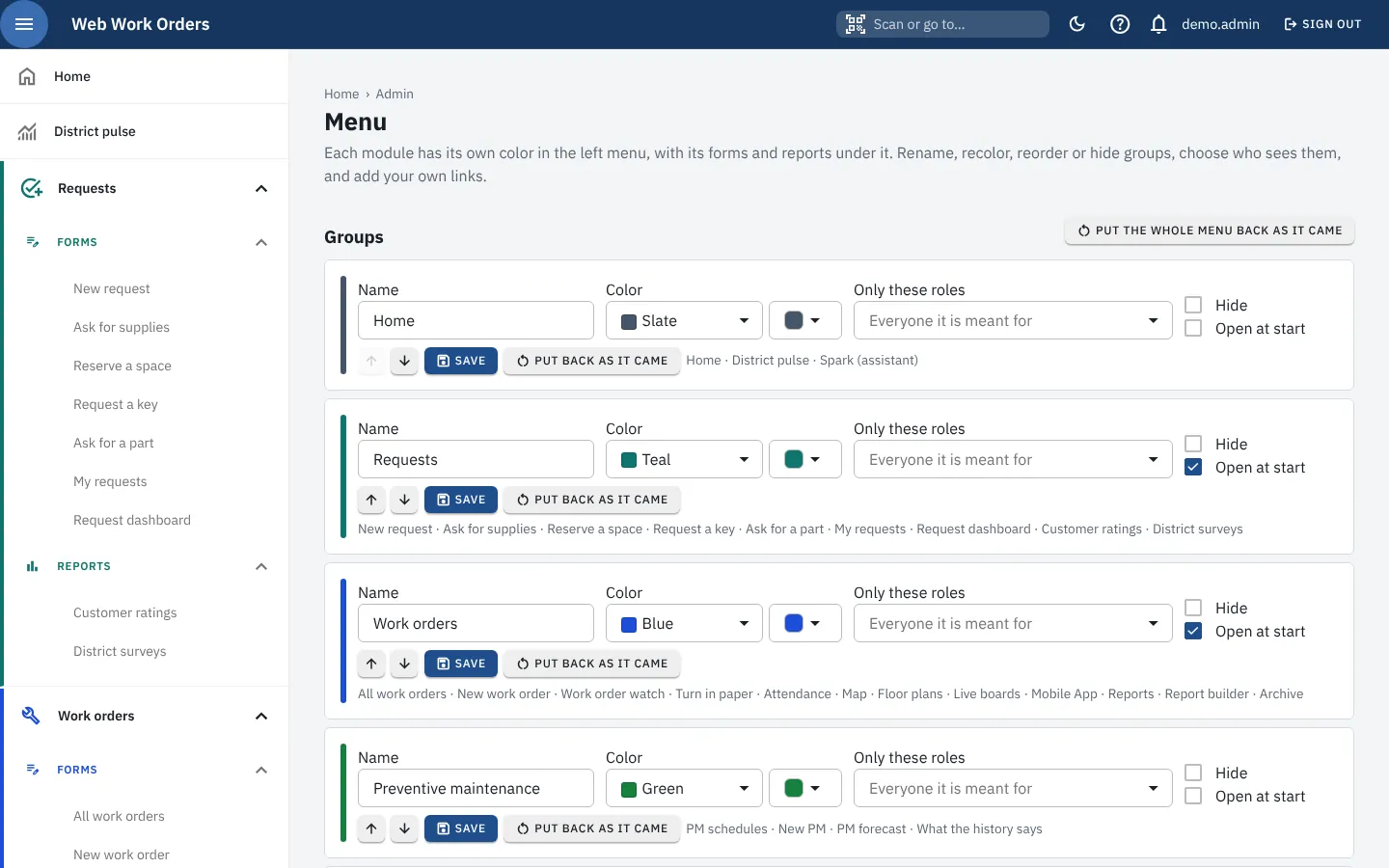
Every module group has its own color, with its forms and reports underneath, so people find things by color as much as by name. Rename, recolor, reorder or hide groups, show them only to some roles, and add links to the other systems staff use.
Who uses it
How to use it
- Every module group has its own color: a bar beside it, its icon and a light tint behind its pages. Pick from the palette or any color.
- Forms and Reports are listed separately under each group, as before. Groups with nothing a person may open do not show for them.
- Move groups up or down, rename them, hide them, or tick roles to show a group only to those roles. 'Put back as it came' undoes your changes.
- Add links to other systems (time clock, handbook, help desk) to any group. The earlier version's external links show here too; hide or move them.
- Changes show in everyone's menu straight away.
Where to find it
In the app at /admin/menu. Every screen has a ? in the header with help for that page.
Terms on this page
Related
Next in Setup and security: Modules →
Screenshots come from the Pine Valley Schools demo, a made-up district. Something unclear or out of date? Tell us and we'll fix it.