Inventory reports
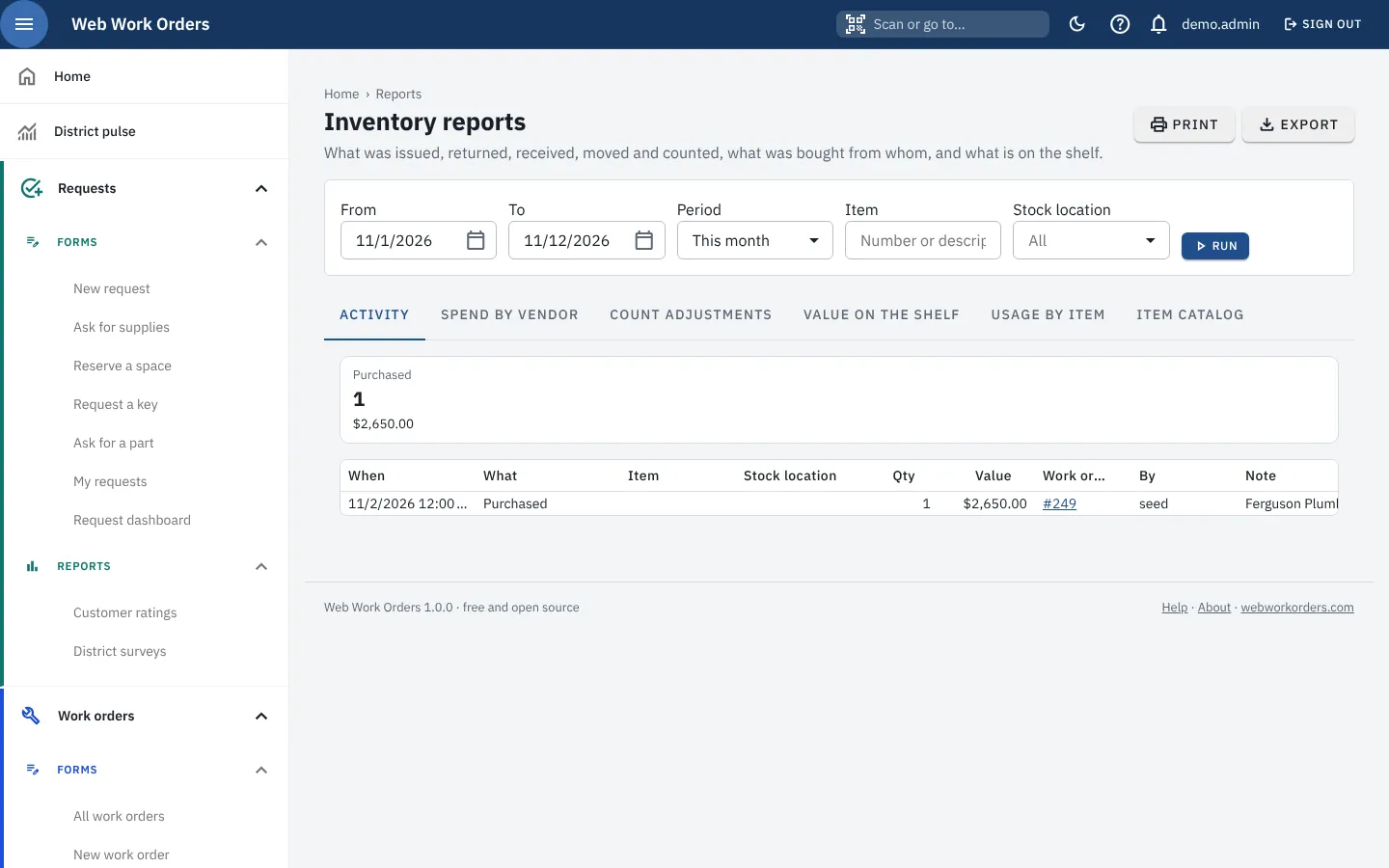
What was issued, returned, received, moved and counted in a period, what was bought from each vendor, and what is on the shelf now.
How it helps
What was issued, returned, received, moved and counted in a period, spend by vendor, count adjustments with the value found or lost, and the value on each shelf. These are the numbers that justify the stockroom's budget and catch shrinkage early.
Who uses it
Stockroom (inventory clerks)FinanceSupervisors
How to use it
- Pick a period or dates, and narrow to an item or a stock location if you like, then Run.
- Activity lists every move; click a total at the top to see only that kind (issued, received, count adjusted, …).
- Spend by vendor adds up purchases recorded on work orders by the vendor named on them.
- Count adjustments shows each change a physical count or correction made, the value found or lost, and why.
- Value on the shelf is what is on hand today at each stock location, at each item's cost.
- Usage by item is how fast each item moves: issued over the last 7, 30, 90, 180 and 365 days, months of supply at the last year's rate, and what sat idle for a year. Item catalog is the item master with vendor, part numbers, make, model, prices and flags.
- Print prints the tab you are on. Export gives it as a spreadsheet.
Where to find it
In the app at /reports/inventory. Every screen has a ? in the header with help for that page.
Terms on this page
Work orderStock locationVendor
Related
Next in Inventory: Vendors →
Screenshots come from the Pine Valley Schools demo, a made-up district. Something unclear or out of date? Tell us and we'll fix it.