Preventive maintenance
All recurring work, with what is overdue and due now.
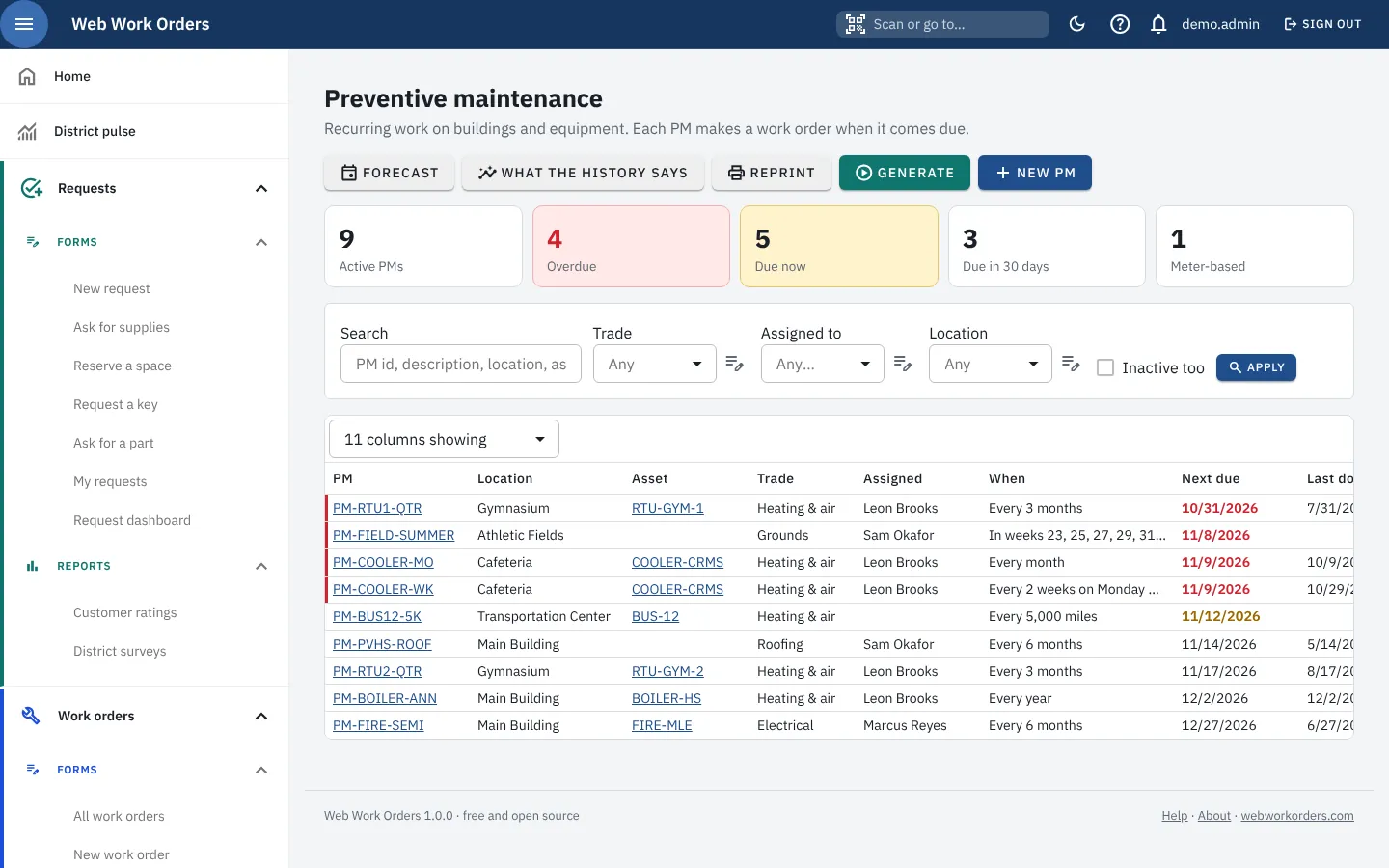
How it helps
Every dollar spent on scheduled upkeep saves several on emergency repairs. The PM list shows every recurring task with what is overdue and due now, generates the work orders on schedule, and gives you the compliance view insurers and inspectors ask for.
Who uses it
How to use it
- Generate makes work orders for what is due as of a date, or a number of days ahead, for everything or one trade, priority, location (and everything in it), department, asset type or group, or technician. The daily job generates everything due at the hour set under Settings → PM.
- Reprint prints the PM work orders made on a date or between two dates, open ones only or all, in the layout you choose.
- Generated work orders start in the accepted status with the PM's trade, priority and assignee, so they go straight to the technician instead of the request queue.
- Tiles filter the list: overdue, due now, due in 30 days, meter-based.
- The app's own generator handles every kind of schedule. A district that wants its database's own PM procedure to run instead can choose that under Settings → PM.
Where to find it
In the app at /pm. Every screen has a ? in the header with help for that page.
Terms on this page
Work orderTradePriorityStatusOverdueAssetPreventive maintenance
Related
Next in Preventive maintenance: New PM →
Screenshots come from the Pine Valley Schools demo, a made-up district. Something unclear or out of date? Tell us and we'll fix it.