Customer ratings
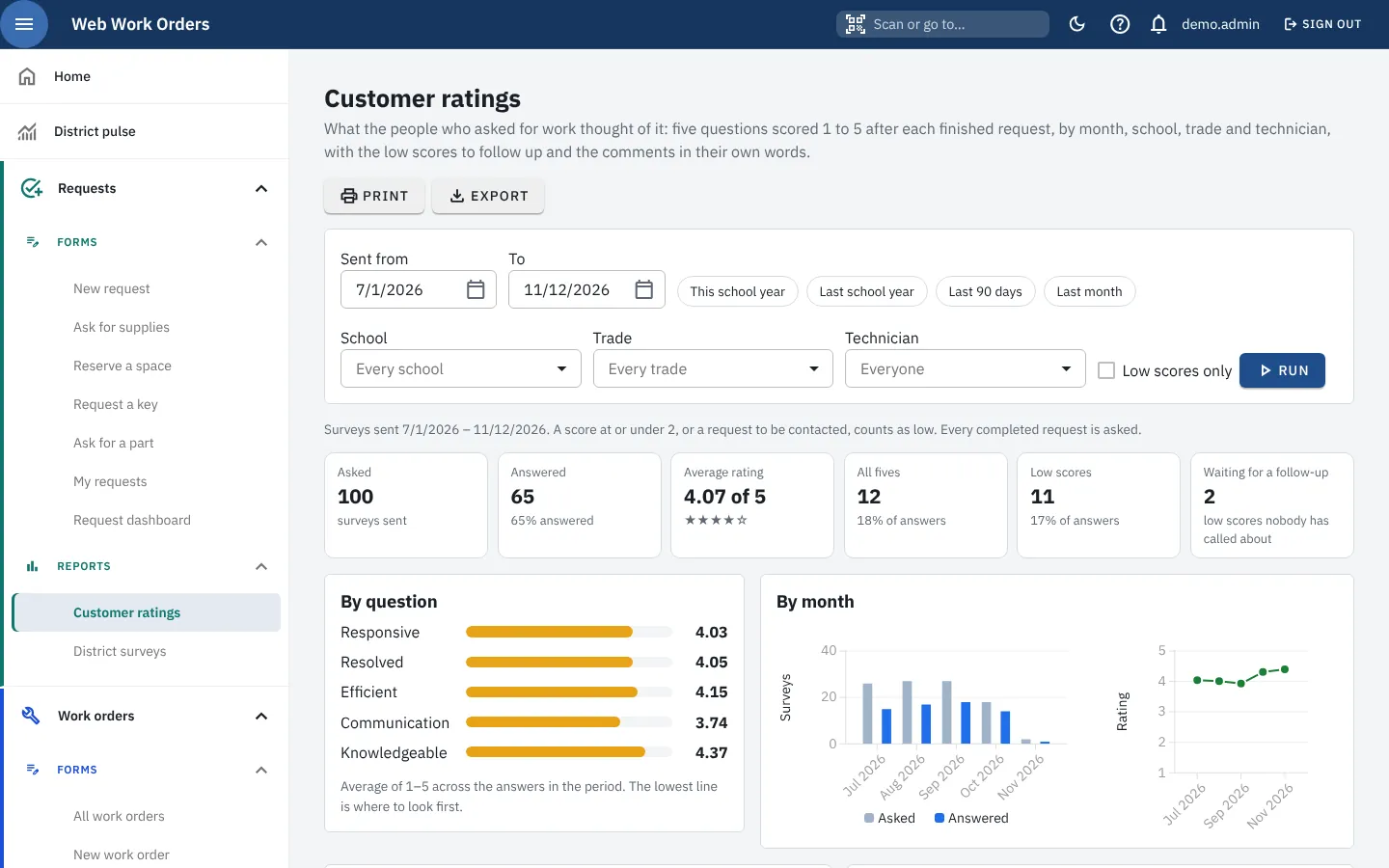
What the people who asked for work thought of it, from the five-question survey that goes out when a request is finished: by month, school, trade and technician, the low scores to follow up, and the comments in their own words.
How it helps
What the people who asked for work thought of it: asked, answered and the response rate, the average, each question's score so the weakest stands out, by month, school, trade and technician, the low scores with their follow-ups, and the comments in their own words. The district pulse gets a customer rating gauge against a target the district sets.
Who uses it
Superintendents and executivesSupervisorsAdministrators
How to use it
- Asked is how many surveys went out in the period; Answered and the response rate say how many came back. The average is 1 to 5 across every answer.
- By question shows which of the five is weakest: responsiveness, whether the problem was fixed, the work itself, communication, or the technician's know-how.
- Click a school, trade or technician to narrow the whole page to it. Low scores only keeps the "1s and 2s" the earlier version reported, plus anyone who asked to be contacted.
- Followed up records who called and what came of it; until then the pulse counts it as waiting. Export gives every survey with its five scores and comment.
Where to find it
In the app at /reports/surveys. Every screen has a ? in the header with help for that page.
Terms on this page
TradeCustomer satisfaction scoreResponse rate
Related
Screenshots come from the Pine Valley Schools demo, a made-up district. Something unclear or out of date? Tell us and we'll fix it.