District surveys
The yearly district-wide survey: every staff member scores a few statements about how facilities is doing, apart from any one job. Results by statement and by school, against the survey before.
How it helps
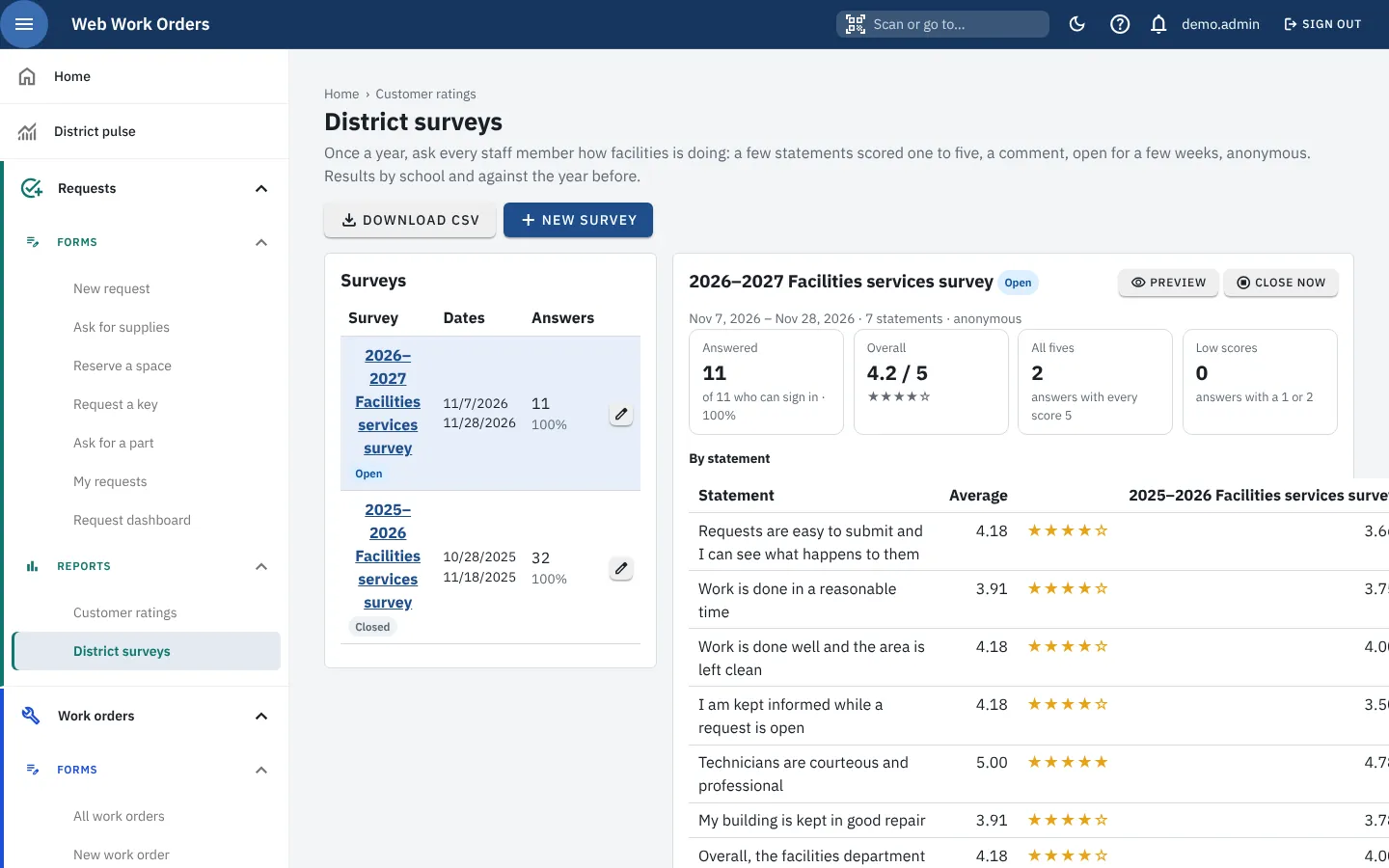
Once a year every staff member scores a few statements about how facilities is doing. The response rate, each statement against the year before, every school side by side, the all-fives and the low answers, and the comments: the number a facilities director brings to the board, and the one that shows whether this year's changes landed.
Who uses it
Superintendents and executivesSupervisorsAdministrators
How to use it
- New survey starts one with the statements filled in; change the words, the dates and whether it is anonymous (answers are kept with the school, never the name). Save opens it on its date and tells everyone who can sign in.
- People answer once, from the banner on their home page or the notice. Close now ends it early; Reopen gives two more weeks.
- Results: the response rate, the average per statement with the change from the survey before (matched by the statement's words), every school side by side, and the comments. Download CSV gives every answer.
Fields on this screen
- Survey name
- What people see at the top: the school year works well (2026–27 Facilities services survey). It is also how results are compared year to year.
- Opens on
- The first day people can answer. Everyone who can sign in hears when it opens and sees it on their home page until they answer or it closes.
- Closes on
- The last day people can answer; the results page still works after. Close now ends it early; Reopen gives it two more weeks.
- Statements to score
- One per line, up to twelve, each scored 1 (poor) to 5 (excellent). Keep the same words from year to year and the results page shows the change. Once answers are in they cannot change.
- Opening words
- What people read before the statements. Blank uses the built-in wording, which says what the survey is for and that it takes two minutes.
- Thank-you
- What people read after sending. Blank uses the built-in wording.
Where to find it
In the app at /surveys/district. Every screen has a ? in the header with help for that page.
Terms on this page
Related
Screenshots come from the Pine Valley Schools demo, a made-up district. Something unclear or out of date? Tell us and we'll fix it.