Texts, quiet hours and the daily digest
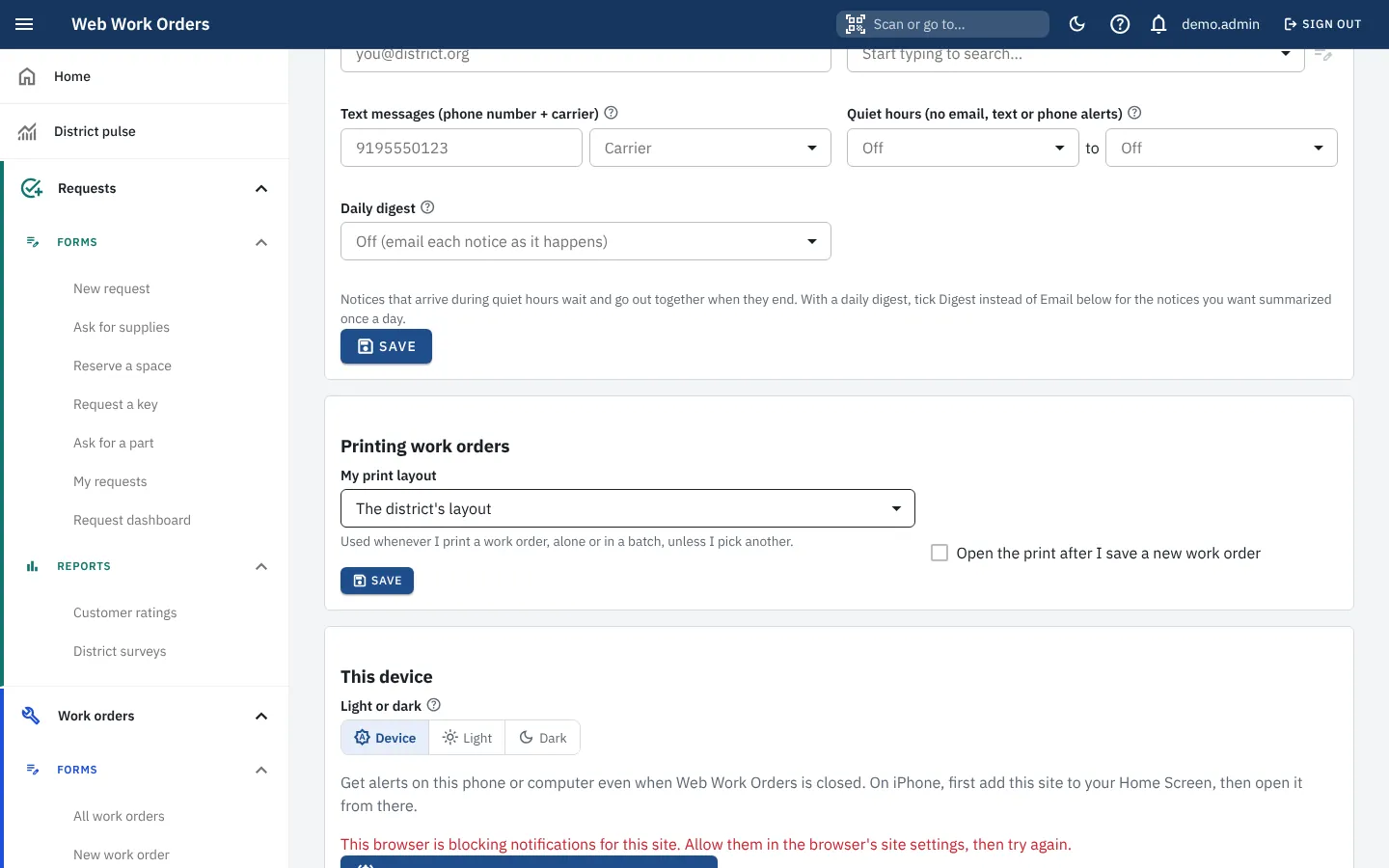
Each person chooses a text message instead of an email, hours when nothing should reach them, and one daily email instead of many.
How it helps
Nothing buzzes at 2 a.m., the supervisor gets one summary instead of twenty emails, and the technician without a desk gets a text. Notices people can live with are notices people read.
Who uses it
Teachers and staff (requesters)TechniciansSupervisorsAdministrators
How to use it
- Under My settings, enter a phone number and carrier for text messages. They go through the carrier's email gateway, so there is no texting service to pay for.
- Notices that arrive during quiet hours wait and go out together when the hours end.
- With a daily digest, tick Digest instead of Email for the notices you want summarized once a day.
- The district decides which channels each event may use under Notification rules.
Fields on this screen
- Text messages
- Your phone number and carrier. Short alerts go as text messages through the carrier's free email gateway (the carrier may trim long ones). Tick Text beside the notices you want this way.
- Quiet hours
- Between these hours no email, text or phone alert is sent to you; they wait and go out together afterwards. The in-app bell still shows everything.
- Daily digest
- One email a day, at this hour, listing the notices you ticked Digest for instead of an email each time.
Terms on this page
Related
Next in Getting started: Install on your own server →
Screenshots come from the Pine Valley Schools demo, a made-up district. Something unclear or out of date? Tell us and we'll fix it.