SAML sign-in
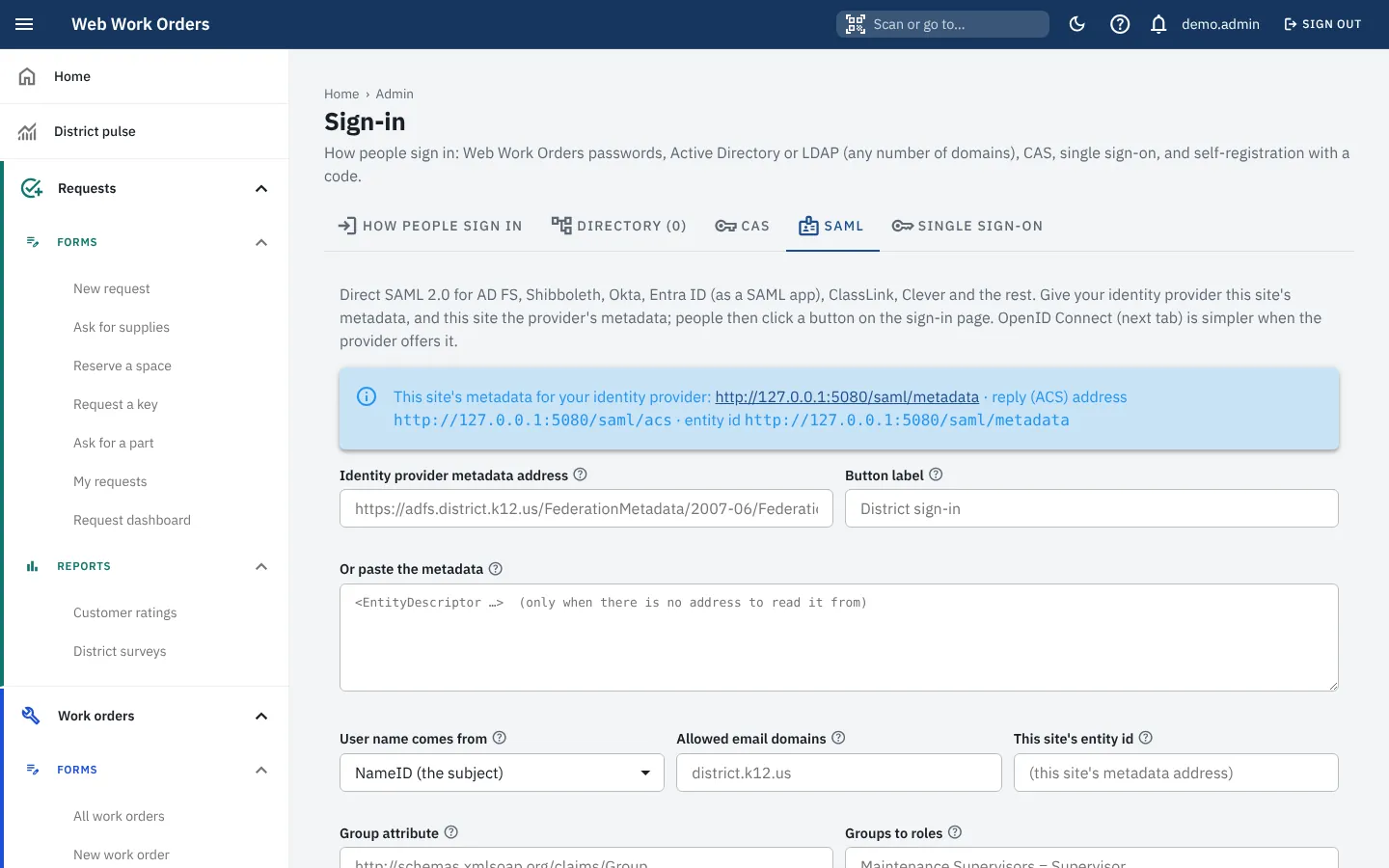
Sign-in through the district's SAML 2.0 identity provider: AD FS, Shibboleth, Okta, Entra ID as a SAML app, ClassLink or Clever.
How it helps
Staff sign in with the account they already use for everything else, with no server configuration and no restart. When the provider also speaks OpenID Connect, that is still there and simpler.
Who uses it
How to use it
- Give the identity provider this site's metadata address (shown on the SAML tab), and give the site the provider's metadata address or paste its XML.
- Choose where the user name comes from: the NameID, or the email or UPN attribute.
- Map groups to roles, one per line, for example Maintenance Supervisors = Supervisor.
- Responses with a bad signature, the wrong audience, or an expired or replayed assertion are refused and written to the audit log.
Fields on this screen
- Identity provider metadata address
- The https address of your identity provider's SAML metadata (AD FS: …/FederationMetadata/2007-06/FederationMetadata.xml). Empty, with no pasted XML below, turns SAML sign-in off.
- Or paste the metadata
- The provider's metadata XML, for providers that give a file rather than an address. The address above wins when both are given.
- Button label
- What the button on the sign-in page says, for example "Sign in with district account".
- User name comes from
- Which part of the assertion is the Web Work Orders user name: the NameID, or the email or UPN attribute (the part before @). Must match the user names in Admin › Users.
- Allowed email domains
- Only people whose email or UPN ends with one of these domains may sign in this way. Comma separated; empty allows any.
- This site's entity id
- What this site calls itself to the identity provider. Leave empty to use the metadata address; set it only when the provider already has this site registered under another id.
- Group attribute
- The attribute that carries the person's groups (AD FS sends http://schemas.xmlsoap.org/claims/Group when you add a Token-Groups rule). Empty looks at the usual group claims.
- Groups to roles
- One per line: group name = role. A person in a mapped group gets that role at every sign-in, on top of their Web Work Orders account's roles.
- Copy access from (template user)
- A Web Work Orders user whose groups, trades and locations are copied to people added at their first SAML sign-in.
Terms on this page
Work orderTradeRoleSAMLIdentity provider
Related
Screenshots come from the Pine Valley Schools demo, a made-up district. Something unclear or out of date? Tell us and we'll fix it.