Utility meters
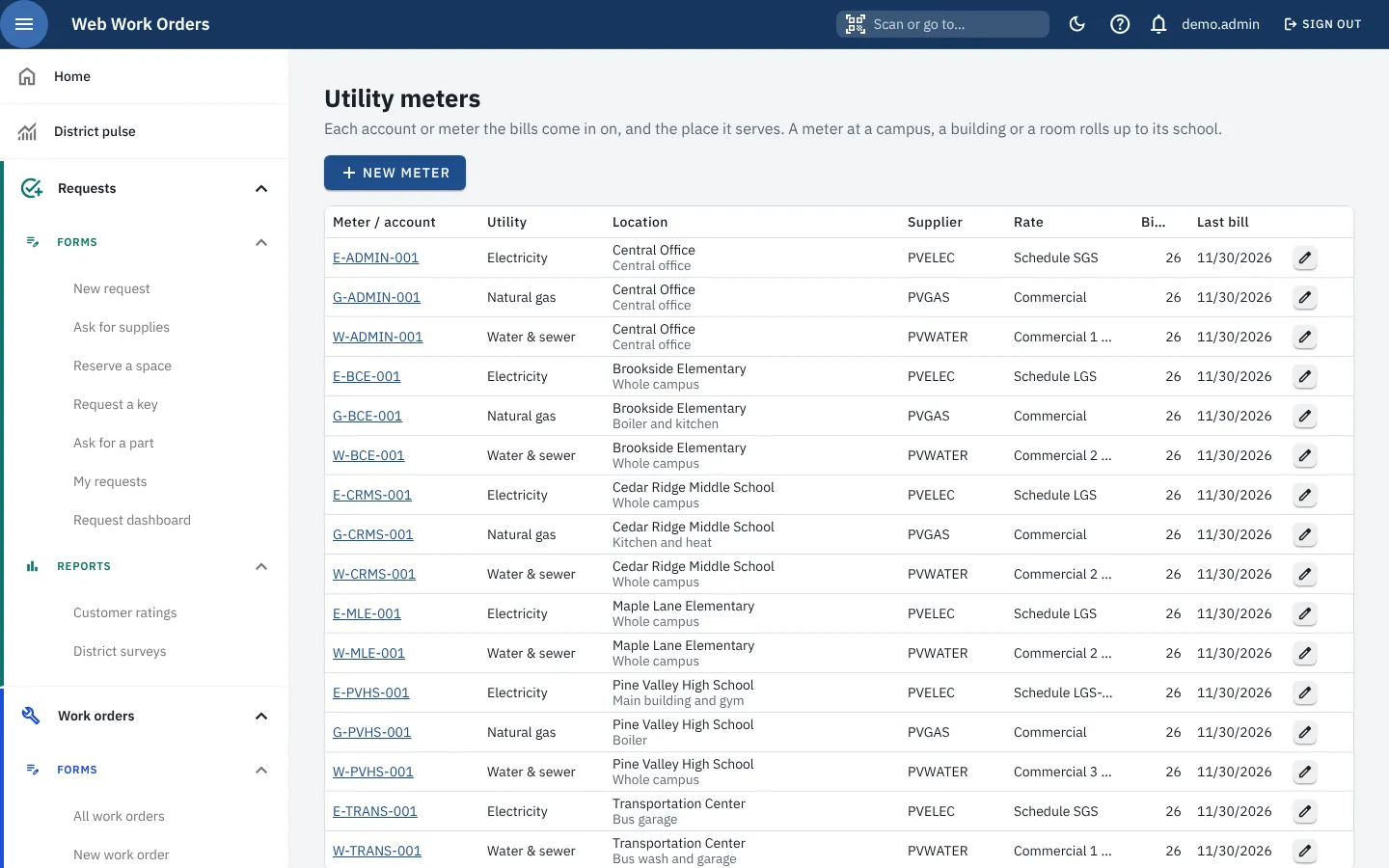
Each account or meter the bills come in on, the utility it measures and the place it serves; meters roll up to their school.
How it helps
Each account or meter the bills come in on, the utility it measures and the place it serves. Meters roll up to their school, so a campus with six meters still reads as one number.
Who uses it
Fields on this screen
- Meter or account number
- The account or meter number as it appears on the bill; it cannot change once bills are on it.
- Utility
- Which utility this meter measures (electric, gas, water…), from the list under Utilities › Utility types.
- Location served
- The campus, building or room the meter serves. Cost per square foot and the school roll-ups come from this.
- Area served
- A note on what the meter covers: whole campus, kitchen only, the gym and field lights.
- Supplier
- The utility company or cooperative that bills this meter, from the vendor list.
- Rate schedule
- The tariff the utility bills this meter on (general service, time-of-use…), for checking the bill against it.
- Meter size or factor
- The meter's size (a 2-inch water meter) or multiplier (a CT factor on an electric meter), as the utility lists it.
- Connected load
- The connected load behind the meter in kW, if known; useful when comparing demand charges.
- Notes
- Anything worth knowing about the meter: where it is, what it does not cover, the account contact.
Where to find it
In the app at /utilities/meters. Every screen has a ? in the header with help for that page.
Terms on this page
RoomCost per square footVendor
Related
Next in Utilities and energy: Degree days →
Screenshots come from the Pine Valley Schools demo, a made-up district. Something unclear or out of date? Tell us and we'll fix it.