Non-stock requests
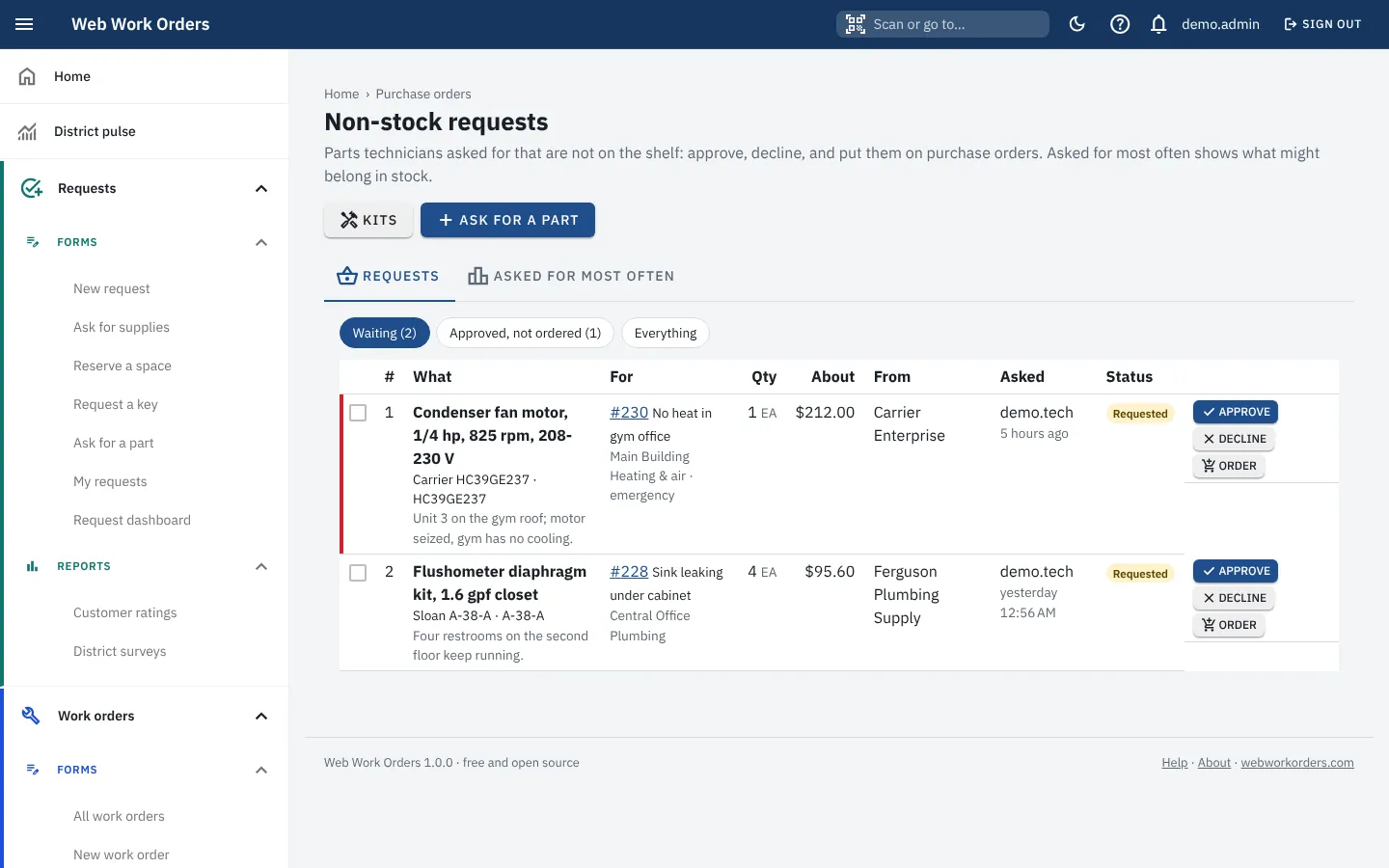
The buyer's queue: parts technicians asked for that are not in stock. Approve, decline with a reason, and put them on purchase orders (a new draft for the vendor, or an order already started). Asked for most often shows what might belong in stock; Earlier requests shows the district's rows from the earlier version, read only.
How it helps
The buyer's queue for parts that are not in stock: approve, decline with a reason, and put them on an order in one click, a new draft for that vendor or one already started. Each becomes a job line with its work order, so the purchase lands on the right job when it arrives. Asked for most often is the case for putting a part on the shelf.
Who uses it
Stockroom (inventory clerks)SupervisorsFinance
How to use it
- Tick several requests and press Order the ticked to put them on one order; they should share a vendor.
- Each request becomes one job line with its work order, so the purchase lands on the right job when the order is received.
- Asked for most often counts requests by part number (else make and model, else the words) since a date. Stock it opens a new item with the description filled in.
Where to find it
In the app at /purchasing/nonstock. Every screen has a ? in the header with help for that page.
Terms on this page
Work orderPurchase orderVendor
Related
Screenshots come from the Pine Valley Schools demo, a made-up district. Something unclear or out of date? Tell us and we'll fix it.