Copy a work order
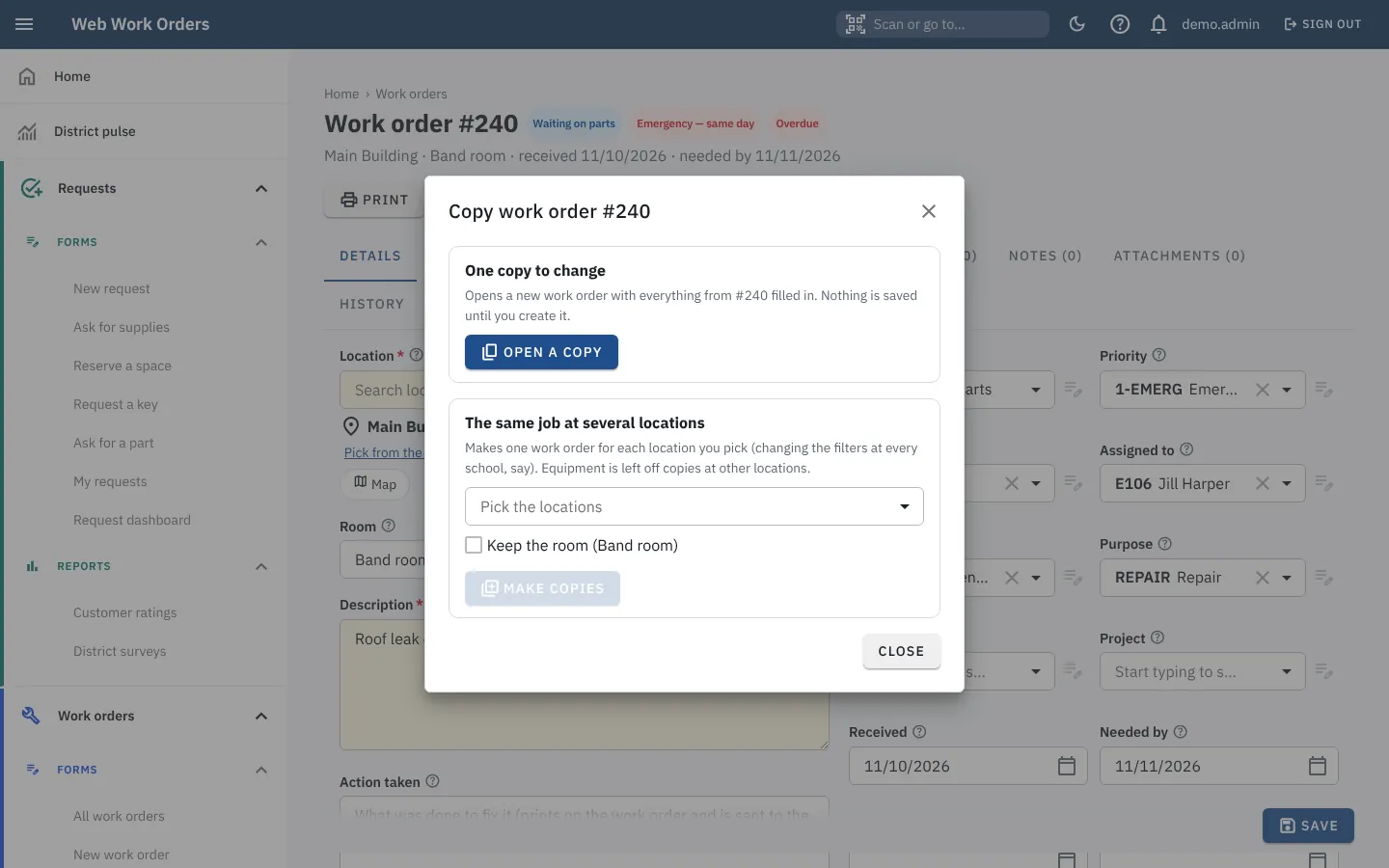
Make one copy of a work order to change before saving, or one copy for each of several locations at once.
How it helps
"Replace the filters in every building" becomes one step instead of twelve work orders typed by hand, and each copy keeps a note of where it came from.
Who uses it
How to use it
- One copy to change opens a new work order with everything filled in; nothing is saved until you save it.
- The same job at several locations makes one work order per location you pick, each noting which work order it was copied from.
- Keep the room copies the room too, for jobs that really are in the same room everywhere.
Terms on this page
Related
Next in Work orders: Work order watch →
Screenshots come from the Pine Valley Schools demo, a made-up district. Something unclear or out of date? Tell us and we'll fix it.