Accounts and budgets
Funds work is paid from and expense accounts it is charged to, with balances, spending in a period and the transactions behind them.
How it helps
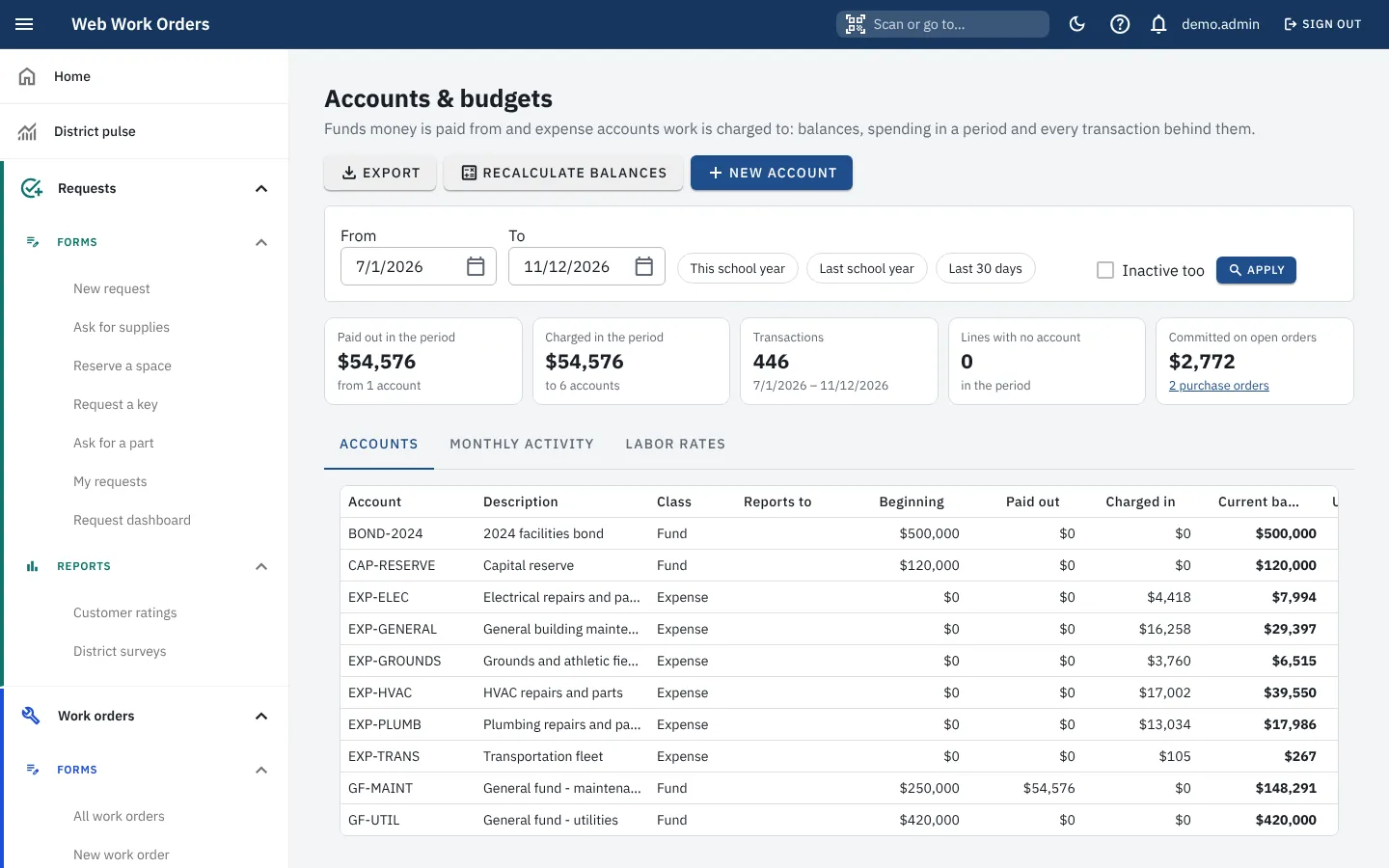
Funds the work is paid from and the accounts it is charged to, with balances, spending in a period, a ledger and monthly activity, all built from the transactions themselves. Finance and maintenance look at the same numbers, and labor rates by employee and type make labor cost automatic.
Who uses it
FinanceAdministratorsSuperintendents and executives
How to use it
- Every labor, stock, purchase and travel line on a work order names a paid-from and a charged-to account. Paid out lowers a fund; charged in records the expense.
- Pick the period at the top (this school year is the default). Click an account to see its ledger, with links to each work order.
- Used compares what was paid out in the period with the beginning balance.
- Lines with no account counts cost lines that name neither account; set defaults on Labor rates so new lines get them.
- Recalculate balances (admins) rebuilds every current balance from the transactions. The old balances are kept in the change history.
Fields on this screen
- Account id
- The short code finance uses for this account, exactly as it appears in your accounting system (for example 10-5410-610). It cannot be changed once transactions use it.
- Description
- What the account is for, in words people recognize: "General fund — maintenance", "2024 bond — roofs".
- Class
- Fund (money is paid from it) or Expense (costs are charged to it). An account can be both, but most are one or the other.
- Beginning balance
- The balance at the start of the period you track (usually the fiscal year). The current balance starts here and moves with every transaction.
- Current balance
- Beginning balance minus everything paid from this account plus everything charged to it. Recalculate rebuilds it from the transactions.
- Reports to
- A parent account this one rolls up into on reports (optional).
- Active
- Inactive accounts are kept for history but no longer offered on new transactions.
- Employee
- The technician the rates belong to.
- Labor type
- Regular, overtime and so on; one row per employee and type.
- Charge rate
- What an hour of this employee's time costs the work order. This is the rate labor lines use.
- Pay rate
- What the employee is paid per hour (optional, for your own reports). Never shown on work orders.
- Default paid from
- The fund the employee's labor is normally paid from. Labor lines and the materials they issue default to it.
- Default charged to
- The expense account the employee's labor is normally charged to.
Where to find it
In the app at /funding/accounts. Every screen has a ? in the header with help for that page.
Terms on this page
Work orderTransactionCharge ratePaid from / charged toFiscal year
Related
Screenshots come from the Pine Valley Schools demo, a made-up district. Something unclear or out of date? Tell us and we'll fix it.