Request a space (public)
Reserve a gym, cafeteria, field or room, with the fees shown before you send.
How it helps
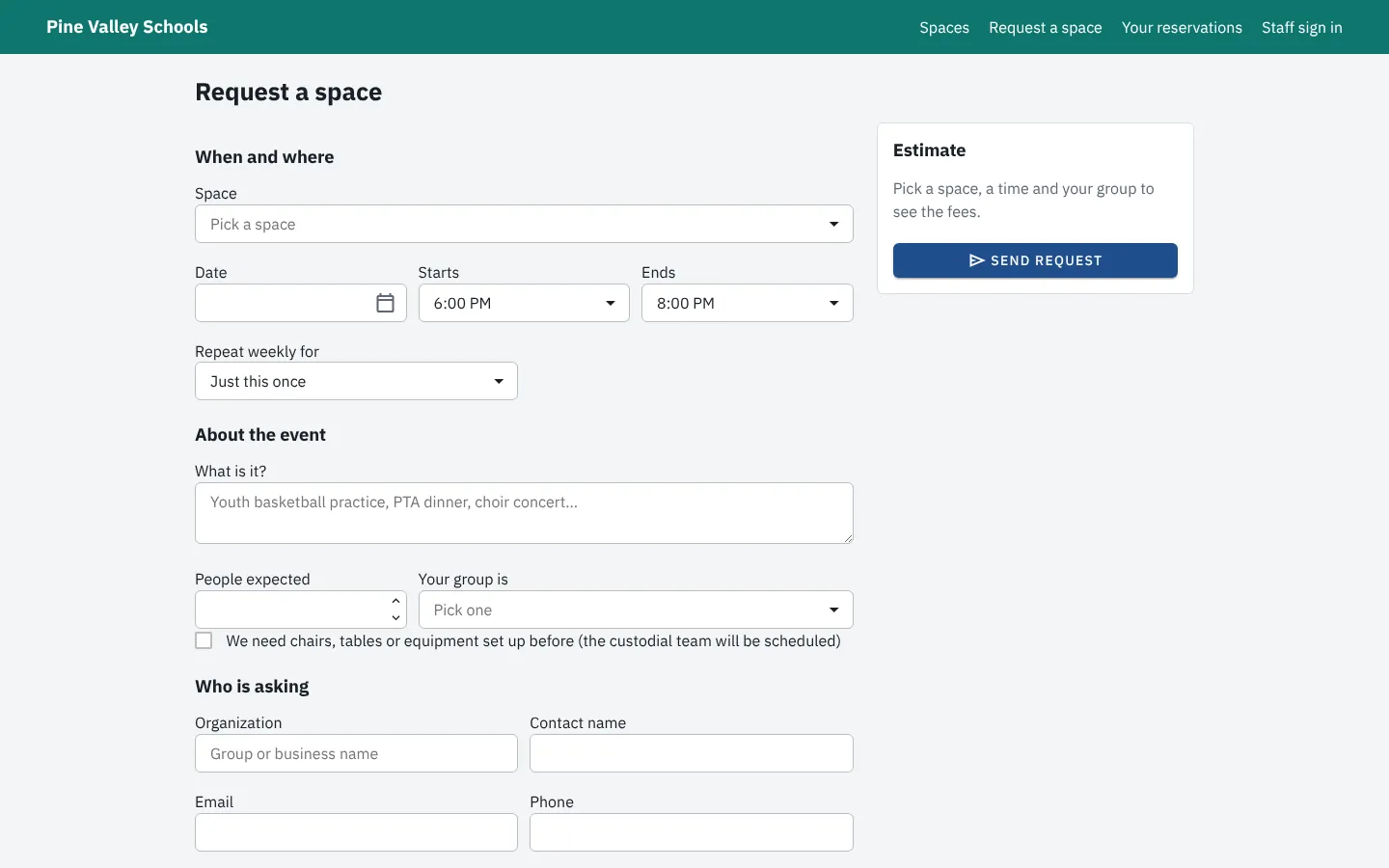
Renters pick a space, dates (weekly repeats too) and extras, and see the estimate before they send. They agree to the use rules and attach insurance, and clashes and blackout dates show straight away, so the office receives complete requests instead of incomplete emails.
Who uses it
Community groupsTeachers and staff (requesters)
How to use it
- Pick the space, the date and times, and how many weeks it repeats. Clashes and blackout dates show straight away.
- Say what the event is, how many people, what kind of group you are and which extras you need; the estimate updates as you go.
- Groups that need insurance can attach the certificate now or later from the status link.
- Nothing is booked until it is approved. You get an email, and a link to follow its status.
Where to find it
In the app at /facilities/request. Every screen has a ? in the header with help for that page.
Terms on this page
Related
Next in Facilities and events: Reservation status (public) →
Screenshots come from the Pine Valley Schools demo, a made-up district. Something unclear or out of date? Tell us and we'll fix it.