Space page (public)
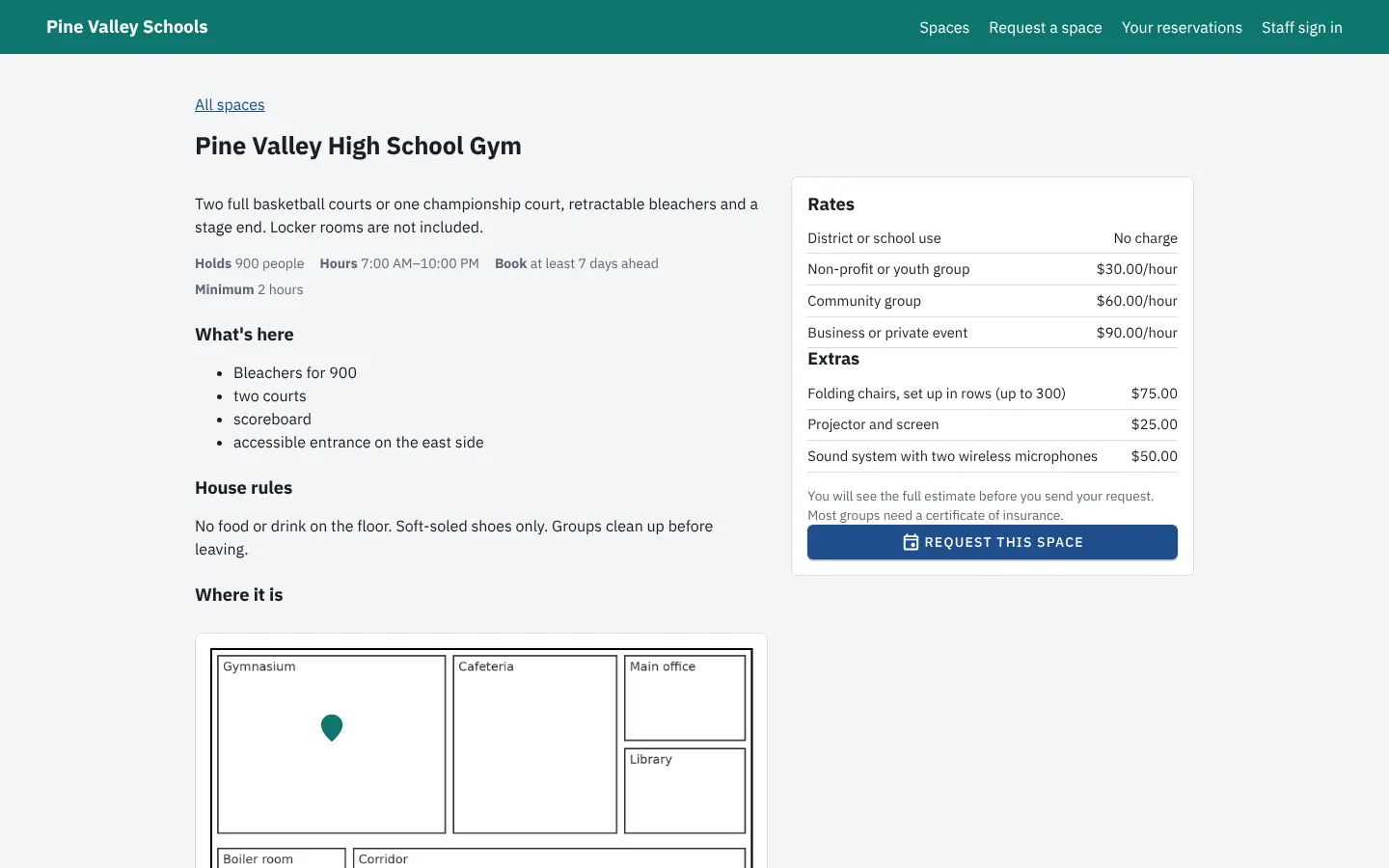
One space: what it has, its rates and when it is free.
How it helps
One page per space with its photo, what's included, house rules, capacity, rates for each kind of group, and when it is free. Renters answer their own questions before they ask, and names on the availability view stay private unless the district allows them.
Who uses it
How to use it
- Red times are booked and amber times are waiting for approval. Grey days are closed.
- Rates depend on your kind of group. Extras and staff time are added to the estimate.
Where to find it
In the app at /facilities/space/…. Every screen has a ? in the header with help for that page.
Related
Next in Facilities and events: Request a space (public) →
Screenshots come from the Pine Valley Schools demo, a made-up district. Something unclear or out of date? Tell us and we'll fix it.