My requests
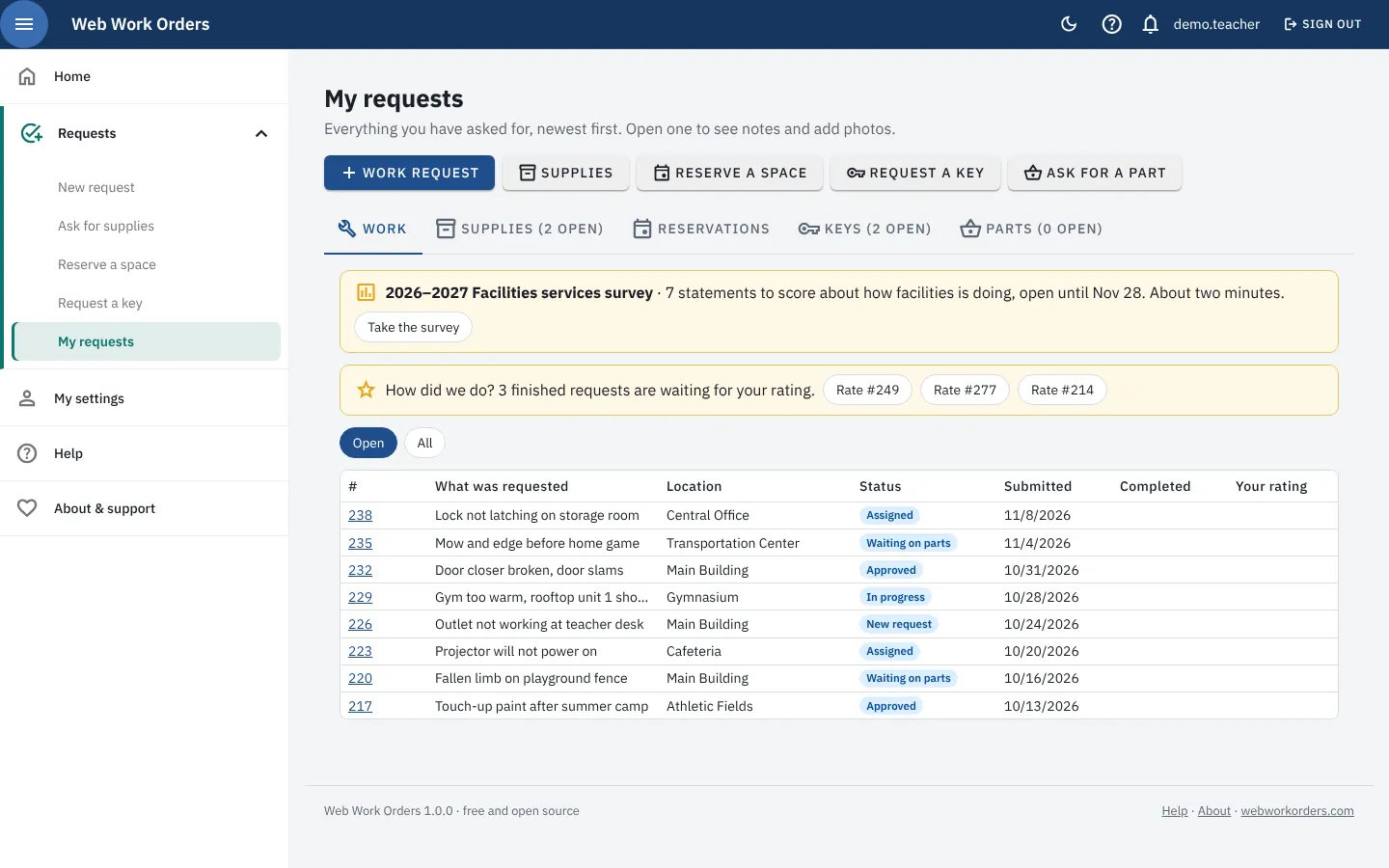
Requests you submitted and where they stand.
How it helps
Requesters see every work, supply, reservation and key request they made and where each one stands, and rate finished work in a few taps. Knowing the status is what stops the follow-up calls and emails that eat a maintenance office's day.
Who uses it
Teachers and staff (requesters)
How to use it
- Open one to see notes from the maintenance team and add a note of your own, for example if the problem got worse.
- Completed requests stay here so you can look back at what was done.
Where to find it
In the app at /requests/mine. Every screen has a ? in the header with help for that page.
Terms on this page
Related
Next in Requests: Request detail →
Screenshots come from the Pine Valley Schools demo, a made-up district. Something unclear or out of date? Tell us and we'll fix it.