Buyers
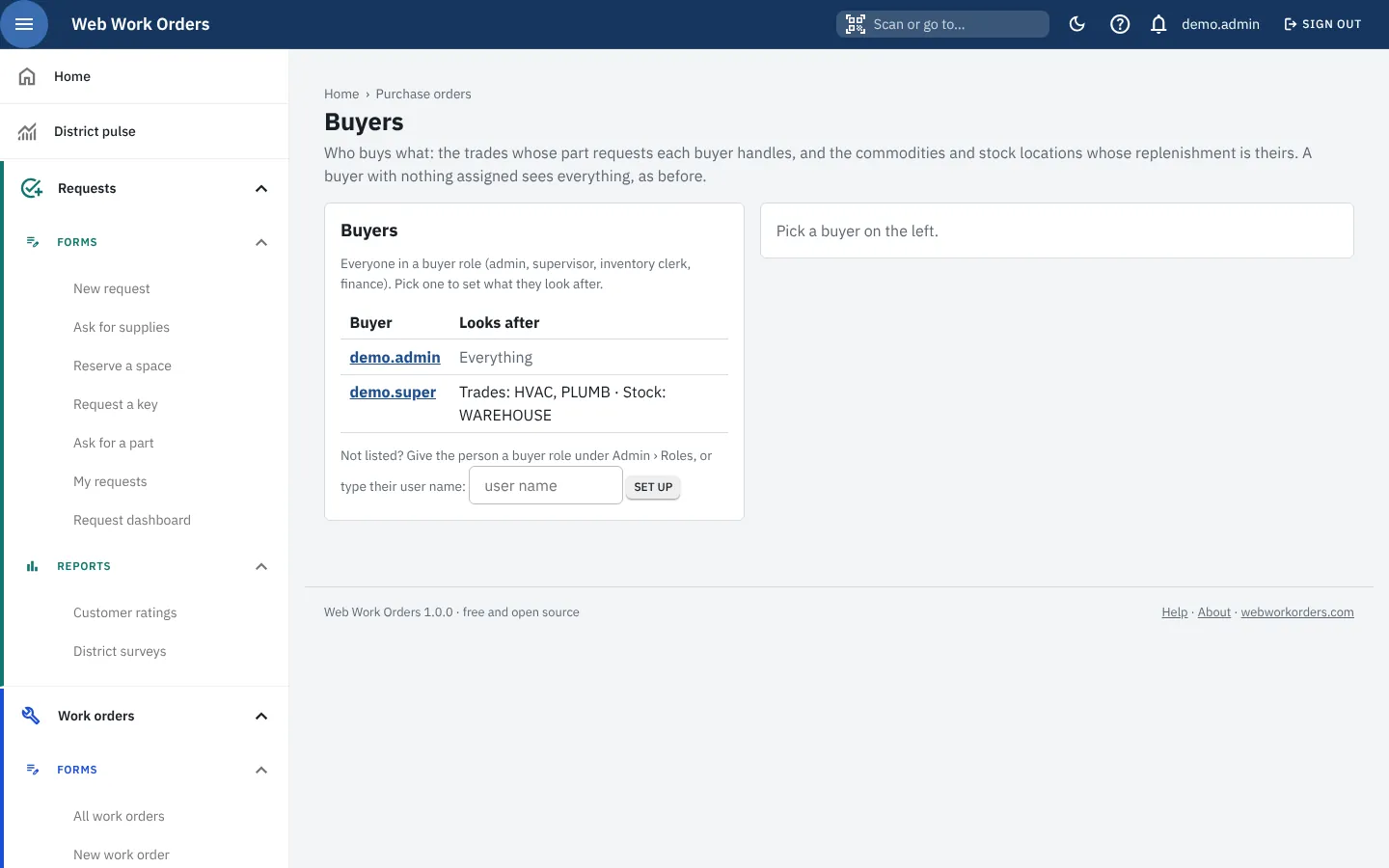
Who buys what: the trades whose part requests each buyer handles, and the commodities and stock locations whose replenishment is theirs.
How it helps
Who buys what: one buyer takes HVAC, plumbing and the warehouse, another electrical and the trucks. Each buyer's queue opens on their own requests, the notice for a new request goes to the right desk, and Replenish stock shows them their shelves. The earlier version's assignments come over with the database.
Who uses it
How to use it
- Pick a buyer (anyone in a buyer role: admin, supervisor, inventory clerk, finance) and choose their trades, commodities and stock locations. A buyer with nothing set sees everything, as before.
- Part requests for a buyer's trades open on their Mine view and reach them as a notice; a request for a trade nobody has goes to the buyers with no trades of their own. Replenish stock's Mine view shows items at a buyer's stock locations or in their commodities.
- The earlier version's buyer assignments (by trade, commodity and stock location) were brought over by user name when the database was upgraded.
Fields on this screen
- Trades
- The trades whose part requests this buyer handles: they land on the buyer's Mine view and reach them as a notice. Leave empty and the buyer sees every request.
- Commodities
- The commodity codes (from the earlier Commodities list, on each item) whose replenishment this buyer handles on Replenish stock.
- Stock locations
- The stock locations whose low items this buyer orders; they make the Mine view on Replenish stock. Leave empty, with no commodities, and the buyer sees every line.
Where to find it
In the app at /purchasing/buyers. Every screen has a ? in the header with help for that page.
Terms on this page
Related
Screenshots come from the Pine Valley Schools demo, a made-up district. Something unclear or out of date? Tell us and we'll fix it.