How did we do? (customer survey)
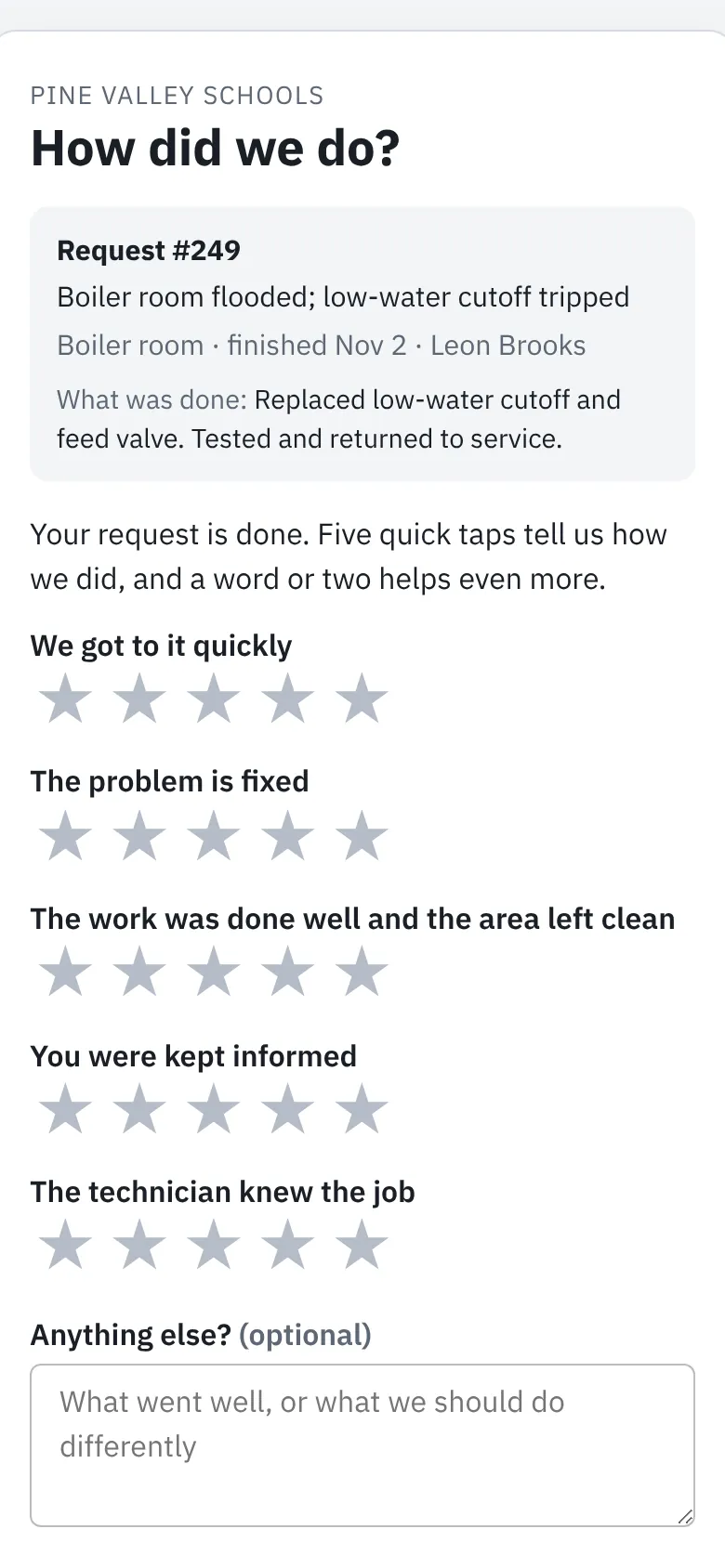
The survey a requester opens from the completion notice: five statements scored one to five stars, a comment, and a box to ask for a call. The link works without signing in and is good for the days set under Settings › Requests.
How it helps
Five taps, no sign-in. When a request is finished, the completion notice carries a link: the job, what was done, and five statements scored one to five stars, with an optional comment and a box to ask for a call. A low score or a request to be contacted reaches the supervisors at once, so the call gets made.
Who uses it
Teachers and staff (requesters)
How to use it
- Tap a star on each line; one line is enough. A comment and a request to be contacted are optional. Send once; the page then shows what was answered.
Fields on this screen
- Ask after every
- 1 asks the requester how it went after every completed request; 2 asks after every second one, 3 every third, and so on. The work order number decides, so the sample is steady and nobody is asked twice for one job.
- Link good for
- How many days the survey link in the completion notice stays open. After that the page says the link has expired and the request page still takes a note.
- Low is a score at or under
- Any answer at or under this number (1 to 4), or a request to be contacted, counts as low: supervisors get a Low rating notice and it waits on the Customer ratings report until someone records a follow-up.
- Questions asked
- Which of the five questions the survey shows. The earlier version's survey reports scored all five; untick one the district does not want to ask and the report simply leaves it blank.
- Opening words
- The sentence at the top of the survey page. Leave blank for the built-in wording.
- Thank-you
- What the page says once the answers are in. Leave blank for the built-in wording.
Where to find it
In the app at /survey/…. Every screen has a ? in the header with help for that page.
Terms on this page
Work orderRequesterCustomer satisfaction score
Related
Screenshots come from the Pine Valley Schools demo, a made-up district. Something unclear or out of date? Tell us and we'll fix it.