Keys
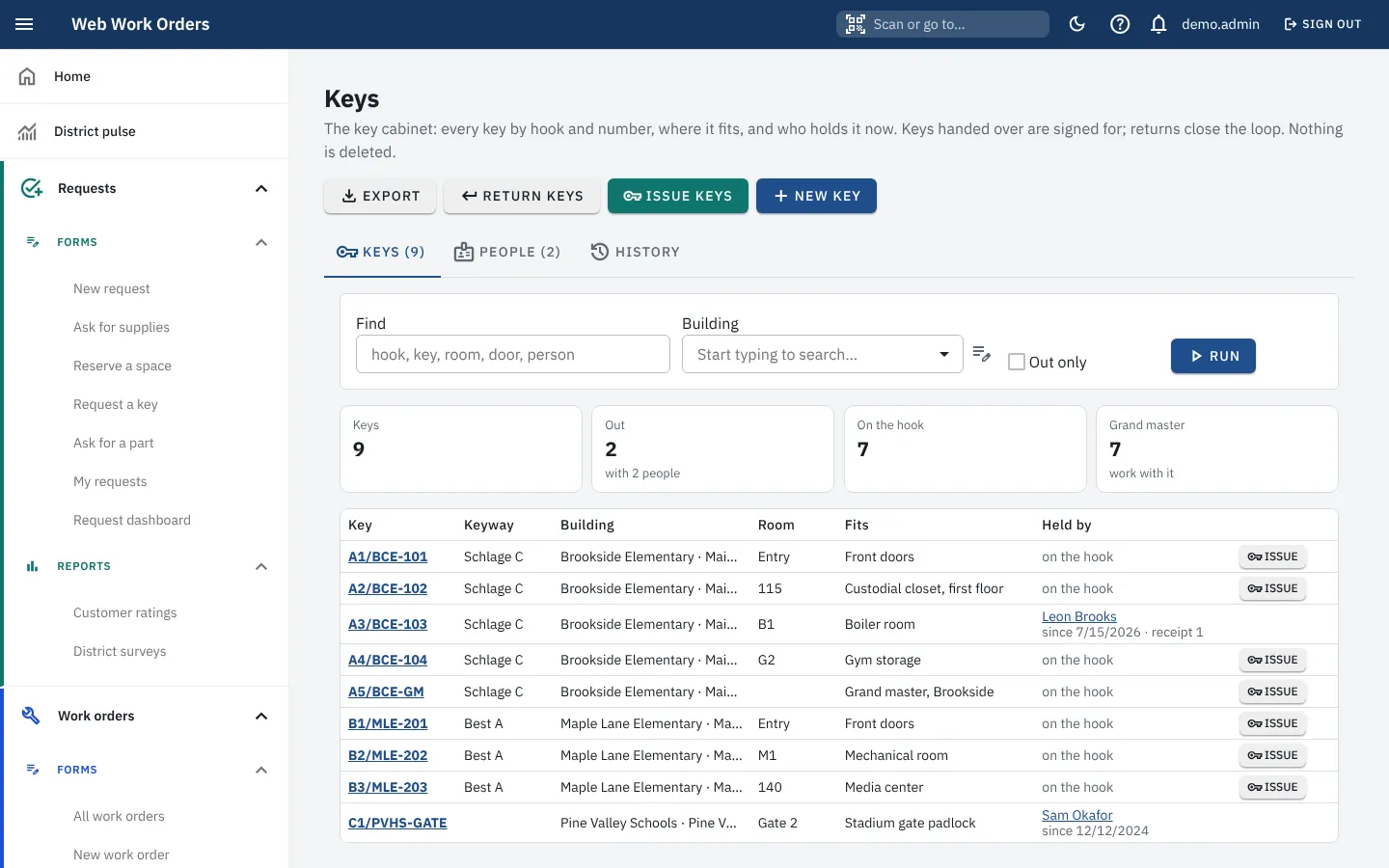
The key cabinet on the earlier version's tables: every key by hook and number, where it fits, who holds it now, and the history of every issue and return.
How it helps
Every school has a key cabinet and a story about the key that walked off. Every key by hook and number, the keyway, the building and room, what it fits, whether the grand master opens the same lock, and who holds it right now, on the earlier version's tables so the cabinet and its history are there on the first day.
Who uses it
How to use it
- Keys lists the register; People shows who holds how many; History is every issue and return.
- Issue keys takes a signed receipt; Return keys closes the loop. Requests from staff come in under Key requests and on the Request dashboard.
- Nothing is deleted: a key that is gone is noted in its description, and every change is in row history and the audit log.
Fields on this screen
- Hook
- Where the key hangs in the cabinet (a hook number or letter). With the key id it names one physical key.
- Key id
- The number stamped or written on the key. It cannot change once the key is in the register.
- Keyway
- The keyway or system the key belongs to, such as Schlage C or Best A.
- Make
- The lock or key maker, when it helps the locksmith.
- Cylinder
- The cylinder or core number the key operates, when the district tracks it.
- Building
- The school or building the key is for; the register and requests are grouped by it.
- Room
- The room, door or gate the key opens.
- Fits
- What the key opens, in words: front doors, custodial closet, gym storage.
- Date cut
- When this key was cut, for telling old copies from new ones.
- Lock installed
- When the lock this key fits was installed.
- Lock changed
- When the lock was last rekeyed or replaced; keys cut before this may no longer work.
- Grand master
- Tick when the district's grand master key also opens this lock.
Where to find it
In the app at /keys. Every screen has a ? in the header with help for that page.
Terms on this page
Related
Next in Keys: Request a key →
Screenshots come from the Pine Valley Schools demo, a made-up district. Something unclear or out of date? Tell us and we'll fix it.