Purchase order
One order: its vendor, lines, totals, what has been received, and the steps it goes through.
How it helps
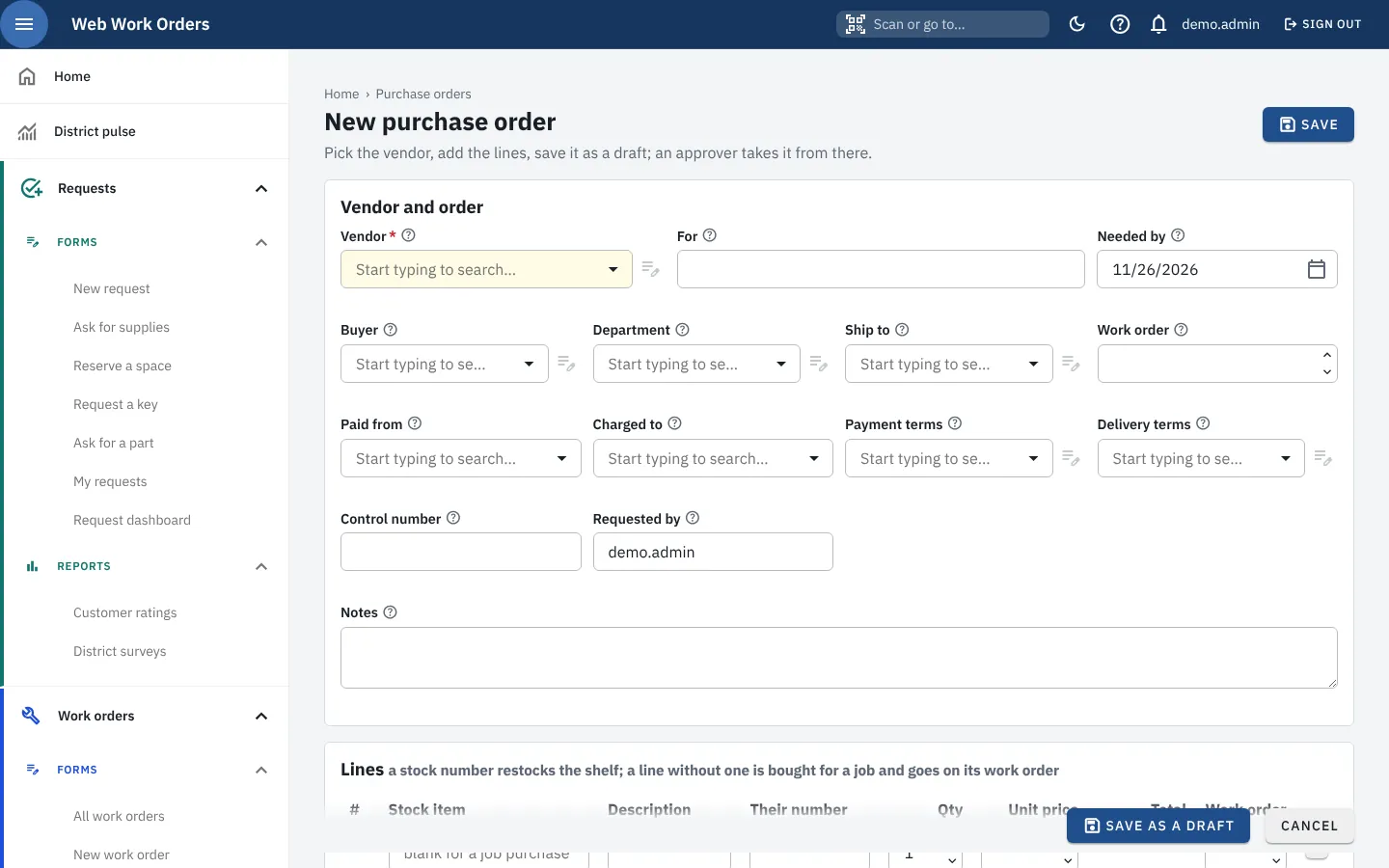
One order, two kinds of lines: stock lines restock the shelf, job lines are bought for a work order and land on it as a purchase when they come in. Draft, approve, send, receive and close, with every step in the audit log; open orders show as money committed on Accounts & budgets and the pulse before the invoice arrives.
Who uses it
Stockroom (inventory clerks)SupervisorsFinanceAdministrators
How to use it
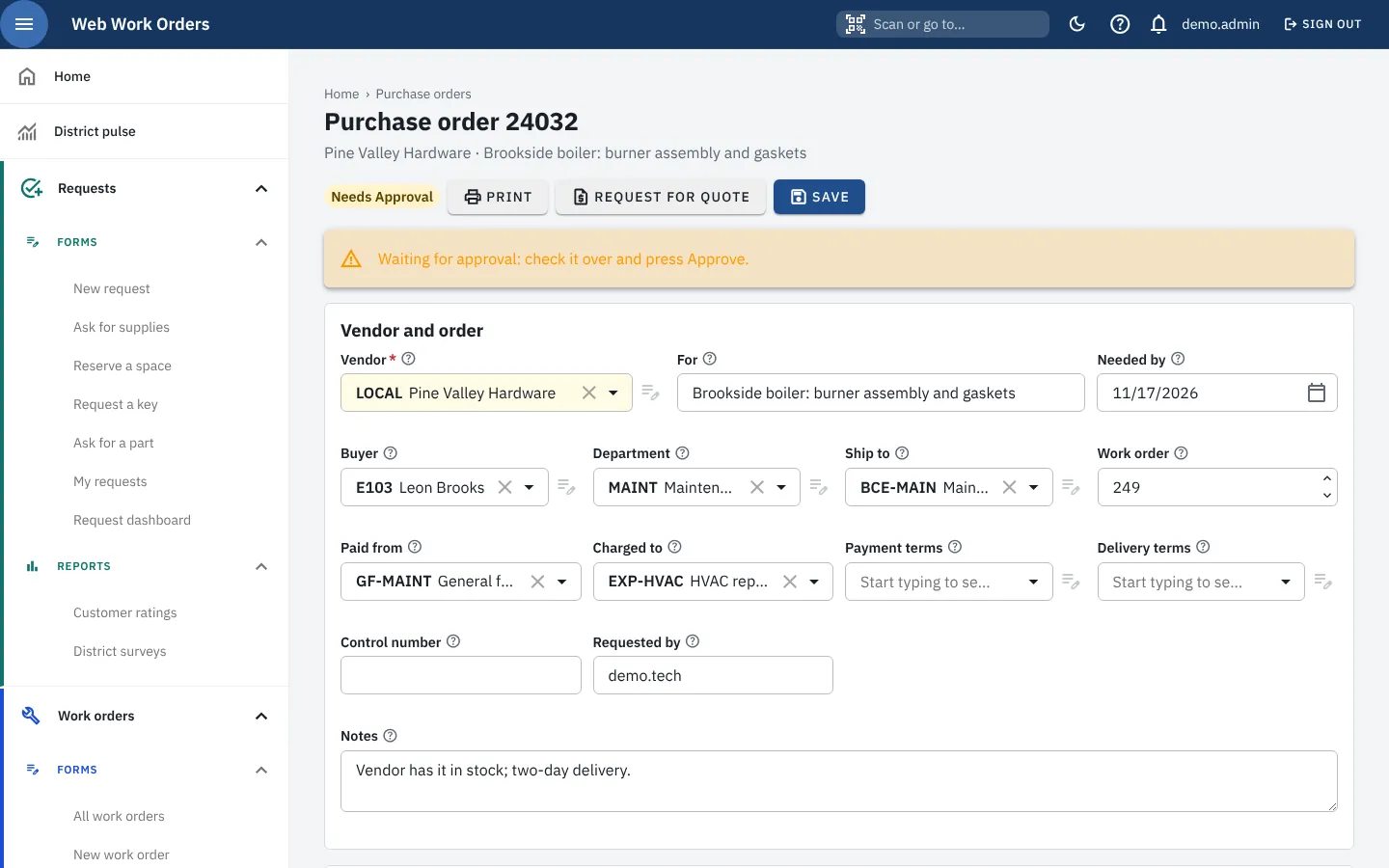
- Draft (Needs approval) → Approved → Sent (Open) → Closed. Void takes an order out of play with a reason; it stays in the list, marked, and nothing is ever deleted.
- Receive stock lines under Inventory › Receive a delivery (the button fills the lines from this order); Job lines received puts each non-stock line on its work order as a purchase at the order's price.
- Close when nothing more is coming, even if a line is short. An open order commits its unreceived value against the charged-to account on Accounts & budgets.
- Every save, approval and status change is in the audit log; the earlier versions of the header and each line are in row history.
Fields on this screen
- Vendor
- Who the order goes to. Its payment and delivery terms and its usual account fill in when picked.
- For
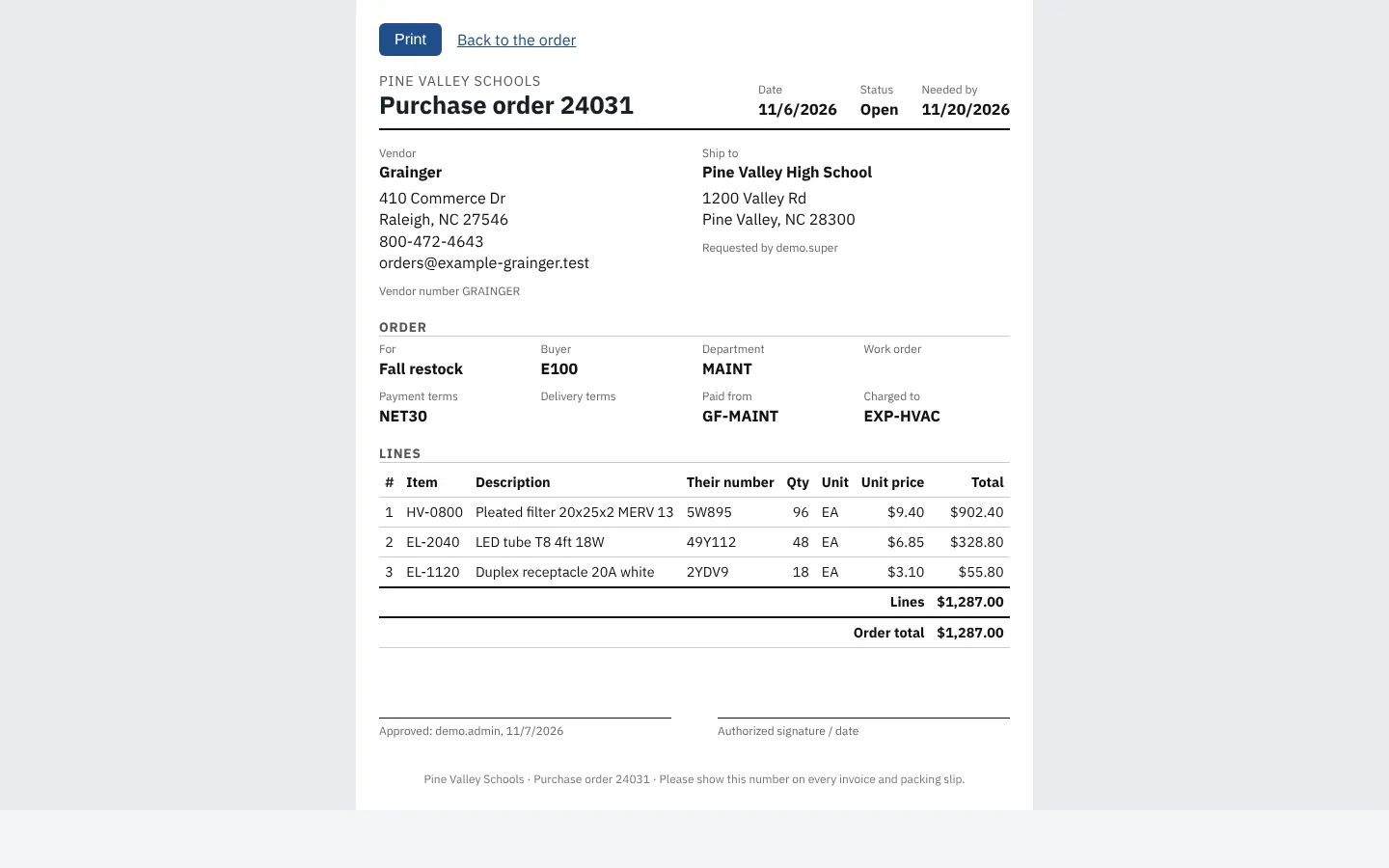
- A few words on what the order is for; it shows in the list and on the print.
- Needed by
- When the goods are wanted; printed on the order so the vendor sees it.
- Buyer
- The employee placing the order; the vendor's questions come back to this person.
- Department
- The department the order is for, so purchasing reports can be split by department.
- Ship to
- The school or building the vendor delivers to; its address prints on the order.
- Work order
- The work order the whole order is for, if one. Lines can name their own.
- Paid from
- The fund the money comes out of; purchases received against this order carry it.
- Charged to
- The expense account; the unreceived value of an open order shows against it as a commitment.
- Payment terms
- How soon the vendor expects payment, such as Net 30, from Code lists.
- Delivery terms
- How the vendor delivers, such as FOB destination, from Code lists.
- Control number
- The finance system's number for this order, when the district's office issues one. Can be filled in after approval.
- Requested by
- Who asked for the order, so the approver knows whom to ask about it.
- Notes
- Anything the vendor or the office should know; printed on the order.
Where to find it
In the app at /purchasing/…. Every screen has a ? in the header with help for that page.
Terms on this page
Work orderStatusPaid from / charged toVoidVendorOpen commitment
Related
Screenshots come from the Pine Valley Schools demo, a made-up district. Something unclear or out of date? Tell us and we'll fix it.