Purchase orders
Every purchase order on the earlier version's tables, with what has come in against each and what is still owed.
How it helps
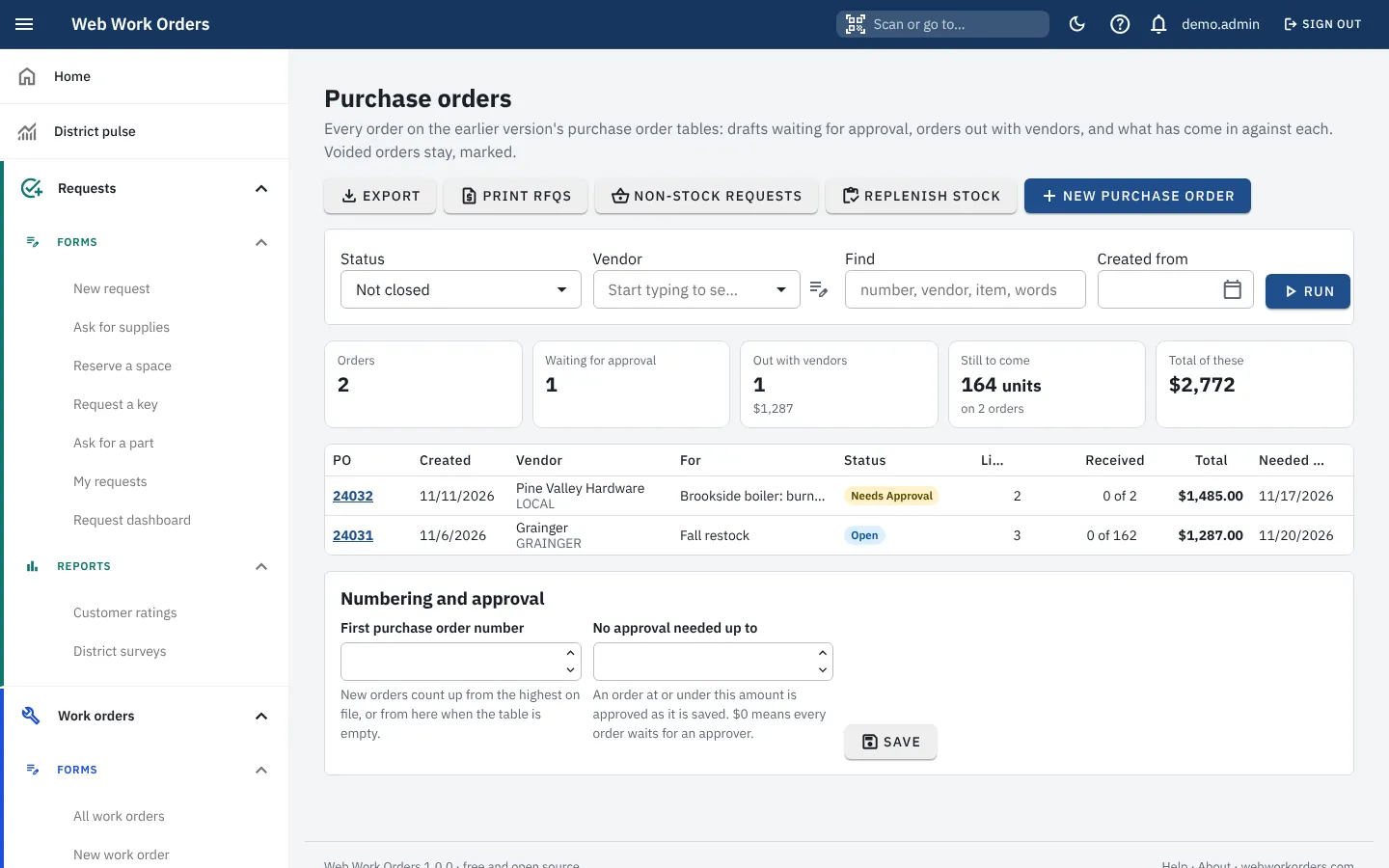
Every purchase order on the earlier version's tables, with what has come in against each and what is still owed, so the orders a district already has are there on day one. Not closed shows what is still in play; Needs approval is the approver's queue.
Who uses it
Stockroom (inventory clerks)SupervisorsFinanceAdministrators
How to use it
- Filter by status, vendor, words or date. Not closed shows everything still in play; Needs approval is the approver's queue.
- Received counts the units that have come in against each order from receiving lines (stock) and purchases (job lines).
- Admins set the first order number and the no-approval limit at the bottom of the page.
Where to find it
In the app at /purchasing. Every screen has a ? in the header with help for that page.
Terms on this page
Work orderStatusPurchase orderVendor
Related
Next in Purchasing: Purchase order →
Screenshots come from the Pine Valley Schools demo, a made-up district. Something unclear or out of date? Tell us and we'll fix it.