Repair or replace
What each building and each piece of equipment costs to keep running, against what a new one costs: an old school beside a new one, and the equipment that is cheaper to replace than to keep fixing.
How it helps
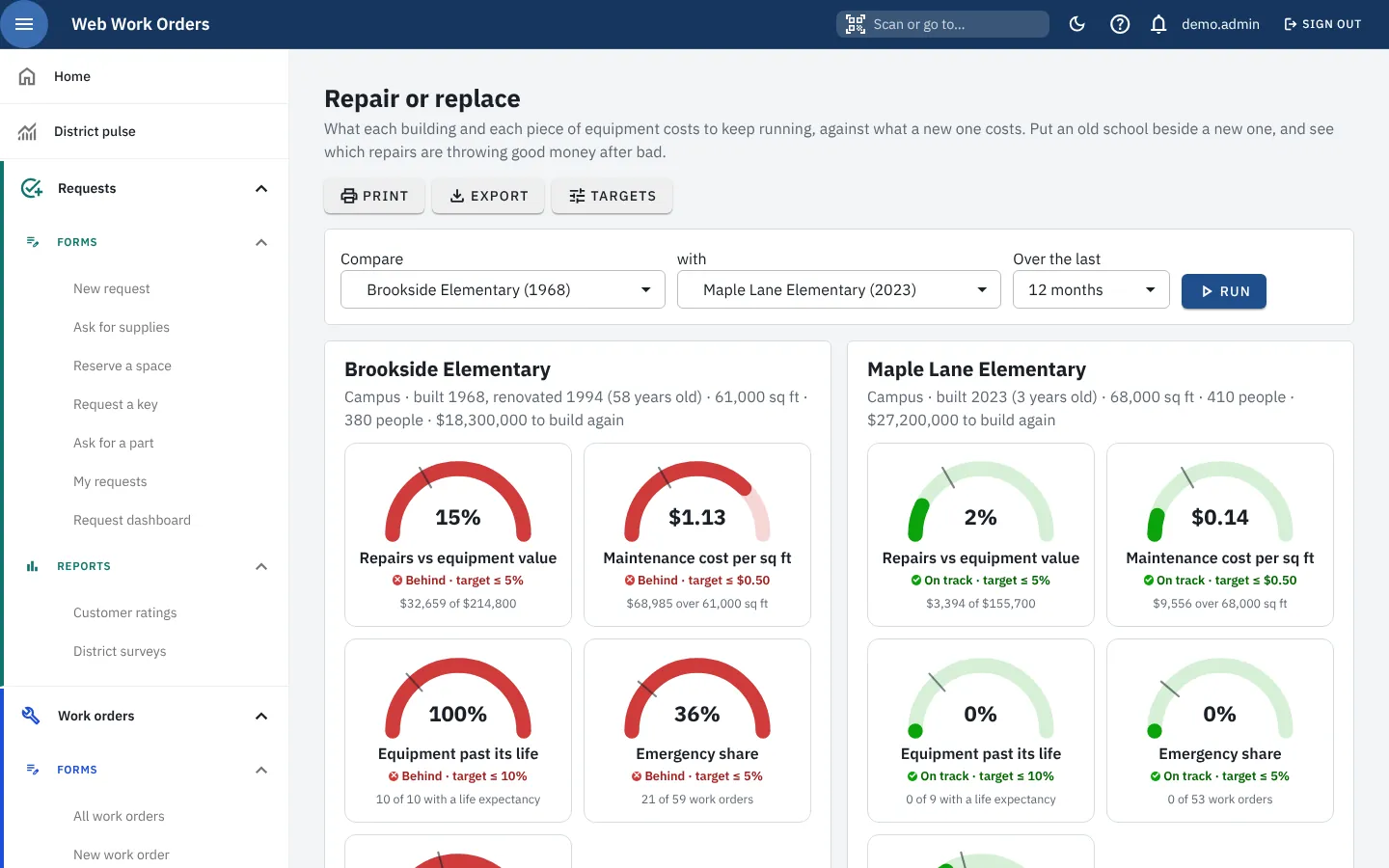
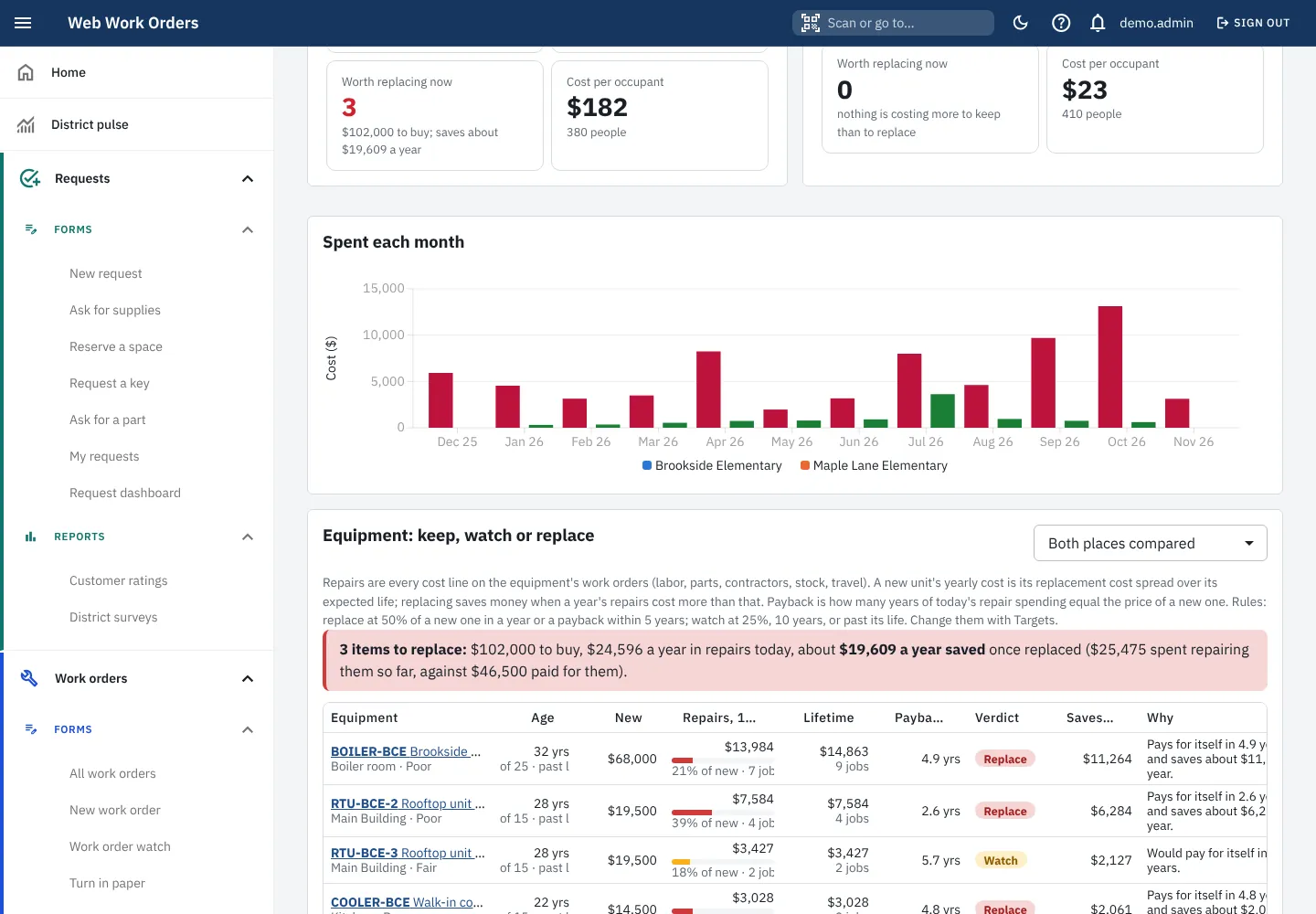
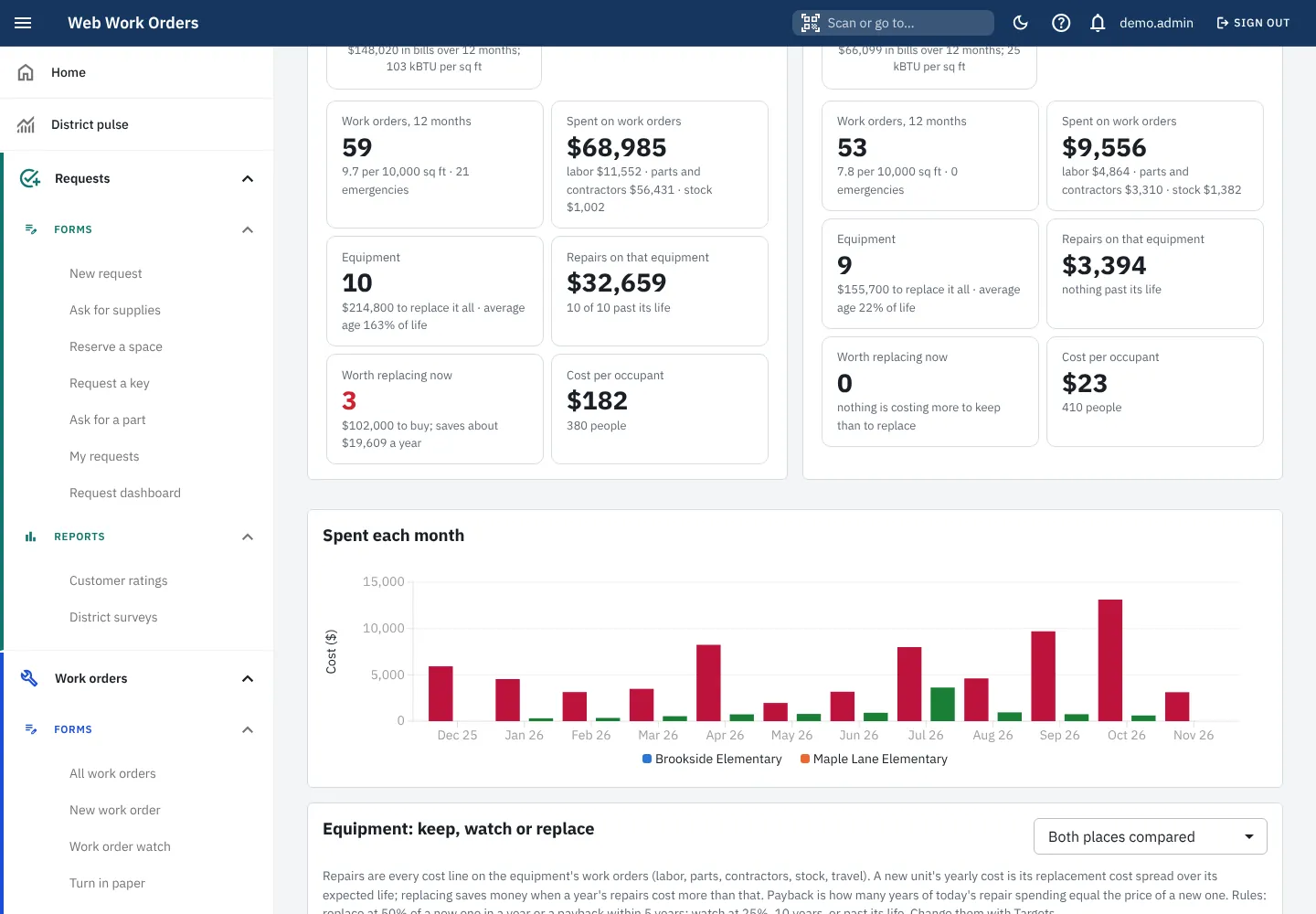
The report a board asks for before it votes on a budget. It puts an old school beside a new one and shows in dollars why the old one costs what it does, then lists every piece of equipment as keep, watch or replace, with how many years of today's repair spending would buy a new one and what replacing it saves each year. In the demo, three items at Brookside cost $24,577 a year to keep running; replacing them costs $102,000 and saves about $19,590 a year.
Who uses it
Superintendents and executivesFinanceSupervisorsAdministrators
How to use it
- Pick two places to compare, or let the page pick the oldest and newest campus by year built. Everything under a place rolls up to it, so a campus holds its buildings and a building its rooms.
- The four gauges score each place against targets you can change: repairs on its equipment as a share of what that equipment would cost to replace, maintenance cost per square foot, the share of equipment past its expected life, and the share of work orders that were emergencies.
- Repairs are every cost line on the equipment's work orders: labor, parts, contractors, stock and travel. Receipts, transfers and count adjustments never count, and voided lines never count.
- Replace means a year's repairs reach the replace share of a new one, or the price of a new one would be paid back by today's repair spending within the replace limit and replacing saves money each year. Watch means the watch share or watch payback is reached, or the unit is past its expected life. Saves a year is today's yearly repairs less the yearly cost of a new unit (its replacement cost spread over its expected life); it assumes the new unit needs no major repairs in its early years.
- When no replacement cost is recorded on an asset, its original cost stands in and the row says so; add replacement costs and life expectancies on the asset to sharpen the verdicts. Year built, renovation, square footage, occupants and replacement value live on the location (Admin › Locations).
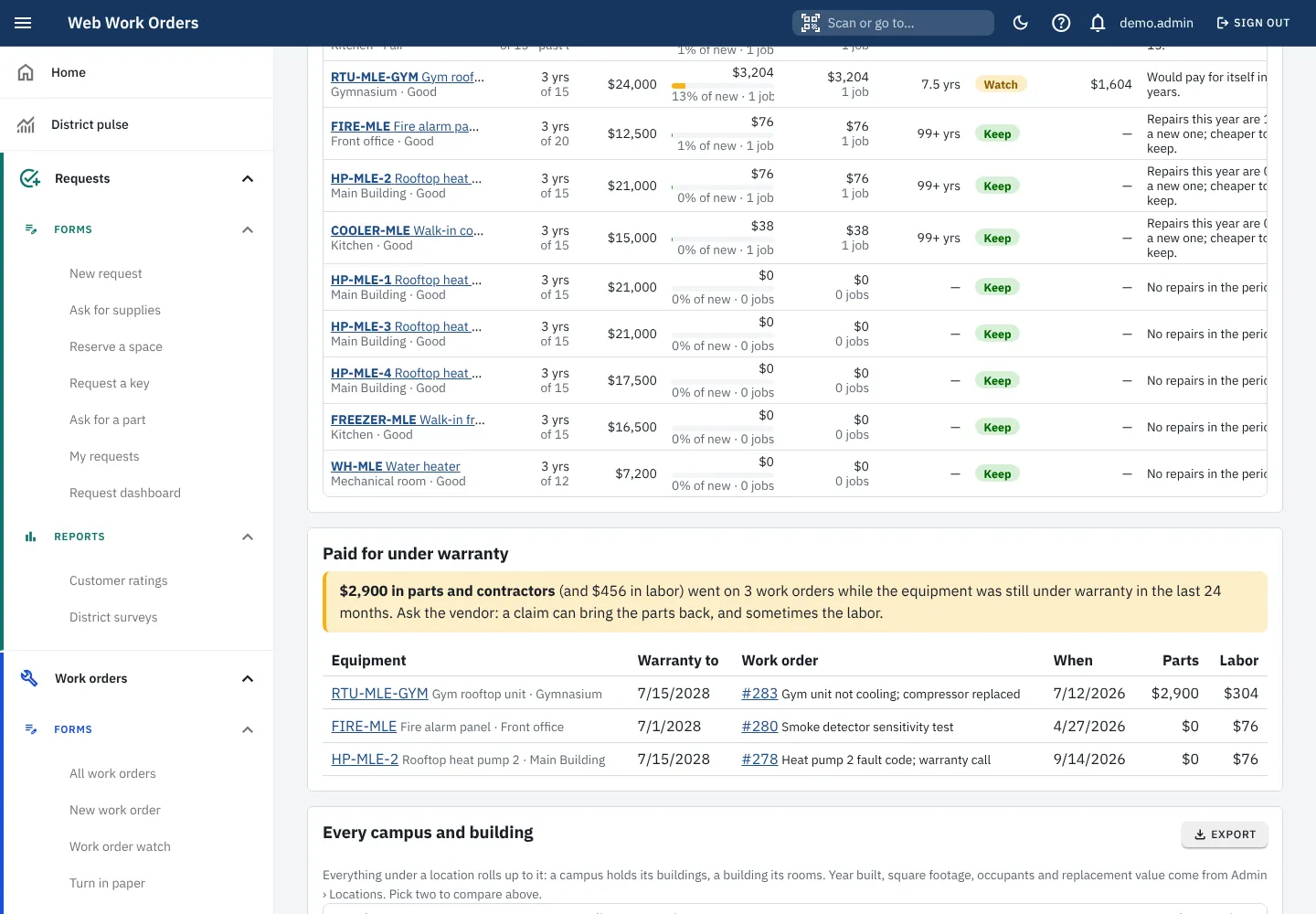
- Paid for under warranty lists repairs charged to work orders while the equipment's warranty (the end date on the asset) was still running, with parts and labor apart: money a claim to the vendor can bring back. Keep warranty end dates on assets filled in.
- Export gives the equipment table or the buildings table as a spreadsheet with every figure the page used.
Where to find it
In the app at /reports/replace. Every screen has a ? in the header with help for that page.
Terms on this page
Work orderRoomAssetReplacement costTransactionCost per square footVendorPayback periodExpected lifeReplacement value
Related
Screenshots come from the Pine Valley Schools demo, a made-up district. Something unclear or out of date? Tell us and we'll fix it.