Orders to accounting
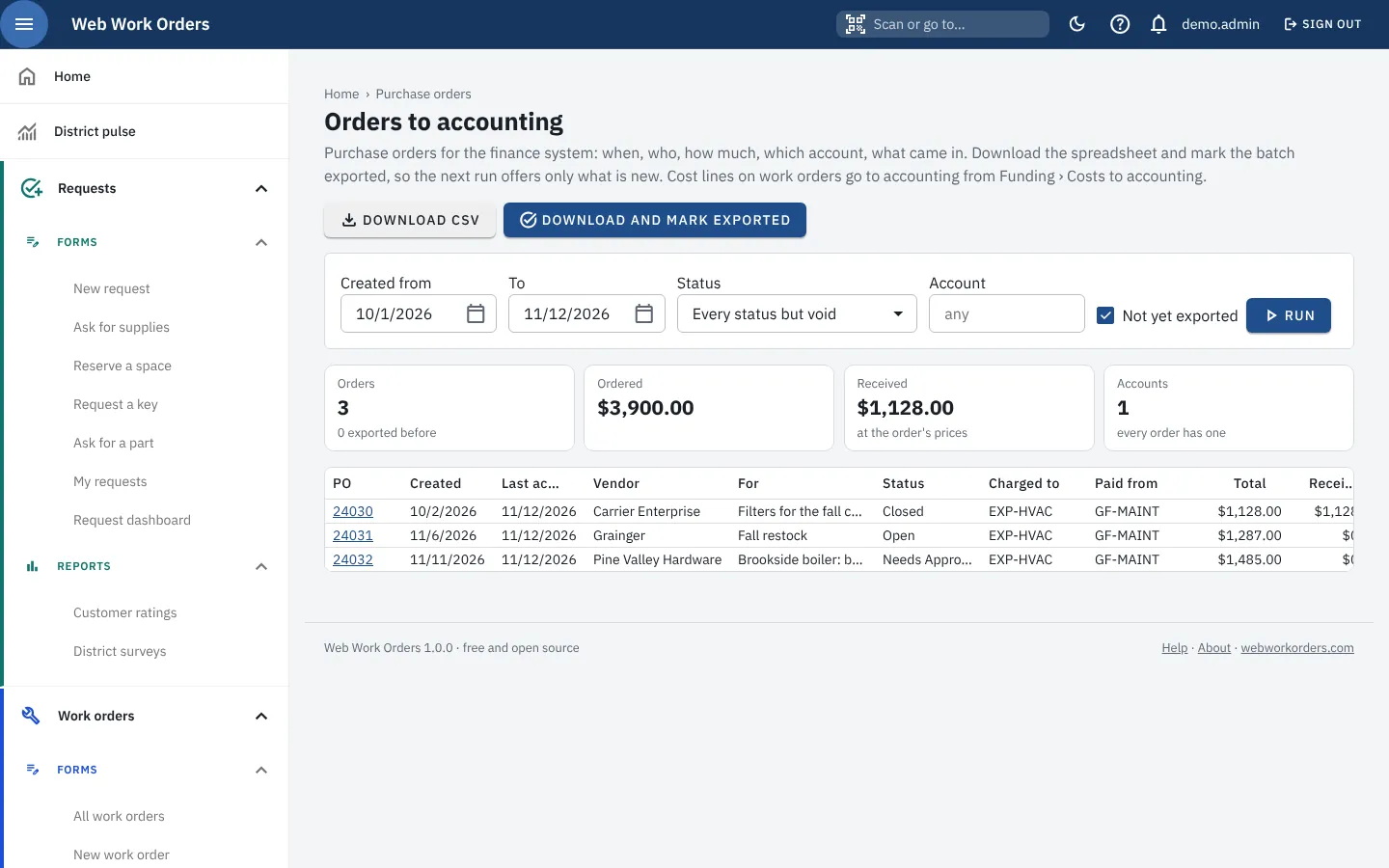
Purchase orders for the finance system: created and last-action dates, vendor, status, accounts, total and what was received, as a spreadsheet. Marking a batch exported makes the next run offer only what is new.
How it helps
Purchase orders for a period as a spreadsheet for the finance system: dates, vendor, status, accounts, total and what came in. Mark the batch exported and the next run offers only what is new, so nothing is entered twice.
Who uses it
How to use it
- Not yet exported (ticked by default) leaves out orders that went in an earlier batch; untick it to send everything in the period again.
- Received is valued at the order's prices from what has come in against each line.
- Download CSV alone marks nothing; Download and mark exported records the batch under Earlier exports and in the audit log.
- Cost lines on work orders (labor, stock, purchases) go to accounting from Funding › Costs to accounting.
Fields on this screen
- Which lines
- Lines dated in the period (the usual monthly run), or every line on work orders completed in the period, whatever its own date, so a finished job goes over whole.
- Which work orders
- Every work order, only closed ones, or complete and closed: the earlier version's three choices, for districts that bill a job only once it is done.
- Charge-backs
- Every work order, only the ones charged back to another account, or everything but those. A charge-back is a work order whose budget code matches the Accounting.ChargeBackCodes setting (A/R* unless changed), as the earlier version's monthly A/R report filtered.
Where to find it
In the app at /purchasing/export. Every screen has a ? in the header with help for that page.
Terms on this page
Work orderStatusTransactionBudget codePurchase orderVendor
Related
Next in Purchasing: Buyers →
Screenshots come from the Pine Valley Schools demo, a made-up district. Something unclear or out of date? Tell us and we'll fix it.