Asset register
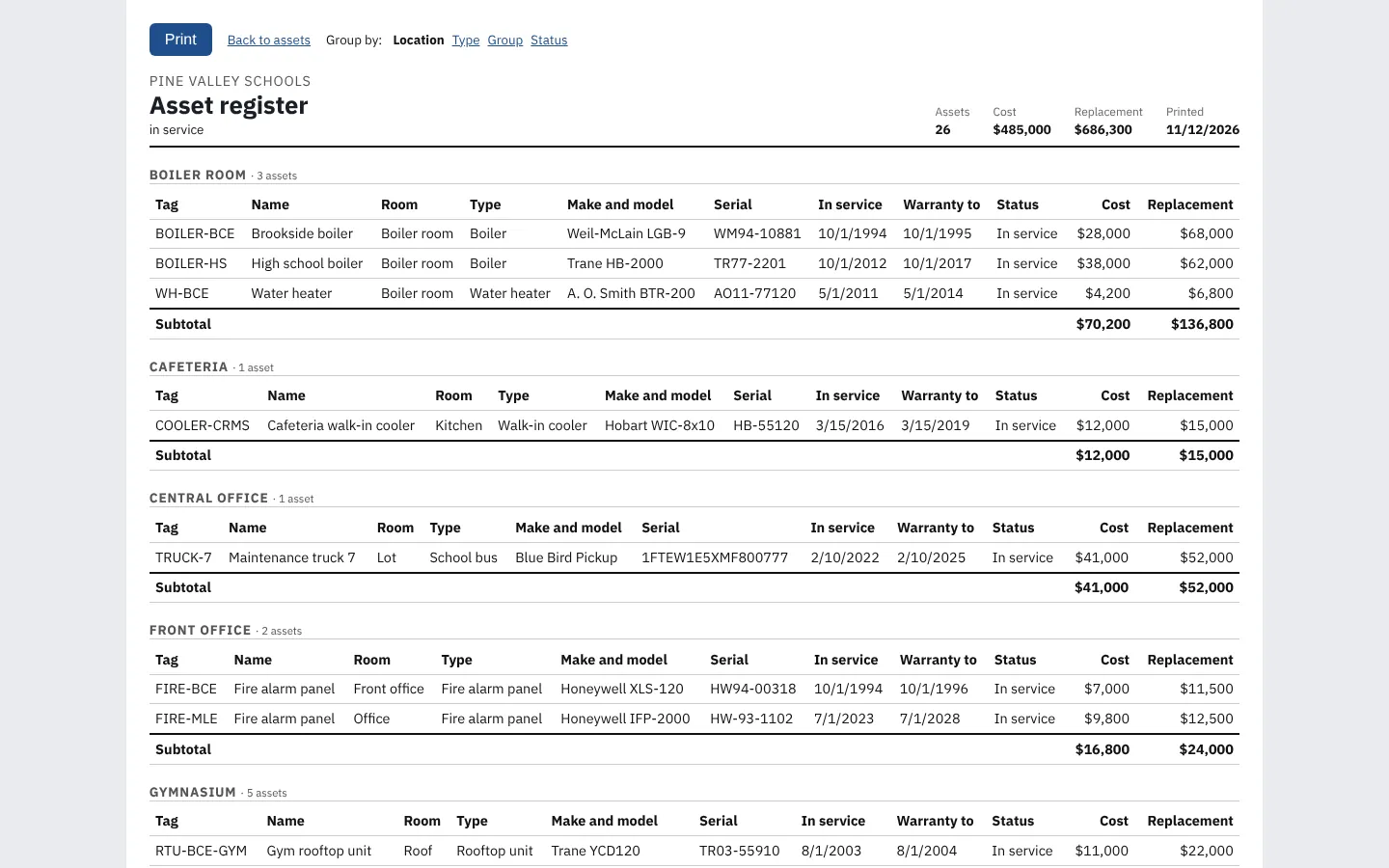
A printable list of assets grouped by location, type, group or status, with cost and replacement totals.
How it helps
A printable register of assets grouped by location, type, group or status, with cost and replacement totals. It is the document finance, auditors and the capital plan ask for, produced in a click.
Who uses it
SupervisorsFinanceSuperintendents and executives
How to use it
- Open it from the asset list with Register: it lists the assets matching the filters there.
- Change the grouping with the links at the top, then Print.
- From a location under Admin → Locations, Asset register lists everything in that location and below.
Where to find it
In the app at /assets/register. Every screen has a ? in the header with help for that page.
Terms on this page
Related
Next in Assets: Equipment checklists →
Screenshots come from the Pine Valley Schools demo, a made-up district. Something unclear or out of date? Tell us and we'll fix it.