Rent the gym without the phone tag
Gyms, cafeterias, auditoriums and fields sit empty most evenings and weekends. Web Work Orders gives each space a public page and turns “can we use the gym Tuesday?” into a request your office approves in a click. It’s part of the same free software that runs your work orders, so the chairs actually get set up.
Who it helps
For the community
See the space, the rules and the price. Check when it’s free. Request a date, add extras, attach insurance, and see the estimate before sending. Pay by card and see every booking in one place.
For the principal and the office
Each approver sees what’s waiting for them. Clashes and missing insurance are flagged on the request before anyone says yes.
For the custodians
Approving an event that needs setup opens a work order for the custodial team, due before the doors open. No more surprise basketball tournaments.
A public page for every space
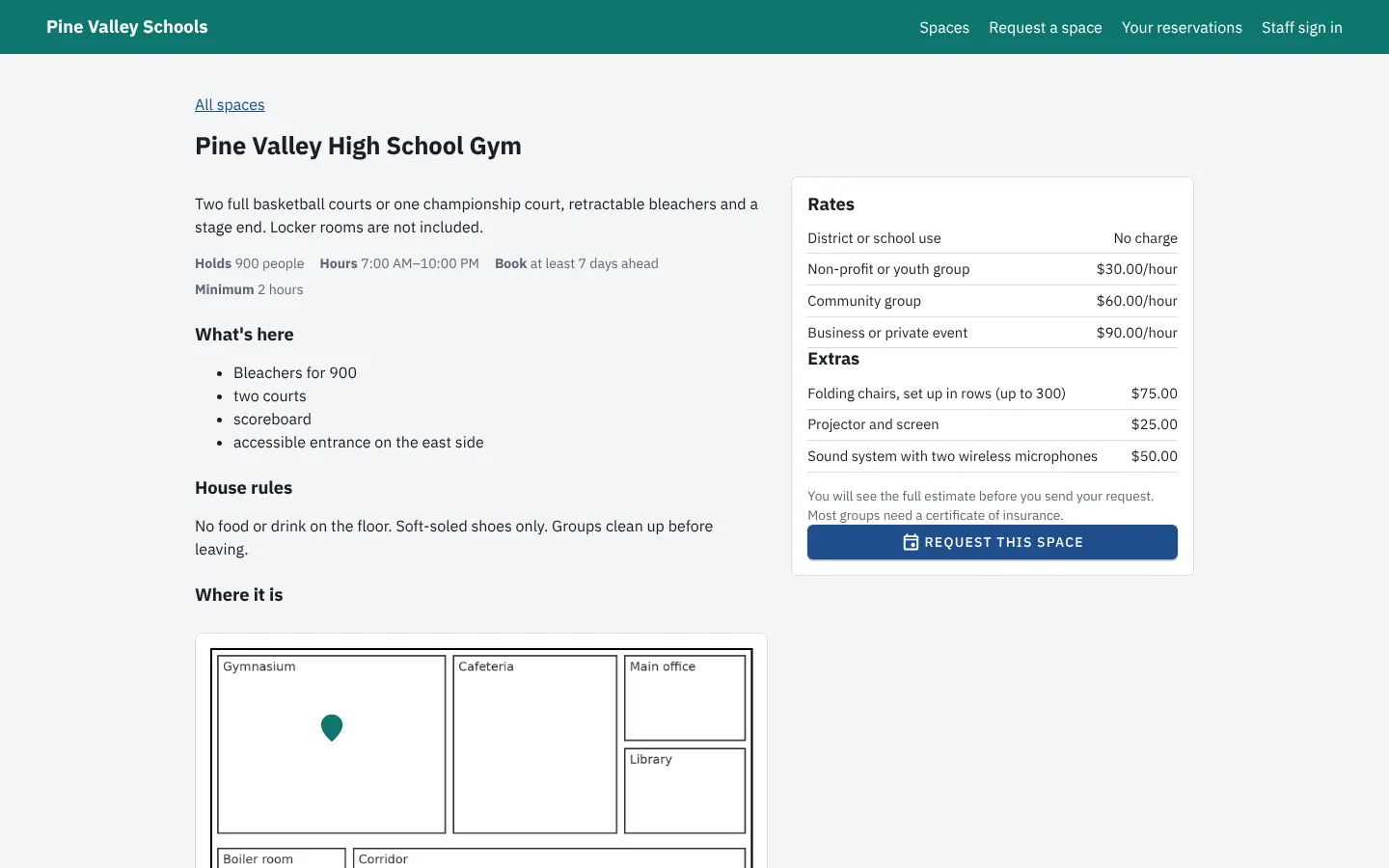
- Everything a renter asksPhoto, description, what’s included, house rules, capacity and hours.
- Rates by kind of groupSchool use, non-profits, community groups and businesses each get their own rate, plus extras like a sound system, field lights or staff on site.
- When it’s freeA four-week view shows booked and requested times. Renters’ names stay private unless you allow them.
- Where it isIf the building has a floor plan, the space shows its own pin on it, so visitors find the gym door without asking.
Requests with the price up front
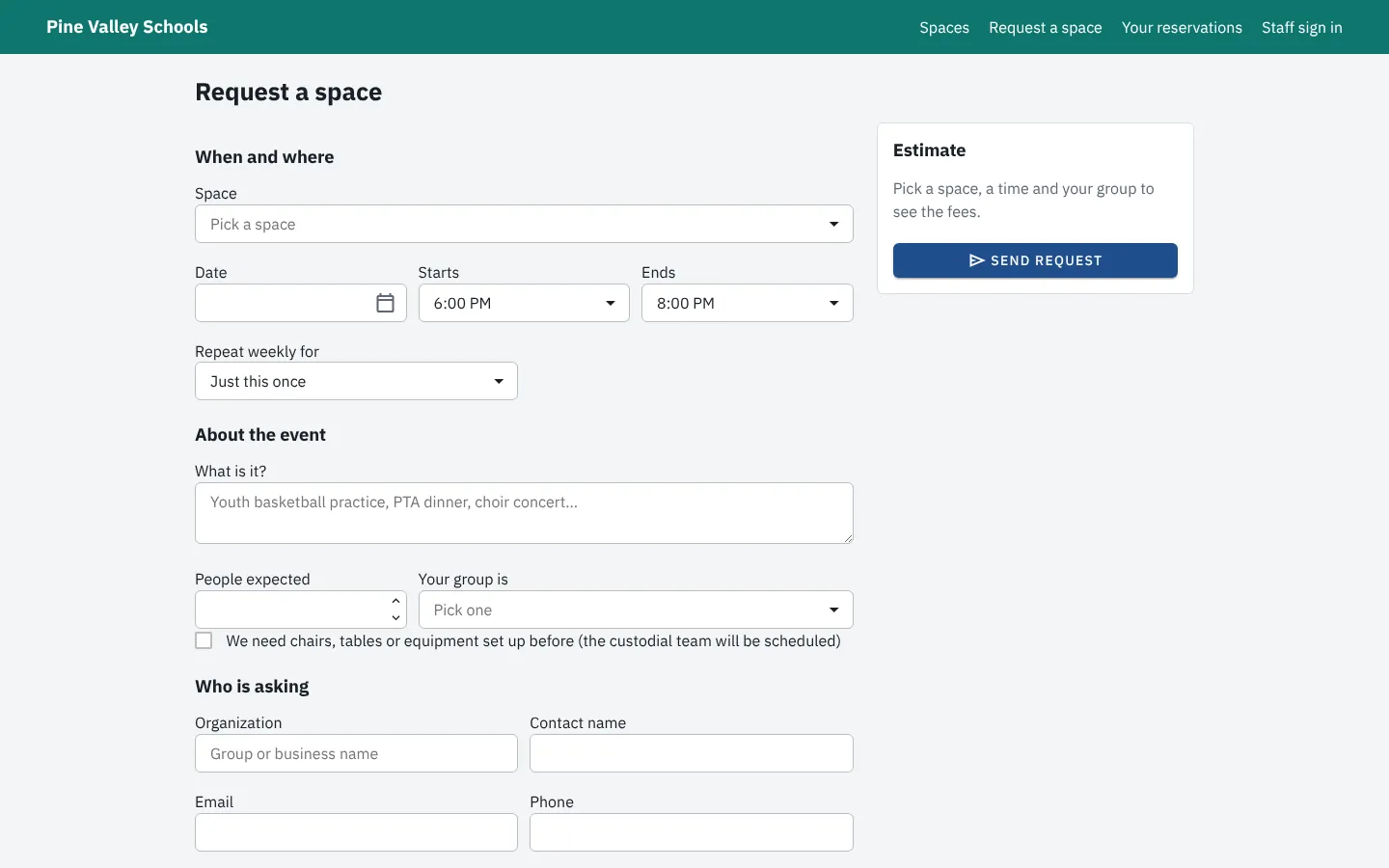
- Pick a space and a time. One date or a weekly repeat for the whole season.
- Add extras. The estimate updates as they go, from your own rates.
- Agree and attach. They accept your use rules and upload their certificate of insurance.
- Send and follow. They get a link to check the status and hear about each decision.
Approvals the way your district already works
- Any number of stepsBuilding principal first, then the facilities office, then whoever else signs off.
- No double bookingsEvery request is checked against other bookings in the space, in the building around it and in the rooms inside it, against blackout dates, and against maintenance already scheduled there.
- All on one dashboardReservation requests sit beside work and supply requests on the request dashboard, each on its own tab.
Money, handled
- Fees from your ratesCalculated from the space, the group, the hours and the extras.
- Invoices and paymentsPrint an invoice. Record checks, purchase orders, transfers, cash or waivers. See who still owes. A voided payment keeps its record.
- Pay by card onlineConnect your district’s own Stripe account and renters pay the balance from the reservation page or their portal. The payment is recorded on the reservation once, when Stripe confirms it. Card numbers are typed on Stripe’s checkout page and never touch Web Work Orders. The money goes to your account, not ours.
A portal for the groups that rent from you
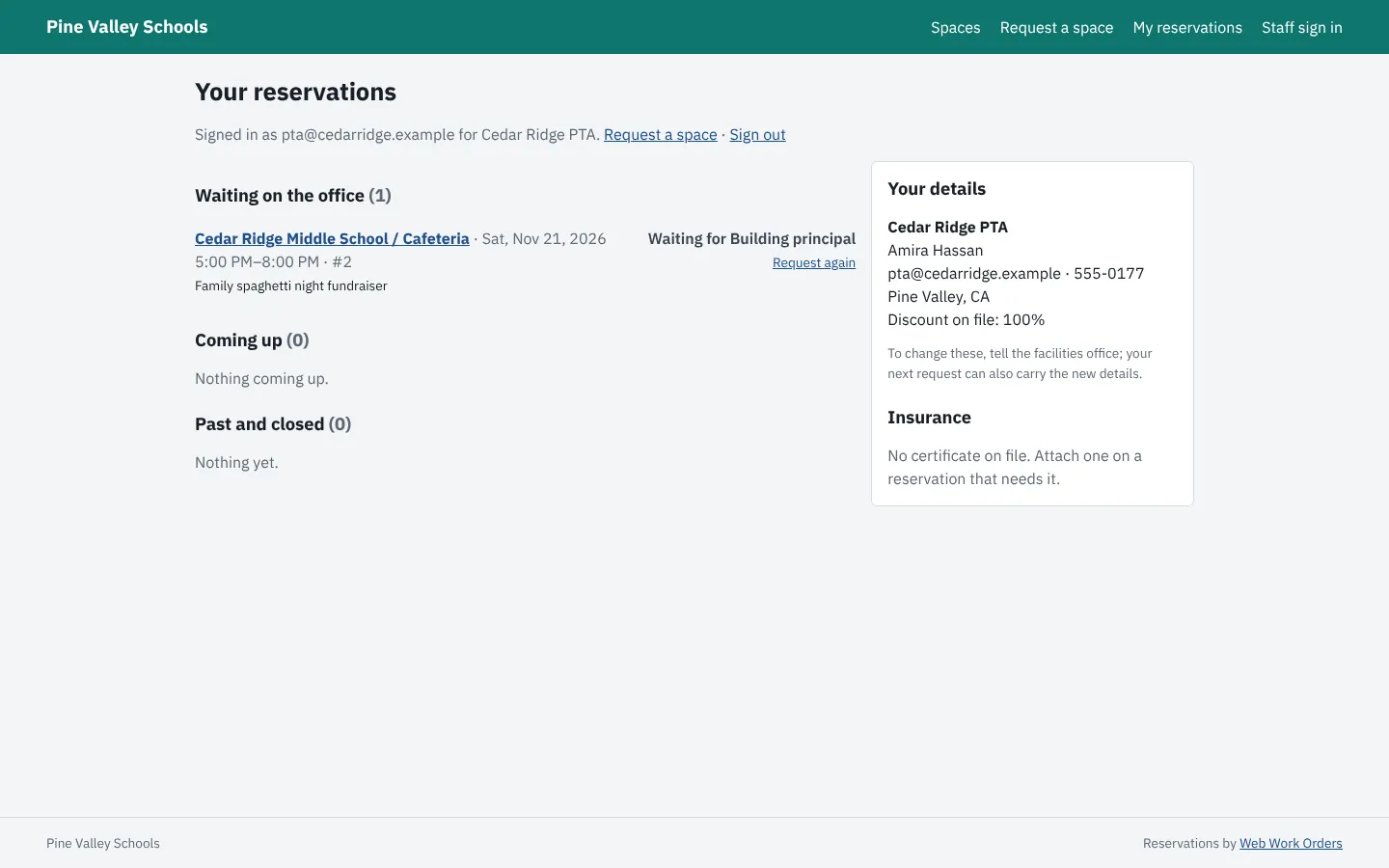
- No password to forgetThe group types its email and gets a sign-in link. Nothing about any other group is ever shown.
- Everything in one placeEvery reservation, what is waiting for approval, what is coming up, what is owed, each invoice, and the insurance certificate on file with the date it runs out.
- Request againLast season’s Tuesday basketball becomes this season’s request in one click.
One calendar
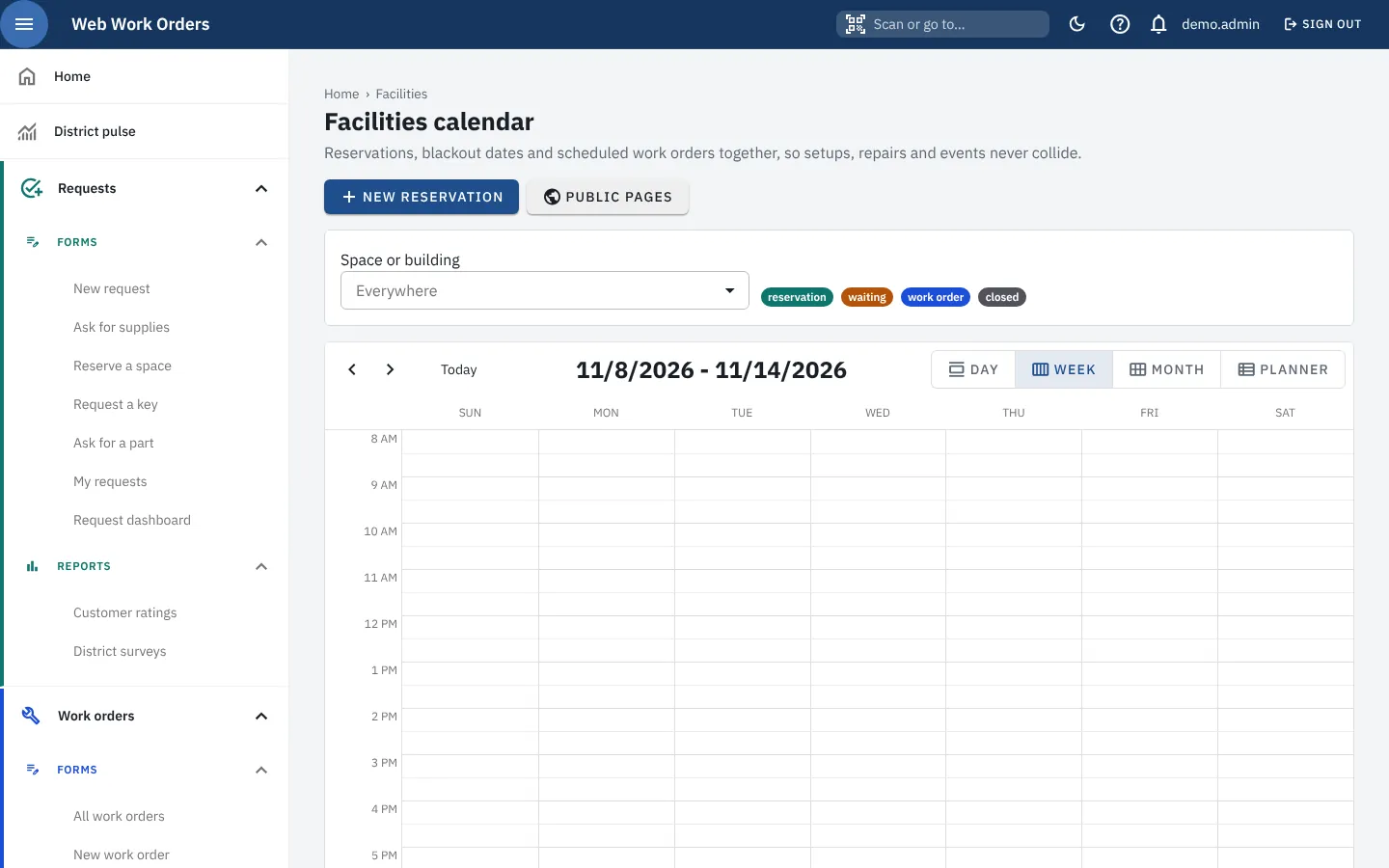
Reservations, blackout dates and work orders together, by space or by building. The night before the band concert, you can see the auditorium’s setup work order sitting right beside the booking.
Already have reservations in TeamWORKS?
They stay. Web Work Orders works on the same tables, so every reservation, organization and blackout date you already have is there on day one.
Your buildings belong to your community.
Make them easy to use, and get paid for it, with software that costs nothing.